6 months ago
The 12 Best Tools for YouTube Audience research in 2026
True YouTube growth is not just about getting more views; it is about deeply understanding who is watching and why. Audience research tells you what content to create next, how to refine your value proposition, and where to find new viewers. While YouTube Studio offers a great starting point, a dedicated toolkit is essential for uncovering the nuanced insights that drive strategy. This guide explores the best tools for YouTube audience research, with a special focus on leveraging the goldmine of information hidden in plain sight: your comment section. We will move from high-level demographic data to the granular, qualitative feedback that reveals what your audience truly thinks, needs, and wants.
This article cuts straight to the actionable details. You will find a curated list of platforms designed to give you a competitive edge, from powerful channel analytics suites to specialized comment analysis software. Each review includes a direct link, screenshots, ideal use cases, and an honest breakdown of its strengths and limitations.
We will demonstrate how to move past simple sentiment analysis and extract specific topics, questions, and pain points directly from your viewers. This process is crucial for any creator or brand serious about building a loyal community. To truly understand your audience beyond surface-level metrics, exploring the broader landscape of how to use the best social media analytics tools can provide invaluable insights. This list will equip you with the right options to stop guessing and start making data-informed decisions about your YouTube strategy.
1. YouTube Comments Downloader
For creators and marketers who need to move beyond surface-level metrics and understand the why behind their audience’s behavior, YouTube Comments Downloader is an indispensable asset. It excels at a critical, often-overlooked task: transforming raw public YouTube conversations into clean, structured, and analysis-ready datasets. This tool is built for direct, large-scale comment extraction without requiring any coding knowledge, making it one of the best tools for YouTube audience research available for anyone needing to analyze direct viewer feedback.
Its primary strength lies in its speed and scale. The platform allows you to download comments from individual videos, Shorts, live-stream chats, playlists, entire channels, or even a custom list of URLs. It preserves crucial conversational context, including full thread hierarchies, author handles, reply counts, and timestamps. This detailed metadata is what turns a simple comment export into a powerful research file.
Key Features and Practical Applications
The platform is designed with a clear focus on actionable workflows. Exports are available in multiple formats like XLSX for Excel, CSV for databases, and a specialized TXT format optimized for analysis with AI models like ChatGPT. It even includes a companion GPT to accelerate sentiment and thematic analysis directly.
- Bulk Competitor Analysis: Paste a list of your competitor’s top video URLs and extract all comments to identify their audience’s pain points, feature requests, and most frequently asked questions. Users report processing thousands of videos and hundreds of thousands of comments in under 30 minutes. This provides a direct look into what a competing audience wants, giving you a strategic advantage.
- Content Ideation from Comments: Use the built-in search with typo tolerance to find every mention of a specific keyword, product, or question across your entire channel’s comment history. This uncovers hidden content opportunities based on direct audience feedback, moving you from guessing to knowing what to create next.
- Academic and Market Research: The rich metadata and preservation of thread structure are perfect for qualitative analysis. Researchers can explore how conversations evolve, making it a strong foundation for advanced techniques like discourse analysis. If you are new to the topic, their blog offers an excellent primer on discourse analysis methods.
Access and Pricing
YouTube Comments Downloader operates on a flexible credit-based system. New users receive free credits upon signup to test the service. Afterward, you can choose between pay-as-you-go credit packs or subscription plans. For heavy users, a lifetime-licensed desktop application is also available.
Our Take: This tool’s combination of no-code simplicity, raw processing power, and data-rich exports makes it the standout choice for comment analysis. It directly addresses the challenge of analyzing qualitative audience feedback at scale, providing a solid foundation for strategic decisions. The developer’s responsiveness and active incorporation of user feedback, noted in numerous testimonials, adds significant long-term value.
Website: https://youtubecommentsdownloader.com
2. YouTube Studio (official)
Your primary source of truth for audience research begins directly within YouTube’s own ecosystem. YouTube Studio is the free, first-party analytics environment for your channel, offering the most accurate and timely data about who is watching your content and how they found it. This platform is non-negotiable for any creator and serves as the baseline for all other audience research.
The Audience tab is your command center. Here, you’ll find core demographic data including viewer age, gender, and top geographies. It also provides critical behavioral metrics like returning vs. new viewers, when your audience is most active on YouTube, and what other videos and channels they are watching. This information is pure gold for content planning. For example, if the “What your audience watches” panel shows they enjoy a specific creator’s format, you can experiment with a similar style.
Key Features and Strategic Use
- Audience Insights: Directly see the age, gender, and geographic breakdown of your viewers. Use this to refine your content’s tone and references.
- Viewer Behavior: Analyze data on “Returning vs. New viewers” to gauge content stickiness and loyalty. The “When your viewers are on YouTube” report helps you schedule uploads and premieres for maximum initial impact.
- Content Discovery: The ‘Reach’ tab reveals how viewers find you, breaking down traffic from Search, Suggested Videos, and Browse Features. This is crucial for understanding your SEO and algorithm performance.
Practical Tip: The “What your audience watches” module is a direct window into your viewers’ interests. Use it to identify potential collaboration targets or to find inspiration for new video topics that already resonate with your established community.
While it provides unparalleled data for your own channel, its primary limitation is that it offers zero insight into competitors. Data for smaller channels can also be sparse, with some analytics panels remaining unavailable until you reach a certain viewership threshold.
Website: https://studio.youtube.com
3. vidIQ
While YouTube Studio tells you what your existing audience does, vidIQ attempts to show you what your potential audience wants. It’s a creator-focused growth suite that layers competitive and keyword data on top of the YouTube environment. This makes it a useful tool for YouTube audience research before you even hit record, helping you find and validate video ideas based on estimated search demand.
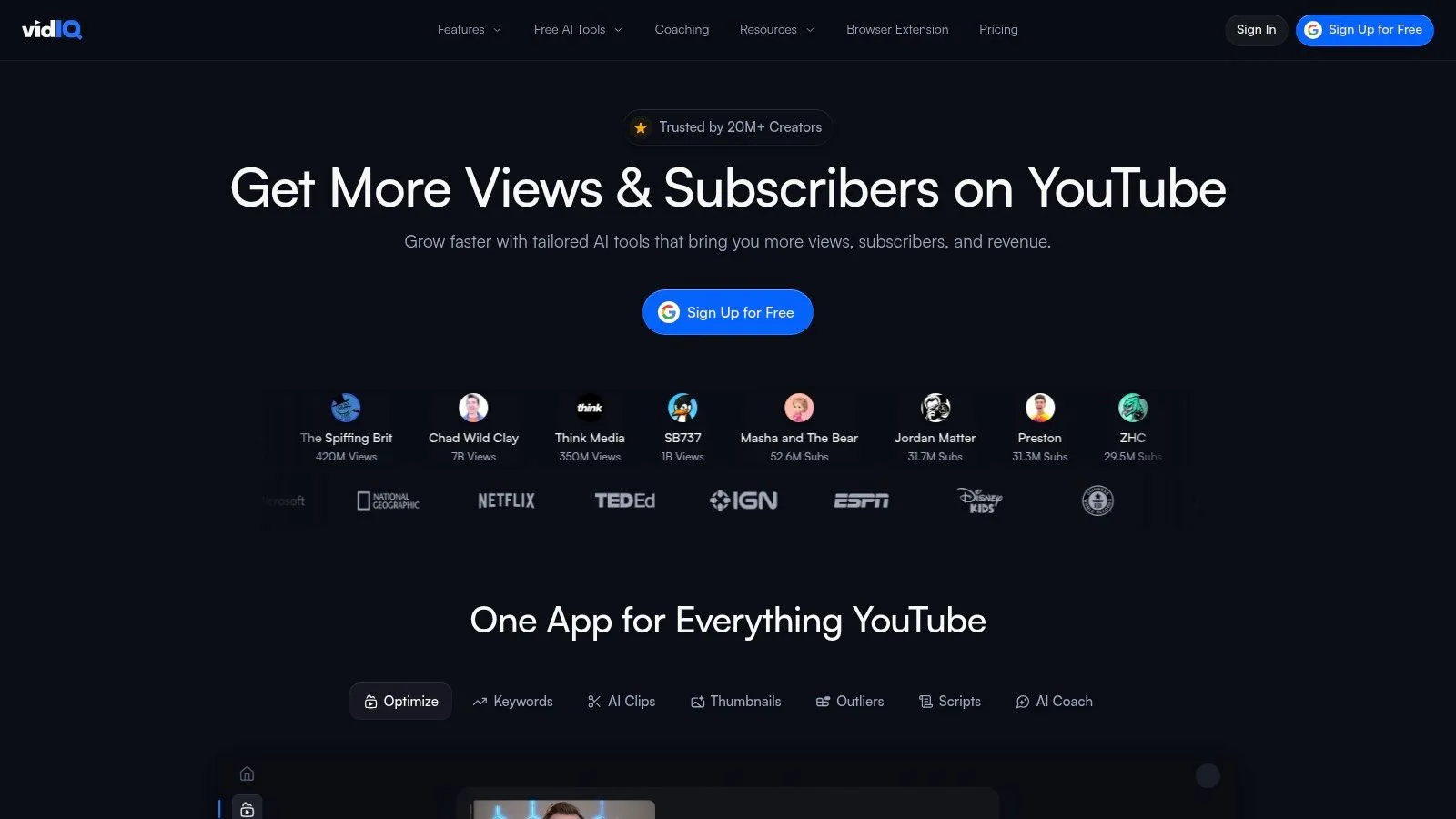
The platform, primarily through its Chrome extension, provides real-time data directly on YouTube’s interface. When you search for a topic, vidIQ displays a keyword score, rating its search volume against its competition level. This instant feedback loop is helpful for understanding whether a niche is worth pursuing. You can see which videos are getting high views-per-hour and analyze the title and tag strategies of top-ranking content to inform your own approach. This data can be a starting point for finding new niches.
Key Features and Strategic Use
- Keyword & Topic Research: Get instant demand vs. competition scores for any search term. Use this to find underserved topics that your audience is actively looking for.
- Competitor Analysis: The browser extension reveals key stats on any video or channel, including tags, views per hour, and engagement rates. This allows you to benchmark your performance and identify what’s working for others in your space.
- Trend Alerts: Set up alerts for specific keywords to get notified when a topic starts gaining traction, allowing you to create timely content that captures emerging interest.
Practical Tip: Use the “Competitors” tool to add channels similar to your own. vidIQ will track their performance and highlight their most successful recent videos, giving you a feed of content ideas that are already proven to work with an audience similar to yours.
While vidIQ provides powerful topic validation, its competitor metrics are modeled estimates, not first-party data, so they should be used as a directional guide. It offers a free plan with basic features, but it doesn’t offer a way to analyze the actual content of viewer conversations. For a deeper understanding, you need to combine these high-level metrics with direct comment analysis.
Website: https://vidiq.com
4. TubeBuddy
A long-standing favorite in the creator community, TubeBuddy functions as a browser extension that integrates directly into your YouTube interface. While known for its broad suite of optimization tools, it offers specific features that make it a useful tool for YouTube audience research, especially for understanding competitor strategies and discovering topics that align with your viewers’ adjacent interests. It can serve as a companion to YouTube Studio by filling some of the competitive intelligence gap.
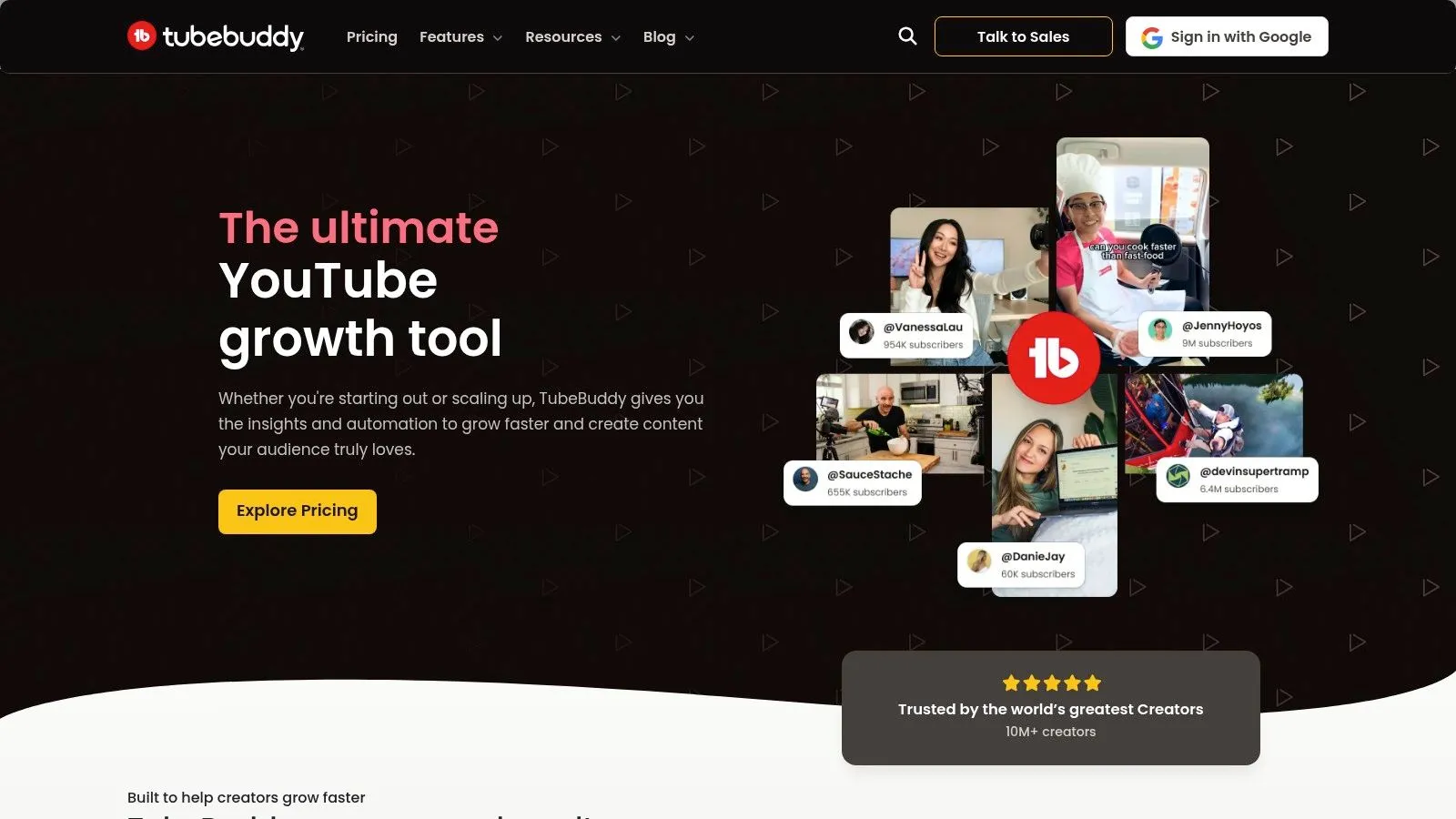
Unlike platforms focused solely on your own channel’s data, TubeBuddy provides a lens into the wider YouTube ecosystem. Its Videolytics panel, which appears next to any video you watch, gives you a snapshot of a competitor’s performance, tags, and engagement metrics. This allows you to benchmark your content and see what’s resonating with audiences in your niche, providing inspiration for your content strategy.
Key Features and Strategic Use
- Competitor Scorecards: Look at any channel and get a high-level view of their uploads, engagement rate, and subscriber growth. This helps you identify trends and understand performance benchmarks.
- Thumbnail A/B Testing: Directly test which thumbnail designs generate a higher click-through rate from your audience. This is a practical way to learn what visual styles your viewers find most compelling.
- Keyword Explorer: Analyze search volume and competition for potential video topics. The “Related Searches” and “Common Video Tags” sections show what your target audience is actively looking for.
Practical Tip: Use the Videolytics panel on top-performing videos in your niche to analyze the tags they use. This is a direct insight into the keywords and phrases that are successfully connecting with the audience you want to reach.
The main limitation is that its most powerful features are locked behind paid subscriptions. While it provides good high-level data, it lacks the ability to analyze viewer comments at scale, which is where the deepest audience insights are found. It tells you what is popular, but not why viewers feel that way.
Website: https://www.tubebuddy.com
5. Morningfame
Morningfame positions itself as a guided analytics partner, making it a decent tool for YouTube audience research, especially for emerging creators. It cuts through the complex data of YouTube Studio and provides prescriptive, step-by-step guidance on how to grow. The platform is designed to help you find audience-fit topics, optimize for search, and understand your channel’s performance relative to your peers.
Instead of overwhelming you with raw data, Morningfame translates analytics into actionable tasks. It’s particularly effective for creators who feel lost in keyword research or aren’t sure what to do next. The core workflow guides you from topic idea to optimized video, focusing on realistic opportunities for your specific channel size. Its unique invite-only system helps maintain a focused community of serious creators.
Key Features and Strategic Use
- Guided Keyword Research: The platform walks you through a four-step process to find and validate video topics. It provides a “Relevance vs. Competition” score to help you identify search terms where your channel has a realistic chance to rank.
- Peer-Group Benchmarking: Morningfame compares your channel’s key metrics against others of a similar size. This context is valuable; it helps you set realistic goals and understand if your growth is on track.
- Prescriptive Channel Insights: After analyzing your channel, Morningfame provides clear, digestible reports on what’s working and what isn’t. It offers concrete “next steps” to improve your performance.
Practical Tip: Use the “Traction” view to see which of your videos are overperforming relative to your channel’s average. This helps you quickly identify successful formats and topics that resonate with your audience, so you can double down on them in future content.
The main limitation is its invite-only access model. Additionally, its focus is on your own channel’s journey and direct peer comparison. It lacks the tools to dig deep into audience conversations on competitor channels, which is a missed opportunity for finding content gaps. It is a good starting point, but not a complete solution for deep qualitative research.
Website: https://morningfa.me
6. Viewstats
Built by a team with direct experience scaling massive channels like MrBeast, Viewstats offers a creator-centric approach to competitive analysis. It operates as both a website and a Chrome extension that overlays data directly onto the YouTube interface, giving you instant performance insights as you browse. This tool excels at helping you spot trending topics and analyze competitor strategies.
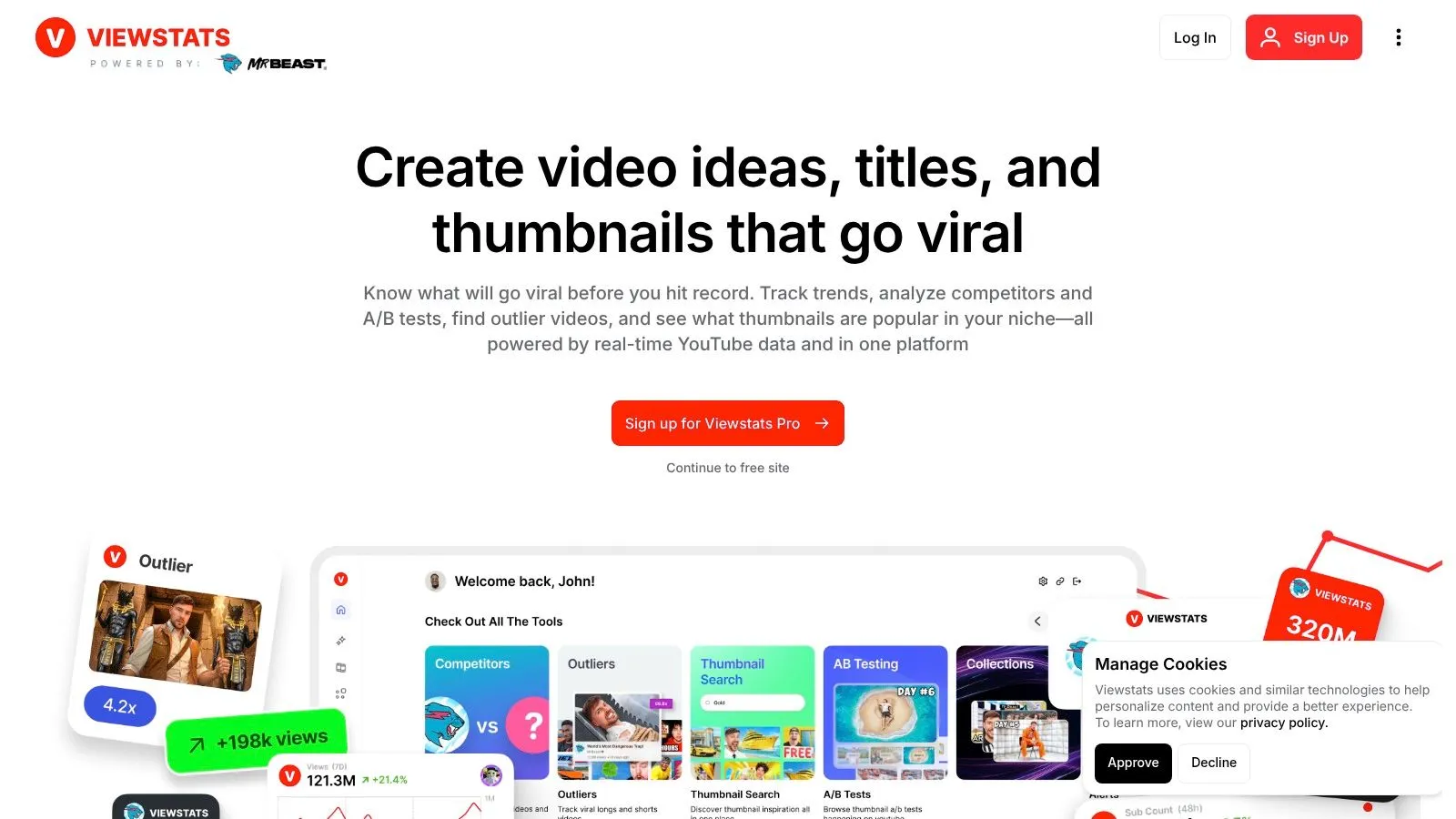
The platform is designed for rapid discovery. Instead of digging through multiple dashboards, the browser extension surfaces key performance indicators on videos as you see them. This workflow is ideal for active research, allowing you to quickly identify outlier videos or consistent patterns in a competitor’s content that are driving views. For creators looking for the “why” behind a video’s success, Viewstats provides a layer of context.
Key Features and Strategic Use
- Competitive Tracking: Set up alerts for specific channels or keywords to be notified of high-performing videos. This helps you react quickly to emerging trends.
- Thumbnail Analysis: A standout feature is the ability to search and analyze thumbnails. You can see what visual styles and compositions are winning clicks in your niche.
- Browser Overlay: The Chrome extension integrates data directly into your YouTube browsing experience. This seamless workflow makes it one of the best tools for youtube audience research during your daily content consumption.
- Research Collections: Create boards to save and organize videos, channels, and ideas. This is perfect for building a swipe file for future content planning.
Practical Tip: Use the Thumbnail Search feature to find the most viewed videos on a specific topic. Analyze the top results for common patterns in color, text placement, and emotional expression to inform your own thumbnail strategy.
While Viewstats is powerful for competitive intelligence, its insights are based on public-facing data and estimations. It provides high-level “what” but lacks the ability to analyze the “why” found within YouTube comments. To truly understand audience sentiment, you need to combine these trend-spotting features with a dedicated comment analysis tool.
Website: https://www.viewstats.com
7. Rival IQ
While many tools focus on your own internal data, Rival IQ excels at turning the lens outward to your competitors. It’s a competitive social analytics platform where YouTube is a key data source, making it one of the best tools for YouTube audience research focused on benchmarking and market positioning. Instead of just looking at your own audience, you can define a competitive landscape and see how your channel’s performance and engagement rates stack up.
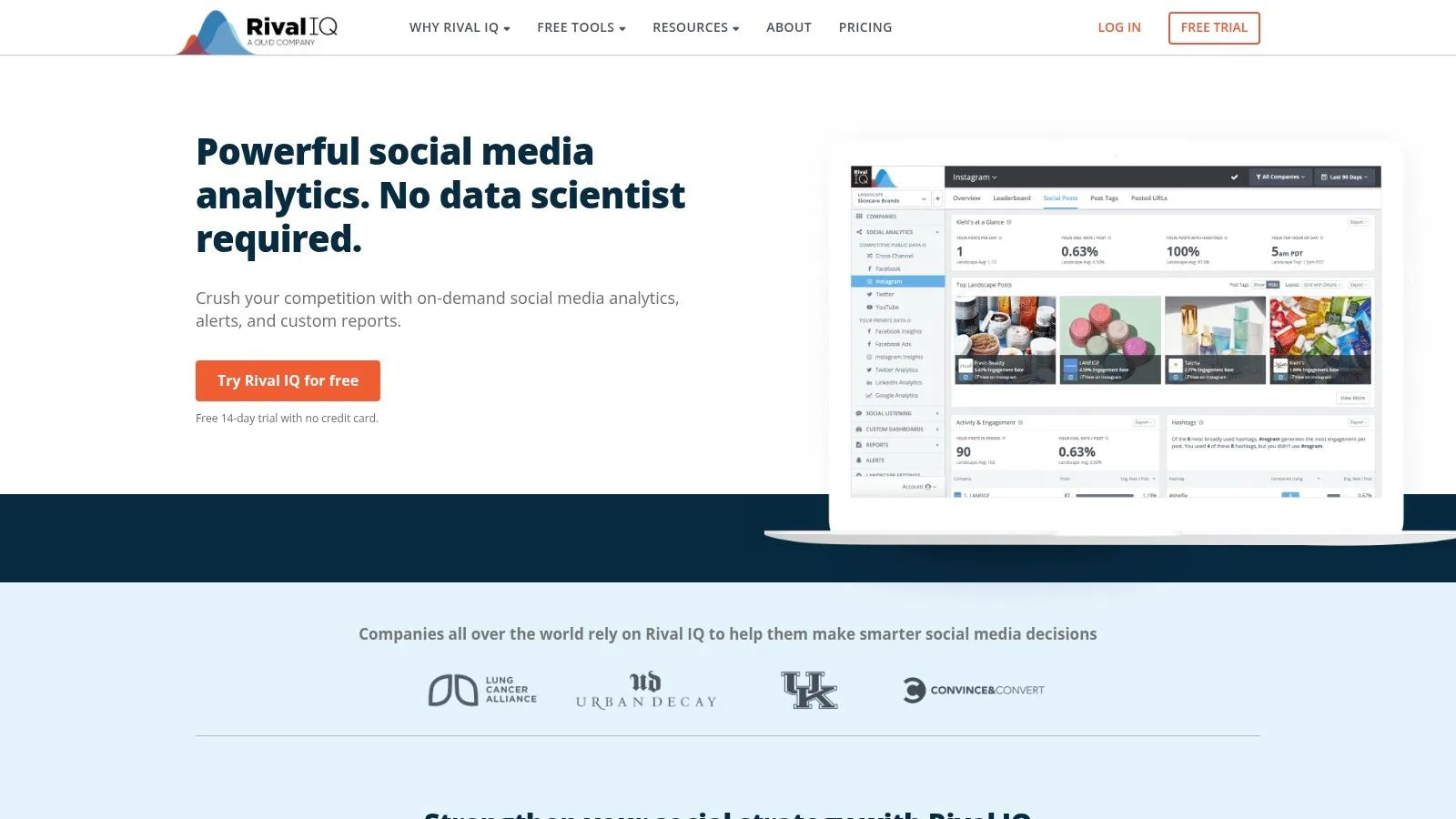
This approach is useful for agencies, brands, and creators who need to justify their strategy with hard data. The platform allows you to tag specific posts or entire campaigns, which helps you analyze what content themes are resonating not just on your channel, but across your entire niche. By seeing which videos get the most engagement for a rival, you can identify “white space” or content gaps.
Key Features and Strategic Use
- Competitive Benchmarking: Set up a “landscape” of your top competitors to automatically track their subscriber growth, video engagement rates, and posting frequency.
- Post and Campaign Tagging: Use automated rules to tag videos containing certain keywords or themes. This lets you analyze the performance of specific content pillars across the competitive set.
- Custom Dashboards & Exports: Create tailored dashboards that show the exact metrics that matter to you or your stakeholders.
Practical Tip: Create a landscape of 5-7 channels in your niche. Use the reporting to find their top-performing video of the last 90 days. Analyze its topic to understand current trends that engage the shared audience you are both targeting.
The primary strength of Rival IQ is its high-level, presentation-ready competitive analysis. However, its focus is entirely on public-facing metrics. It is not designed for deep, qualitative research at the comments level. While useful for seeing what performs well, it cannot tell you what audiences are actually saying or asking for in those videos.
Website: https://www.rivaliq.com
8. Sprout Social (YouTube integration)
For marketing teams and brands managing a comprehensive social media presence, Sprout Social brings YouTube analytics into a unified, enterprise-grade dashboard. It positions your channel’s performance alongside other platforms, which is helpful when your YouTube research needs to inform a broader marketing strategy.
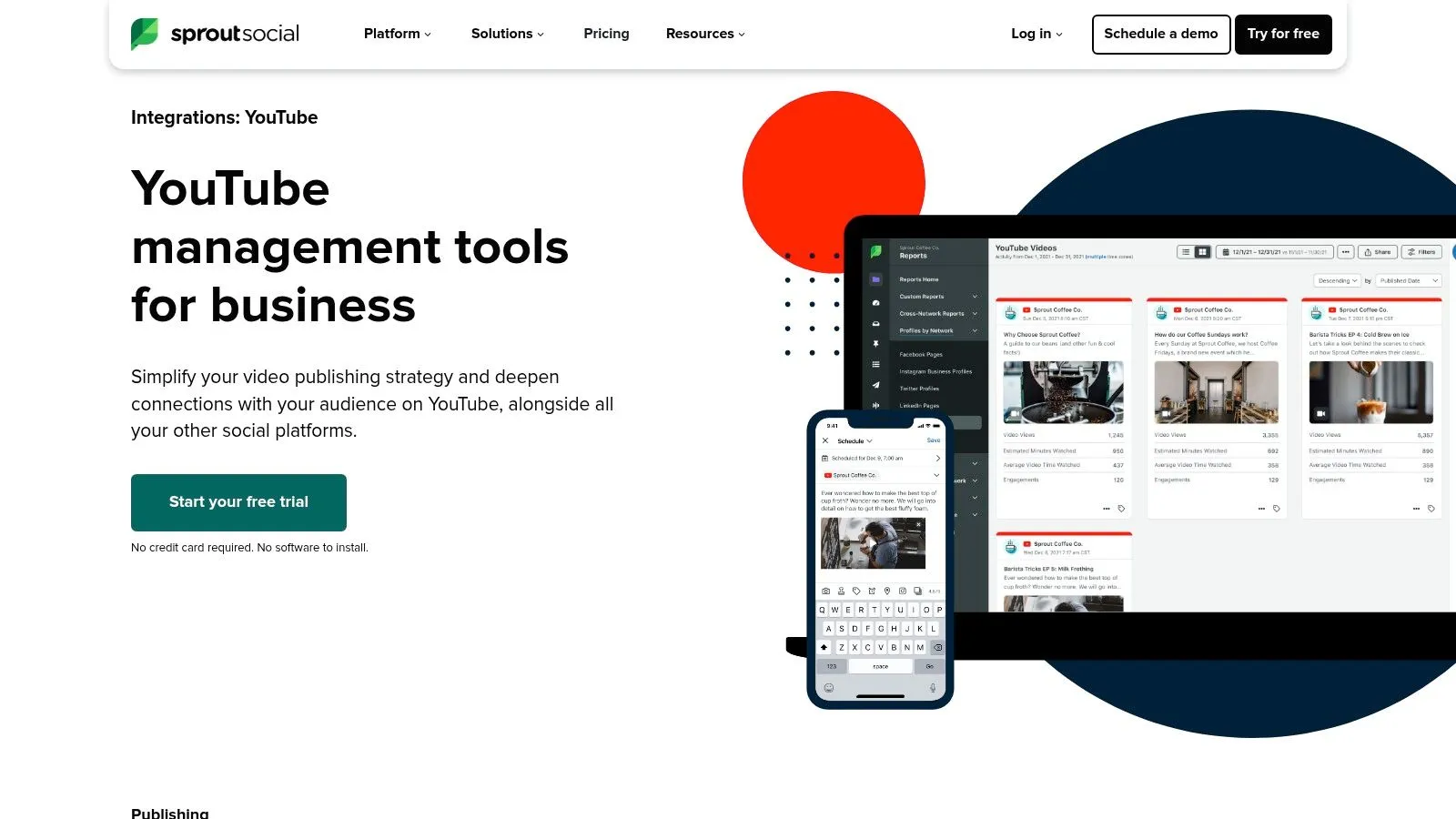
Sprout Social excels at transforming raw YouTube data into professional reports. Its integration includes competitor analysis and team-based workflows. The platform also has a listening feature for tracking mentions within YouTube. However, this is more focused on brand monitoring than deep qualitative analysis of audience conversations for content strategy.
Key Features and Strategic Use
- Cross-Channel Reporting: Compare YouTube audience engagement and video performance directly against your other social channels.
- Competitor Analysis: Track competitor channels to benchmark your growth, engagement rates, and content strategy from a single interface.
- Team Collaboration Workflows: Manage comment responses and assign tasks to team members.
Practical Tip: Use Sprout’s reporting to justify your YouTube strategy to management. Create a custom dashboard that shows how YouTube video views and subscriber growth contribute to broader marketing goals.
The primary drawback is its price point, which is considerably higher than tools built for individual creators. Sprout Social is an enterprise solution, making it overkill for a solo YouTuber. While it can track comments, its system is not optimized for the kind of bulk export and analysis required to uncover deep audience insights from comment sections at scale.
Website: https://sproutsocial.com/integrations/youtube/
9. Brandwatch
For enterprises needing to look beyond their own channel metrics, Brandwatch offers audience intelligence by analyzing public conversations across YouTube. It can be used for YouTube audience research when you need to understand broader market trends and unsolicited audience opinions.
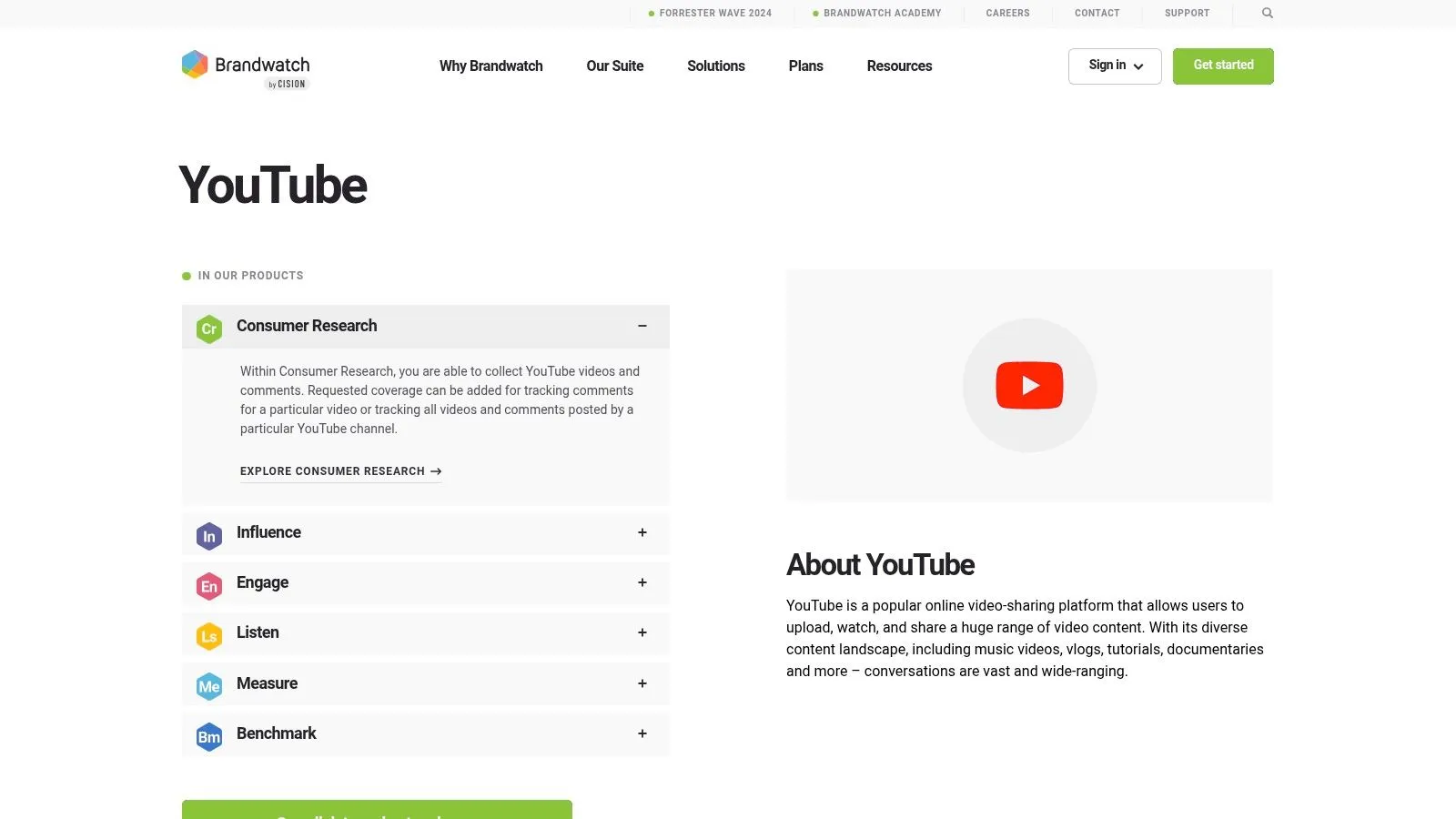
Brandwatch allows you to build complex queries to track keywords or topics within YouTube comments and video descriptions. For example, you could track mentions of a product category in comments on relevant channels to understand consumer sentiment. This kind of dive into public discourse provides context that your own channel’s analytics cannot.
Key Features and Strategic Use
- Social Listening & Comment Analysis: Collect and analyze YouTube videos and comments. Use its search logic to pinpoint conversations, apply sentiment analysis, and find out what people think about topics in your niche.
- Benchmarking & Performance: Create dashboards to benchmark your channel’s share of voice and performance against key competitors.
- Influencer Identification: Discover relevant creators who are already engaging with your target audience or discussing related topics.
Practical Tip: Use Brandwatch to set up a query tracking comments that mention your direct competitors. Analyzing these comments can reveal their audience’s pain points, giving you a roadmap for creating videos that solve problems your competition is missing.
Its main strength is its flexible analysis of the YouTube ecosystem. However, this power comes at an enterprise price point, making it inaccessible for most individual creators. While it can analyze comments, it’s a complex system designed for large-scale brand monitoring, not the straightforward, practical comment extraction needed by most creators for content ideation.
Website: https://www.brandwatch.com/datanetworks/youtube/
10. Tubular Labs
For large brands and media companies, audience research needs to move into market-level intelligence. Tubular Labs provides this macro view, offering cross-platform social video analytics that connect YouTube viewership data to broader consumer behaviors. It is an enterprise-grade solution for those needing to understand entire content categories.
Unlike channel-specific tools, Tubular’s strength lies in its massive dataset. This allows users to perform analysis at scale, identifying which topics, creators, and formats are gaining traction within a specific market niche. This platform is a tool for YouTube audience research when your goal is to understand the competitive landscape far beyond your own subscriber base.
Key Features and Strategic Use
- Consumer Insights: Connects YouTube audience viewership patterns with off-platform behavior, such as shopping data.
- Audience Graph: Maps out audience overlaps and affinities between creators, brands, and content categories.
- Market-Level Benchmarking: Measures your content performance against the entire industry or a custom competitive set.
Practical Tip: Use Tubular’s trend-spotting features to identify rising content formats or topics before they become saturated. By analyzing what is capturing attention in adjacent categories, you can innovate in your own niche.
Tubular Labs is built for large organizations and its premium pricing reflects that, making it inaccessible for most creators. Its focus is on broad market intelligence, not the granular, practical analysis of YouTube comments needed for direct community feedback and content ideation. It offers a 30,000-foot view when many creators need ground-level insights.
Website: https://tubularlabs.com
11. BuzzSumo
BuzzSumo excels at looking outward to understand the broader content landscape your audience inhabits. It’s a content and influencer research platform with a substantial YouTube dataset. This makes it a useful tool for YouTube audience research when you need to discover which topics and videos are driving high engagement within your niche.
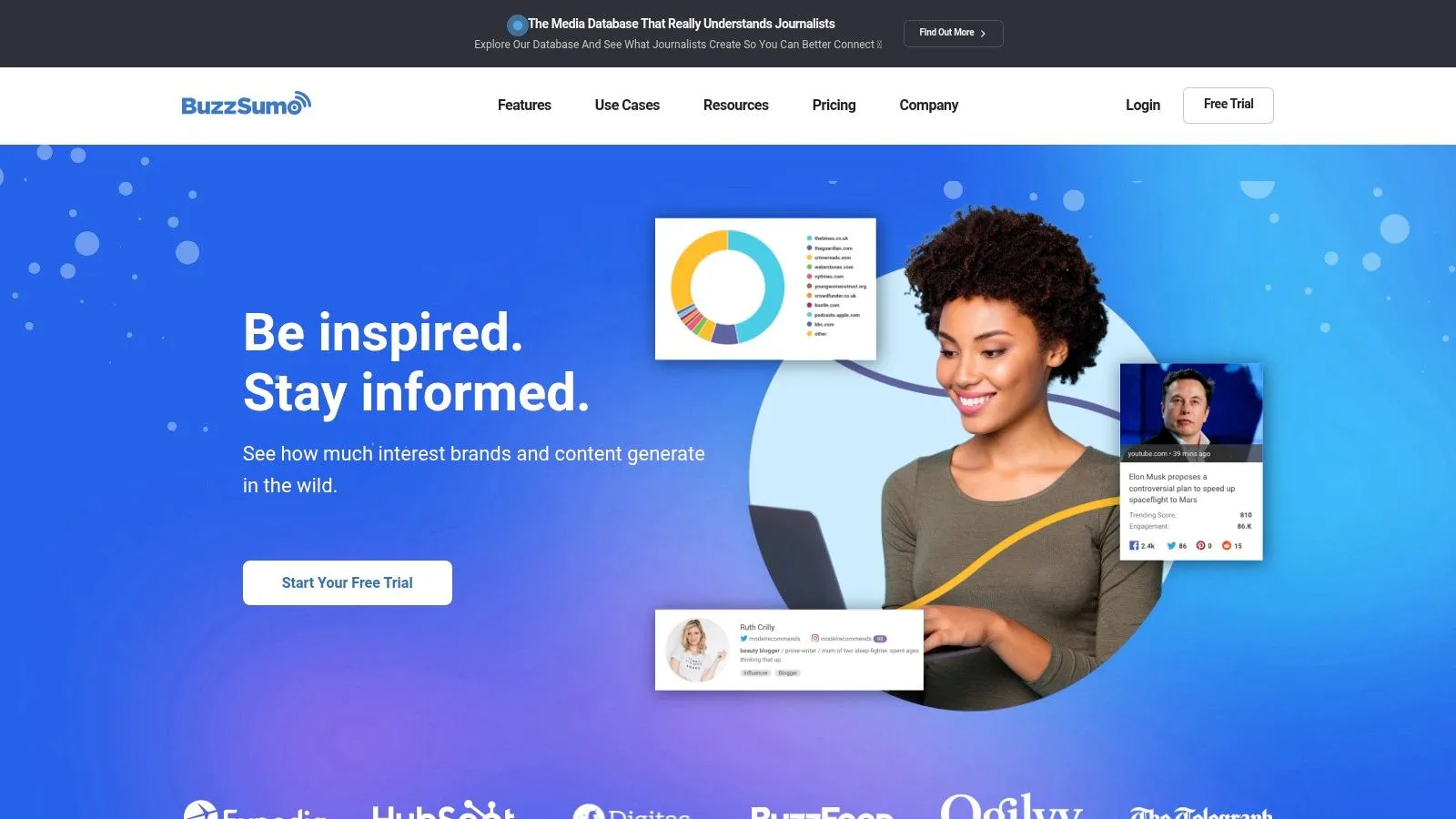
BuzzSumo allows you to search YouTube by keyword to find the most shared and engaged-with videos across the entire platform. This helps you validate content ideas before production by seeing what has already succeeded. Its strength lies in providing a macro-level view, identifying audience hubs and content trends that you can then investigate further.
Key Features and Strategic Use
- High-Engagement Content Discovery: Search any topic and instantly see the YouTube videos with the most engagement. Analyze their titles and formats to deconstruct what works.
- Trend Tracking: Set up alerts for your core keywords to spot surging topics early.
- Influencer Identification: Find key creators in any niche, which is ideal for identifying potential collaboration partners.
Practical Tip: Use the “Content Ideas” generator to move beyond basic keyword research. It surfaces popular questions and related topics around your main theme, giving you a roadmap for a content series.
The main limitation of BuzzSumo is that its engagement metrics are proxies (likes, shares) and not the deep behavioral data from YouTube Studio. Crucially, it does not provide access to the content of the comments themselves. It’s best used as a discovery engine, but you will need another tool to analyze the actual viewer conversations happening on those popular videos.
Website: https://buzzsumo.com
12. Awario
Awario moves beyond individual channel analytics into social listening. It’s a monitoring tool that tracks keywords and brand mentions on YouTube and across the wider web. This makes it a tool for YouTube audience research when you need to understand the larger context of conversations surrounding your niche.
Instead of being confined to your channel’s data, Awario lets you monitor what people are saying about any topic in YouTube video titles, descriptions, and comments. This is useful for gauging public sentiment before you create a video or tracking your channel’s “share of voice” on a subject.
Key Features and Strategic Use
- YouTube Keyword Monitoring: Set up alerts to track specific keywords, your brand name, or competitor channels across public YouTube data.
- Sentiment Analysis: Awario automatically categorizes mentions as positive, negative, or neutral. This helps you quickly assess the general feeling around a topic.
- Cross-Network Listening: The platform monitors other sources like Reddit and blogs, which can help reveal where your YouTube audience hangs out online.
Practical Tip: Use Awario to validate a video idea. Before you invest hours in production, set up an alert for your target keyword. You’ll quickly see the volume of conversation, the general sentiment, and the key questions people are asking.
The main limitation is that Awario works with public data only and is designed for monitoring mentions, not for deep, systematic analysis of comment sections. While it can find comments containing a keyword, it is not built to export entire comment threads for detailed qualitative research, which is essential for turning audience feedback into a content strategy.
Website: https://awario.com
12 YouTube Audience Research Tools Compared
| Tool | Core capabilities | UX / quality metrics | Best for | Pricing & unique selling point |
|---|---|---|---|---|
| YouTube Comments Downloader | No‑code bulk extraction (videos, Shorts, live chats, playlists, channels); preserves thread hierarchy & metadata; XLSX/CSV/JSON/HTML/TXT exports; built‑in search + GPT companion | Extremely fast at scale (e.g., 3,000 vids / 750k comments <30min); queue‑free; typo‑tolerant search; responsive support | Creators, marketers, researchers, analysts needing comment‑level datasets | Free starter credits; pay‑as‑you‑go or subscription; 1 credit/comment; lifetime desktop license; a specialized tool for turning comments into actionable data. |
| YouTube Studio (official) | First‑party channel analytics: demographics, watch behavior, discovery & content performance | Most accurate/timely for your own channel; built‑in AI insights | Channel owners and creators analyzing their own audience | Free; first‑party ground truth; limited competitor visibility |
| vidIQ | Keyword/topic demand & trends, competitor exploration, Chrome extension, optimization workflows | Quick, actionable topic scores and alerts; scales from solo creators to teams | Creators focused on SEO, topic validation, and growth | Freemium → paid plans; competitor metrics are modeled estimates, lacks comment analysis. |
| TubeBuddy | Niche insights, competitor scorecards, thumbnail A/B testing, optimization workflows | Proven discovery/optimization tools; strong community support | Creators and small teams needing workflow & optimization tools | Freemium tiers; limited to high-level data, no deep comment analysis. |
| Morningfame | Guided keyword research, on‑page optimization steps, peer benchmarking | Prescriptive, easy to use for non‑analysts; digestible health insights | Small to mid‑sized channels seeking search‑fit topics | Invite access; focused guidance but weak on competitive comment insights. |
| Viewstats | Browser overlay, niche alerts, thumbnail search, collections/boards | Fast competitive discovery while browsing; creator‑built UX | Creators tracking competitors and trends in real time | Paid pro features; good for trends, but can’t analyze viewer conversations. |
| Rival IQ | YouTube competitive benchmarking, campaign tagging, custom dashboards & exports | Clear competitor views for gap analysis; stakeholder‑ready reports | Teams, agencies needing cross‑channel benchmarking | Quote/pricing tiers; a surface-level tool, not for comment‑level research. |
| Sprout Social (YouTube integration) | YouTube publishing/engagement reporting, cross‑channel analytics, team workflows | Enterprise‑grade reporting and support; AI & automation features | Marketing teams and enterprises managing multiple channels | High price point; a generalist tool, not specialized for deep YouTube comment analysis. |
| Brandwatch | Enterprise social listening with YouTube coverage, sentiment, Boolean search | Deep conversation analysis; flexible dashboards for research teams | Enterprises and research teams doing large‑scale audience intelligence | Enterprise pricing; complex and overkill for practical content strategy from comments. |
| Tubular Labs | Cross‑platform video intelligence, consumer insights linking viewership to commerce | Market‑scale data and strategic services; strong for trend/commerce analysis | Brands, agencies, media companies needing large‑scale video intelligence | Enterprise focus and pricing; too high-level for direct comment-driven insights. |
| BuzzSumo | Content & influencer research across YouTube, trend tracking, alerts | Fast discovery of high‑engagement content and influencers | PR, marketers, and content researchers | Paid plans + API; finds popular videos but can’t analyze their comments. |
| Awario | YouTube keyword/brand monitoring, Boolean search, sentiment, cross‑network listening | Affordable, quick setup for campaign tracking; public‑data focused | SMBs and campaign teams monitoring brand conversations | Lower‑cost but limited to finding mentions, not analyzing entire conversations. |
Turn Audience Data Into Your Unfair Advantage
We have journeyed through a powerful arsenal of tools, from the foundational analytics of YouTube Studio to the enterprise-level monitoring of Brandwatch and Tubular Labs. Each platform offers a unique window into the minds of your audience. However, possessing these tools is only the first step. The real differentiator between a good channel and a great one is the ability to synthesize this data into a coherent strategy that drives every content decision.
The most successful creators don’t just produce content; they build systems for listening. They understand that audience research isn’t a one-time task but a continuous feedback loop. This means moving beyond surface-level metrics like views and subscriber counts and digging into the qualitative gold that reveals why people watch, what they truly value, and what they want to see next.
From Data Points to a Cohesive Strategy
Your journey to mastering audience research should be incremental. It’s not about using all twelve tools at once. It’s about building a stack that fits your specific stage of growth, budget, and goals.
- For the New Creator: Start with the essentials. Your foundation is YouTube Studio. Learn its “Audience” and “Research” tabs inside and out. Supplement this with a free or entry-level plan from vidIQ or TubeBuddy to begin understanding keyword performance. Your primary goal is to find your initial footing.
- For the Growing Channel: As your audience grows, so does the noise. This is where you need to get serious about qualitative analysis. Your most direct line to your audience’s thoughts is the comment section. This is the perfect stage to integrate YouTube Comments Downloader into your workflow. Exporting comments from your most popular videos, your competitors’ videos, or topic-specific videos allows you to perform sentiment analysis, identify recurring questions (which become new video ideas), and find the exact language your audience uses. This moves you from surface metrics to deep understanding.
- For the Established Brand or Enterprise: At this level, your needs expand to brand health and large-scale trend monitoring. Tools like Sprout Social or Brandwatch can be useful for managing brand reputation. Even here, the raw, unfiltered voice of the customer found in comments provides ground-truth validation for the high-level trends these platforms identify. A macro-trend from a large platform can be confirmed and explored in detail by analyzing comments on relevant videos with a specialized tool.
Making Your Insights Actionable
Gathering data is pointless without a plan for implementation. The entire purpose of using the best tools for YouTube audience research is to make better, more informed decisions that lead to tangible results. This includes everything from high-level content strategy to specific tactical adjustments. Ultimately, the goal of audience research is to turn that data into an unfair advantage. This includes tactical applications like identifying the best time to upload YouTube videos for optimal engagement.
Stop guessing what your audience wants to watch. They are telling you, explicitly and implicitly, every single day in the videos they watch, the searches they perform, and most importantly, the comments they leave. The tools we’ve discussed provide the means to listen. Your advantage comes from not just hearing the noise, but from finding the signal within it and acting on it with conviction. The insights are there, waiting for you in the comments.
Ready to stop guessing and start understanding what your audience truly wants? The most direct path to powerful insights is through their own words. With YouTube Comments Downloader, you can export thousands of comments from any public video in seconds, turning raw feedback into your next great content strategy. Start your deep-dive audience research today at YouTube Comments Downloader.