6 months ago
How to Analyze Sentiment of YouTube Comments: A Practical Guide
To really get a handle on your YouTube channel’s performance, you need to look beyond view counts and subscriber numbers. The real gold is buried in your comments section, but you cannot just skim through them. To tap into this resource, you have to systematically analyze the sentiment behind the words, turning raw audience feedback into measurable insights that can shape your content strategy, brand reputation, and community engagement.
This is not just about reading comments; it is about translating those gut reactions into hard data you can actually use.
Why YouTube Comment Sentiment Is Your Secret Weapon
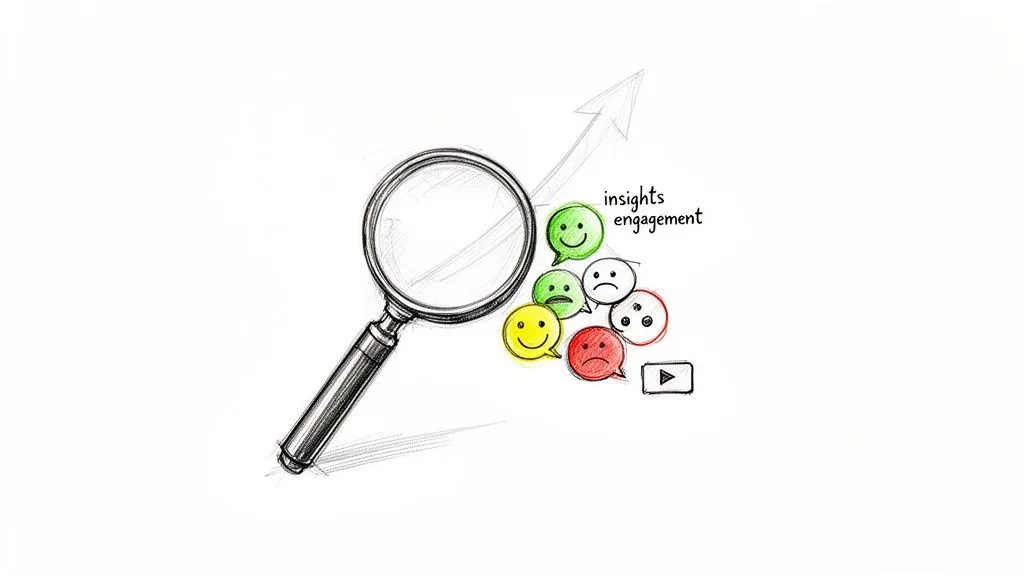
Let’s be honest, manually sifting through thousands of comments is impossible for any channel that is gaining traction. You might notice a few common themes, but you are missing the bigger, more valuable picture. Analyzing the sentiment of your YouTube comments is what takes you from guessing to knowing, giving you a structured view of what your audience truly thinks and feels.
This goes way beyond just finding out if people enjoyed your latest video. It is about uncovering specific, actionable intelligence that can guide your entire creative process. When you quantify audience emotion, you can start making data-driven decisions that fuel real, sustainable growth.
Understanding the why behind the numbers is what separates good creators from great ones. The table below breaks down the concrete benefits you will see when you start taking comment sentiment seriously.
Strategic Benefits of YouTube Comment Sentiment Analysis
| Area of Focus | Strategic Benefit | Real-World Scenario |
|---|---|---|
| Content Strategy | Identify what content resonates (or flops) with your audience on a granular level. | A cooking channel notices comments on a specific recipe video are 90% positive, while another is only 60% positive. They decide to create a series based on the more popular recipe style. |
| Product/Service Feedback | Gather unfiltered feedback on products you feature or sell. | A tech reviewer sees a 20% negative sentiment spike in comments mentioning a new phone’s battery life, giving them a specific angle for their follow-up video. |
| Community Management | Proactively manage your community by spotting and addressing negative trends before they escalate. | A gaming creator notices an increase in frustrated comments about a difficult level in a walkthrough. They can pin a comment with tips or create a dedicated short to help viewers. |
| Brand Reputation | Monitor how your audience perceives your brand, sponsored content, or channel’s overall tone. | A lifestyle vlogger sees consistently positive sentiment on videos where they discuss mental health, reinforcing that this is a core topic their community values. |
These examples are not hypotheticals; they are the kind of practical wins channels are getting every day by moving beyond surface-level metrics.
Pinpoint Strengths and Weaknesses in Your Content
Imagine you have just uploaded a video. Instead of anxiously refreshing the page, you get an immediate, clear breakdown of viewer reactions. Sentiment analysis does exactly that, showing you precisely what landed and what fell flat.
For example, a tech reviewer might notice a sudden 20% negative sentiment spike in comments that specifically mention “audio quality.” That is not just a complaint; it is a bright, flashing signal to invest in a better microphone.
Acting on a clear insight like this can directly boost viewer satisfaction and watch time. We have seen channels that implement these kinds of sentiment-driven improvements increase their engagement rates by as much as 35% in just a couple of months.
The real power of comment sentiment analysis is turning subjective feedback into objective data. It helps you prioritize what to fix and what to double down on, removing emotion from your strategic decisions.
Enhance Community Engagement and Brand Reputation
A positive, buzzing comment section is the hallmark of a healthy channel. By keeping an eye on sentiment trends, you can figure out exactly what kind of content fosters that positive environment. If a particular video format or topic consistently gets a wave of glowing comments, you have your answer: make more of it.
This proactive approach pays off in several ways:
- Find Your Content Winners: Discover which formats, topics, or even presentation styles get the most positive reactions so you can replicate that success.
- Catch Problems Early: Spot negative trends before they snowball, whether it is a technical issue like bad lighting or a content problem like a confusing explanation.
- Build a Stronger Community: When you understand the emotional pulse of your audience, you can engage with them on a much deeper level and build true loyalty.
I saw one creator who noticed a huge positive response to their “day in the life” vlogs. They leaned into it, making that personal style a bigger part of their strategy. The result? A much stronger connection with their audience and a noticeable increase in subscriber loyalty. This lines up with broader data trends; analysis of public YouTube datasets often reveals a sentiment split of around 45% positive, 35% neutral, and 20% negative comments. You can dig deeper into these patterns by exploring detailed research on YouTube comment datasets.
Getting Your Hands on Analysis-Ready Comment Data
Any good sentiment analysis project lives or dies by the quality of its data. Garbage in, garbage out, as they say. If the comments you are working with are a disorganized mess, your final insights will be just as messy. The first, most important part of analyzing YouTube sentiment is getting a clean, structured dataset to work with. Thankfully, this is much easier than it sounds.
Let’s be honest, the old-school method of copying and pasting comments is a non-starter. It’s painfully slow and simply impossible for any video with significant engagement. More importantly, you lose all the crucial context—like reply threads, timestamps, and like counts—that gives the data its meaning. It is a surefire way to get misleading results.
Moving Beyond Manual Data Collection
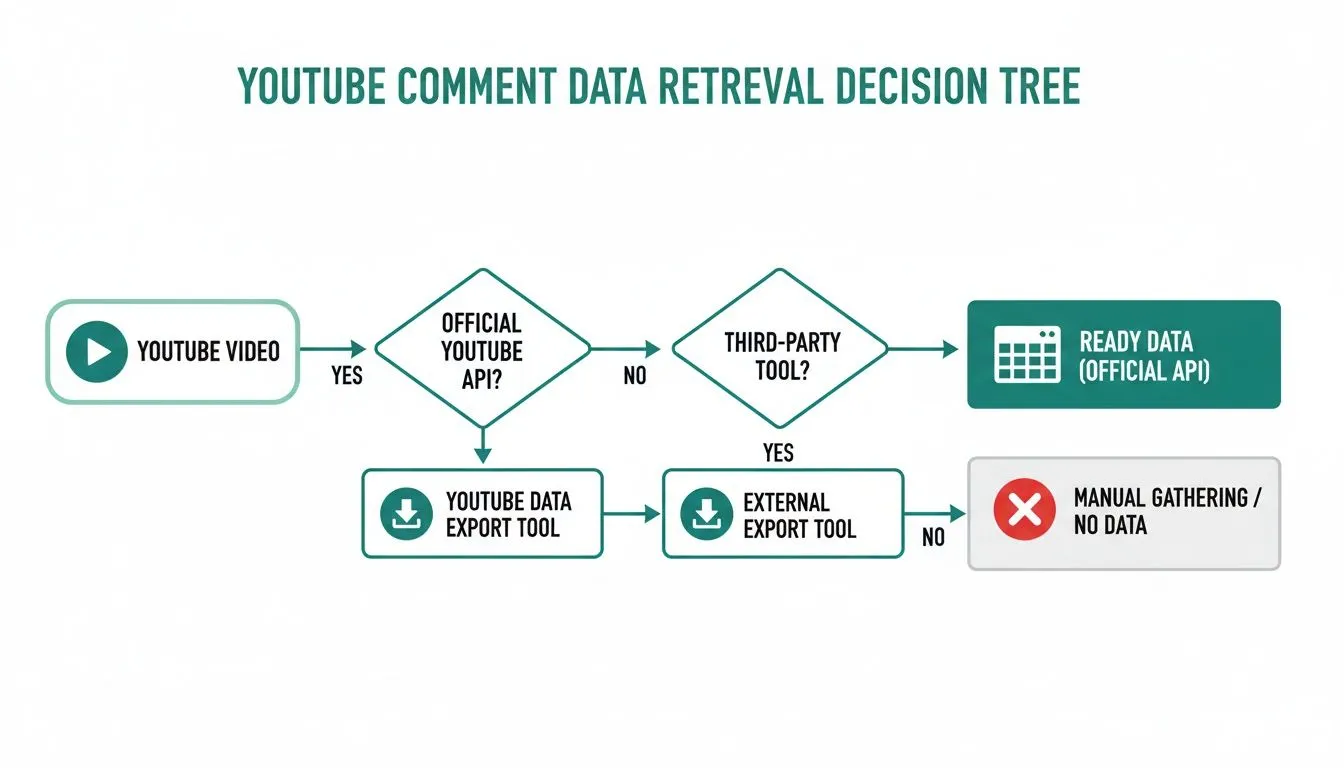
A much smarter path is using a tool built for the job. While you could use the official YouTube API, it is a route I would only recommend for developers. It involves coding, navigating strict usage quotas, and a fair bit of setup time. For most of us—marketers, creators, and researchers who just need to get the job done—a no-code tool is the way to go.
This is exactly why something like YouTube Comments Downloader is so valuable. It is designed to do one thing perfectly: transform that chaotic flood of comments from any video, Short, or live stream into an organized, analysis-ready file. You get to skip all the technical headaches and jump straight into finding insights.
What Makes Data “Analysis-Ready”?
So, what does “analysis-ready” even mean? It is not just a long list of text. It is a structured file, like a CSV or an XLSX spreadsheet, where every piece of information is sorted into its own column.
Think about it this way: you want to know if negative comments tend to get more likes. With a proper data export, that is easy. You will have dedicated columns for:
- The Comment Text: The raw feedback you will be analyzing.
- Author Information: To see if certain users are consistently positive or negative.
- Like Count: A powerful proxy for community agreement.
- Reply Count: To identify comments that are sparking real conversation.
- Timestamps: Absolutely critical for tracking how sentiment changes over time.
By keeping all this context, you can easily tell the difference between one person’s isolated negative comment and a widespread concern the community is rallying behind. That structure is what turns a simple list of comments into a powerful analytical tool.
The Power of a Structured Export
Grabbing your data this way literally saves hours, if not days, of manual labor. A clean CSV or XLSX file opens right up in Excel or Google Sheets, letting you do some quick sorting and filtering. Better yet, it can be imported directly into more advanced tools, whether you are using Python for your analysis or a dedicated AI platform.
For example, a marketing manager could take that XLSX export and build a quick pivot table to see which of their video topics drives the most positive engagement. A researcher could use the same file to dig into the relationship between a comment’s length and its sentiment. The format is immediately useful for everyone. If you’re just starting out, you can see the whole process for how to extract YouTube comments and prepare a dataset for any project.
Trust me, getting this first step right is the most critical part of the entire workflow. Without a clean, complete dataset, you are just guessing. Starting with structured data is the only way to ensure your final insights are accurate and truly actionable.
Choosing the Right Sentiment Analysis Method for You
Alright, you have got your hands on a clean, neatly exported file of YouTube comments. Now for the fun part: figuring out what they all mean. The method you choose for sentiment analysis really boils down to your goals, your comfort level with technology, and just how deep you need to dive.
There is no single “best” way to do this. The right choice for a solo creator wanting a quick audience check-in is going to look very different from what a data analyst on a marketing team needs.
Think of it like this: sometimes you just need a quick trip to the store, and a scooter is perfect. Other times, you are heading off-road and need a 4x4. The same logic applies to your analysis tools. Let us break down the main options so you can pick the right one for your journey.
No matter which path you take, the initial steps are always the same. You start with a video, grab the comments with an efficient export tool, and end up with structured data ready for analysis.
Simple Lexicon-Based Tools for a Quick Pulse Check
The most straightforward route is a lexicon-based tool. These work by matching words in a comment to a pre-defined dictionary where each word has a sentiment score (e.g., “amazing” gets a +1, “awful” gets a -1). The tool simply adds up the scores to give you a final sentiment for the entire comment.
This approach has some solid pros:
- It’s fast and simple. You can get this up and running in minutes, often with no-code tools or basic scripts.
- It’s great for a general vibe check. If all you need is a high-level sense of whether the comments are leaning positive or negative, this gets the job done.
But its simplicity is also its biggest flaw. Lexicons are clueless about context, nuance, and sarcasm. A comment like, “That was not bad at all,” would likely be flagged as negative because it contains the word “bad,” completely missing the point.
Machine Learning Models for Balanced Power and Accuracy
If you need something more reliable, machine learning (ML) models are the next logical step. Unlike the simple word-matching of lexicons, ML models are trained on actual language data to understand how words work together in context. The Support Vector Classifier (SVC) is a really popular and effective model for this kind of work.
SVCs are great at spotting the subtle patterns that differentiate a positive comment from a negative or neutral one. One study found that an SVC model could analyze YouTube comments with 79.23% accuracy, a huge leap over older methods. It hit 82% precision for positive comments, 76% for negative, and 78% for neutral. That is a significant improvement.
This approach is the sweet spot for many people. It offers a great balance of accuracy and accessibility, especially if you have some basic data analysis experience.
Machine learning gives you the nuance that lexicons completely miss. It can figure out that “not bad” is actually a good thing, which makes it a far more trustworthy way to understand what your audience really thinks.
If you are comfortable with a bit of Python, you can build your own SVC model using a library like Scikit-learn. Even if you do not code, you can now use custom GPTs by uploading your exported TXT file and asking it to run a sentiment analysis for you.
Deep Learning for Maximum Insight and Nuance
When you absolutely need the highest level of accuracy, deep learning is the way to go. These are the heavy-hitters, models like BERT or GPT, that have been trained on enormous amounts of text from all over the internet. They can understand incredibly complex language, including slang, inside jokes, and industry-specific jargon.
Here is why you would go with a deep learning model:
- Unmatched Accuracy: These models provide the most sophisticated and precise sentiment scores you can get.
- True Contextual Understanding: They do not just read the words; they understand the entire context of the comment and how it relates to your video’s topic.
The main downside used to be complexity. Running these models yourself required serious technical chops and computing power. Thankfully, that is changing fast. As you explore your options, it is helpful to know about the wide range of powerful natural language processing applications that are becoming easier to access every day.
You do not need to be a data scientist anymore. We put together a guide on the best sentiment analysis tool for YouTube comments that breaks down services built on these powerful models. Ultimately, your choice is a trade-off between simplicity and accuracy, but with today’s tools, getting deep insights is within everyone’s reach.
Unlocking Deeper Insights with Advanced Techniques
Once you have got a handle on basic sentiment scores, it is time to dig deeper. This is where you move beyond a simple positive/negative label and start uncovering the kind of detailed feedback that can truly change your strategy. The real, game-changing insights are found in these more sophisticated methods.
A generic sentiment model is a good starting point, but it does not know your audience. Every YouTube channel has its own culture, complete with inside jokes, slang, and a shared history that gives words special meaning. A standard model can easily misinterpret these nuances, leading to some pretty inaccurate results.
Think about it: if you run a gaming channel, a finance channel, or a niche hobby channel, your comments are probably full of jargon. By fine-tuning a model on your own comment history, you are essentially teaching it your community’s unique language. This single step can dramatically boost the accuracy of your entire analysis.
Going Beyond Just Words
So much of the conversation in your comment section is not just text. We are talking about emojis and comments from all over the world. If you ignore these, you are missing a huge piece of the puzzle and potentially misreading the tone of your audience.
The Nuance of Emojis and Multilingual Comments
Emojis are critical. A simple laughing face 😂 or a thinking face 🤔 can completely flip the meaning of a comment from sincere to sarcastic or from angry to humorous. Advanced analysis techniques are built to interpret these visual cues right alongside the text.
And with YouTube’s massive global reach, you are bound to get comments in different languages. Relying on an English-only tool means you are simply ignoring valuable feedback from your international viewers. Modern methods can identify and process sentiment across dozens of languages, giving you a complete picture.
The Power of Advanced Models Like LSTM and GRU
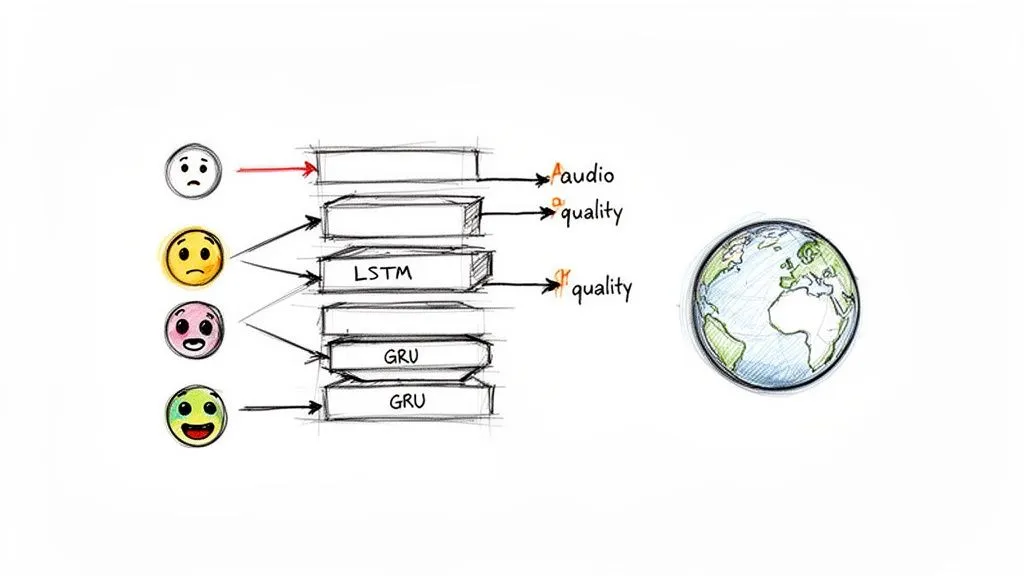
To tackle these complexities, data scientists often turn to powerful deep learning models like Long Short-Term Memory (LSTM) and Gated Recurrent Unit (GRU) networks. These are not your standard models; they are designed to understand sequence and context, making them incredibly effective at interpreting the natural, often messy, flow of human language.
The results speak for themselves. Research shows that models like LSTM have achieved a staggering 97.98% accuracy on diverse sets of YouTube comments. They are particularly good with slang and abbreviations, classifying sentiment with F1-scores over 97%. The same research found that emojis in positive comments—which make up an average of 48% on entertainment channels—boosted joy detection by 15%. You can read the full research about these findings.
The takeaway here is that these models don’t just read words; they understand intent. They can tell the difference between sarcasm and genuine praise and factor in the emotional weight of an emoji, leading to far more reliable insights.
Aspect-Based Sentiment Analysis for Granular Feedback
This is where things get really powerful. Aspect-based sentiment analysis (ABSA) is probably the most actionable advanced technique you can use. Instead of giving a whole comment a single score, ABSA breaks it down and assigns sentiment to the specific topics, or “aspects,” mentioned inside it.
Imagine you get this comment on a product review video: “The video quality was amazing and so clear, but the background music was really distracting and way too loud.”
A basic analysis might flag this as “mixed” or “neutral,” which does not really help you.
An aspect-based analysis, however, gives you specific, actionable feedback:
- Video Quality: Positive
- Audio/Music: Negative
Now you know exactly what your audience loved and what they did not. That is the difference between knowing “people had mixed feelings” and knowing “they loved the camera work but hated the audio.” This is the gold standard for figuring out what to improve.
While exploring these methods, you will likely come across various social media analytics tools. These platforms can be a good starting point, but they often lack the deep, specialized focus needed for truly granular YouTube analysis. Their one-size-fits-all approach to social media means you miss out on the specific features and data types unique to YouTube, which can limit the depth of your insights.
For a deeper dive into deconstructing audience conversations, our guide on discourse analysis methods offers some excellent complementary strategies. Ultimately, nothing beats the flexibility of building your own analysis. By starting with a clean, comprehensive dataset from a tool like YouTube Comments Downloader, you give yourself the power to apply these advanced techniques yourself.
Visualizing and Reporting Your Sentiment Story
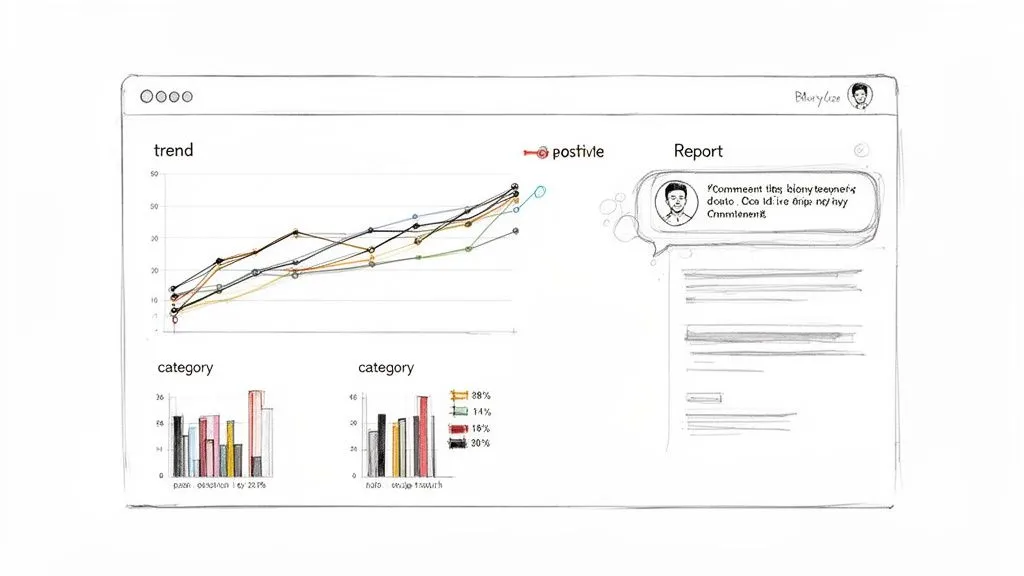
You have done the heavy lifting—extracting comments, cleaning the text, and running the sentiment analysis. But a spreadsheet full of sentiment scores is practically useless on its own. If you want your insights to actually drive decisions, you have to turn that raw data into a story people can understand at a glance.
This is where your hard work pays off. It is the final and most crucial part of the process: translating those numbers into intuitive charts and reports. This is how you get your findings out of the spreadsheet and in front of the people who can act on them, whether they are in marketing, product, or content strategy.
Turning Data into a Visual Narrative
Your exported dataset is the perfect starting point. Whether you’re working with a CSV, XLSX, or JSON file from a tool like YouTube Comments Downloader, you have all the raw material you need. You do not need fancy software, either; tools you already use, like Microsoft Excel and Google Sheets, work great. For more complex dashboards, you can always step up to something like Tableau or Power BI.
Let us say you just published a video on a potentially divisive topic. A time-series plot tracking comment sentiment over the first 48 hours is incredibly revealing. If you see a steep nosedive into negative territory right after launch, that is an immediate, undeniable signal that the video’s message is not landing as intended.
Or, think bigger picture. Use a simple bar chart to compare sentiment across your channel’s different content pillars. If you discover your “how-to” series consistently pulls in 85% positive comments while your “opinion” videos are stuck around 60%, you have a crystal-clear indicator of what your audience values most.
Effective Visualization Methods for Sentiment Data
Choosing the right chart is everything. You are not just making your data look good; you are using visuals to surface patterns that would otherwise be invisible. Each chart type tells a different part of the story.
Here’s a quick rundown of what I find works best for YouTube sentiment data:
Effective Visualization Methods for Sentiment Data
| Chart Type | Best Used For | Example Insight |
|---|---|---|
| Pie Chart | Showing the overall sentiment distribution for a single video. | A quick, at-a-glance view showing a video has 70% positive, 20% neutral, and 10% negative comments. |
| Time-Series Plot | Tracking how sentiment evolves over time, especially after a launch or event. | Seeing a wave of positive sentiment after you pin a helpful comment, confirming the value of active community management. |
| Bar Chart | Comparing sentiment scores across different videos, categories, or even competitors. | Discovering your product review videos receive significantly more positive sentiment than a competitor’s. |
| Word Cloud | Identifying the most frequently used words within positive or negative comments. | A large “confusing” in your negative word cloud instantly points to a specific problem area in your video’s explanation. |
These charts transform abstract data points into tangible evidence, making your findings easy to digest and impossible to ignore.
Building Reports That Drive Action
A truly effective report blends quantitative data with qualitative proof. It does not just show what is happening; it explains why. This is where the specific export formats from YouTube Comments Downloader can be a game-changer, especially its HTML export.
This feature is brilliant because it generates a file that looks exactly like the YouTube comments section, complete with profile pictures, usernames, and threaded replies. You can simply screenshot specific, impactful comments directly from this clean export.
Imagine you present a chart showing a 30% spike in negative sentiment. That is interesting, but it is not actionable. Now, follow that chart with a slide showing three comment screenshots, all complaining about the “annoying background music.” The problem becomes real.
This simple one-two punch is incredibly persuasive. You connect the cold, hard data to a real human voice. It is no longer just a statistic on a page; it is direct feedback from your audience that stakeholders cannot dismiss. By weaving data visualization together with these real-world examples, you build a narrative that is both data-driven and deeply human, and that is what inspires meaningful change.
Common Questions About YouTube Comment Analysis
Once you dive into analyzing YouTube comments, you are bound to hit a few common roadblocks. Let us tackle some of the questions that come up time and again, so you can get past the hurdles and start pulling truly accurate insights from your data.
Think of this as a field guide to the tricky parts of comment analysis.
How Do I Handle Sarcasm and Irony in YouTube Comments?
Ah, sarcasm. The bane of any automated sentiment analysis. A simple model will see a comment like, “Wow, another unboxing video. Just what the world needed,” and flag the word “wow” as positive. But we, as humans, know the real meaning is the complete opposite.
The single best way to counter this is by preserving conversational context. This is where a tool like YouTube Comments Downloader is invaluable because it exports comments along with their full reply threads. A sarcastic comment is often called out or debated in the replies, which gives you a massive clue about its true intent.
For any project where accuracy is non-negotiable, I always recommend a hybrid approach. Let a powerful model do the initial pass, but then have a human review any comments the model flags with a low confidence score. This blend of automation and human intuition delivers the most reliable results, every time.
What Is the Best Format to Export Comments for Analysis?
There is no single “best” format; the right one is simply whatever fits your workflow and saves you the most time. It all comes down to the tools you are using for the actual analysis.
Here’s a quick rundown of what to choose based on your plan:
- For Coders (Python/R): A CSV file is the gold standard. It’s lightweight and loads straight into a Pandas DataFrame, giving you a clean, structured starting point for any custom script you want to run.
- For No-Code AI Tools: A clean TXT file is often the easiest option. You can just copy and paste the raw comment text directly into tools like a custom GPT for a quick sentiment breakdown without messing with file conversions.
- For Managers and Marketers: An XLSX file is perfect. It opens right up in Excel or Google Sheets, where you can immediately start creating charts, pivot tables, and filters without any specialized software.
- For Presentations and Reports: The HTML export has a unique superpower. It creates a file that looks just like the YouTube comment section, making it incredibly easy to grab clean, professional-looking screenshots to illustrate your findings.
Can I Analyze Sentiment for Comments in Other Languages?
Not only can you, but you absolutely should. YouTube is a global platform. If you are only looking at English comments, you are ignoring feedback from a massive slice of your audience. For many channels, a huge number of viewers are in countries like India, Brazil, Japan, and Mexico.
Thankfully, modern sentiment models are getting much better at this. Models like XLM-RoBERTa are built from the ground up to understand text in over 100 languages. When you are picking your analysis method, just double-check that it has strong multilingual support, especially for the languages that are most common in your audience. This is the only way to get a complete picture of your community’s sentiment, not just an English-speaking fraction of it.
How Often Should I Run a Sentiment Analysis?
The right cadence depends entirely on what you are trying to achieve. Do not feel locked into a rigid schedule; instead, let your strategic needs dictate the frequency.
If you are in a reactive situation, like managing your brand’s reputation during a controversy or tracking the launch of a major new video, a daily analysis might be necessary. For routine content strategy, I find that analyzing a new video’s comments within the first 48 hours gives you fantastic, rapid feedback on what resonated with viewers.
Looking at the bigger picture, a monthly or quarterly audit of your top videos can help you spot long-term shifts in how your audience feels. The most important thing is to make it a sustainable habit. If you automate the data export, running the analysis becomes a quick check-in, not a massive project.
Ready to stop guessing what your audience really thinks? With YouTube Comments Downloader, you can pull analysis-ready comment data from any video in seconds. Get started for free and turn that firehose of audience feedback into insights you can actually use.