
7 months ago
How to Do Social Listening on YouTube: A Practical Guide
Social listening on YouTube is not just about tracking mentions. It is about turning public comment sections into a rich source of raw, unfiltered audience intelligence. This means systematically pulling and analyzing comments from specific videos or entire channels to understand what people really think, spot emerging trends, and get direct feedback from your audience and your competitors’.
Why YouTube Comments Are Your Untapped Goldmine
Forget the polished, curated feeds you see on other platforms. The real, unvarnished voice of your audience is tucked away in the YouTube comments section. While other social media offers quick hits and fleeting reactions, YouTube is where deep, thoughtful conversations happen. You get far more qualitative data here than you ever could from simple likes or shares.
The platform’s sheer scale is staggering. YouTube is not a niche network; it is a cultural staple across nearly every demographic.
The table below shows just how dominant YouTube is among U.S. adults, making it an indispensable source for any serious research.
YouTube User Engagement by Age Group
| Age Group | Percentage of U.S. Adults Using YouTube |
|---|---|
| 18-29 | 93% |
| 30-49 | 94% |
| 50-64 | 83% |
| 65+ | 51% |
With numbers like these, you can be confident that a significant slice of your target audience is on the platform, talking, sharing, and debating.
More Than Just Mentions
Effective social listening on YouTube goes way beyond just counting how many times your brand is named. It is about diving into the context of the conversations themselves. When you start analyzing comment threads, you can uncover a wealth of strategic information:
- Audience Intelligence: Who is your audience really? What do they care about? What slang and terminology do they use? This is how you learn to speak their language.
- Product Feedback: Customers often leave brutally honest and incredibly detailed feedback on products and services. You will find out what they love, what they hate, and what they wish you would fix.
- Competitive Analysis: What are people saying on your competitors’ channels? By tuning into their audience, you can spot their customers’ biggest pain points and find clear opportunities to offer a better solution.
This is especially true for YouTube creators who need to keep a finger on the pulse of their community. Analyzing comments helps you figure out what content resonates most and what your viewers are begging to see next.
From experience: The most valuable insights are almost always buried in the replies. A top-level comment might just be a simple opinion, but the discussion happening underneath it reveals the real debate, nuance, and true user sentiment.
Why Manual Analysis Falls Short
Sure, you can manually skim the comments on a few of your own videos. But that is not true social listening. Once you start tracking a handful of competitors or your own channel grows, the sheer volume of comments quickly becomes impossible to manage by hand.
You will inevitably miss emerging trends, lose the context of threaded conversations, and waste hours that could be spent on actual analysis.
While some all-in-one social monitoring tools include YouTube, they often treat it as an afterthought. They might grab top-level comments but fail to capture the nested structure of replies, which is where the conversational gold is.
A dedicated tool like YouTube Comments Downloader is built specifically for this ecosystem. It lets you export thousands of comments from specific videos, entire channels, or playlists, preserving the full conversational context. This is the first real step in turning that chaotic flood of raw data into a clear, actionable strategy.
What’s the Point? Defining Your YouTube Social Listening Mission
Before you even think about exporting a single comment, stop. Seriously. Ask yourself one simple question: “What am I actually trying to figure out here?”
Without a clear goal, you are not doing analysis; you are just hoarding data. The most insightful social listening projects start with a very specific mission. It is the difference between vaguely “understanding our audience” and setting a concrete, measurable target. This initial step dictates which channels you watch, what you look for, and how you make sense of it all.
From Hazy Goals to Sharp Targets
Think of your mission statement as your project’s North Star. It is what turns a fuzzy idea into something you can actually work toward. What does a “win” look like for you and your team?
Let’s get specific.
- For Marketers: Instead of just “monitoring brand health,” a real mission is to identify the top three customer pain points mentioned in competitor comments. You can then use that intel to sharpen your next ad campaign.
- For Product Teams: Do not settle for “getting feedback.” A better goal is to track mentions of our new feature to find five actionable bug reports or improvement ideas within its first month.
- For Creators: Forget “looking for ideas.” A more powerful objective is to source five new, highly requested video topics from your own comment section to fill your content calendar for the next quarter.
See the difference? This level of focus is what separates professional-grade analysis from just scrolling through comments. You have given yourself a clear finish line.
Setting Your Key Performance Indicators
Once your mission is locked in, you need a way to measure whether you are getting closer to it. This is where Key Performance Indicators (KPIs) come in. These are not big, fuzzy business metrics; they are specific data points you will pull directly from the YouTube comments you collect.
A well-defined KPI is your best defense against getting lost in the data. When you are staring at thousands of comments, knowing you’re specifically looking for “negative sentiment tied to pricing” keeps your analysis sharp and efficient.
Some of the most effective KPIs for YouTube comments are things you can actually count:
- Frequency of Mentions: How often are your brand, a product, or a specific keyword mentioned per 1,000 comments?
- Competitor Mention Ratio: On a neutral, industry-focused channel, what percentage of comments mention you versus your top competitor?
- Sentiment Shift: After a product launch, does the ratio of positive to negative comments change? You can track this by searching for words like “love,” “hate,” “disappointed,” or “impressed.”
- Question Volume: How many comments contain a question mark? A spike here might signal customer confusion or a desperate need for a new tutorial video.
Now, you might be thinking about big social media suites like Sprout Social or Brandwatch. While they’re great for high-level, multi-platform views, they often cannot give you this kind of granular detail from YouTube comments. Their dashboards are built for breadth, not depth, and they might miss the nuance in threaded replies or fail to export the complete dataset you need.
That is why going straight to the source with a dedicated YouTube export tool is so powerful. You get the raw data, letting you define and track these custom KPIs yourself. When you build your own dataset, you are in total control, ensuring the analysis directly answers your specific questions.
Building Your Comment Dataset The Smart Way
Once your goals are locked in, it is time to get your hands on the raw data: the YouTube comments themselves. This is a critical step, and honestly, it is where a lot of social listening projects fall apart before they even get going.
Let’s be clear: manually copying and pasting comments is a non-starter. It is an incredibly slow, error-prone process. Worse, it completely flattens comment threads, destroying the conversational context. You lose track of who is replying to whom, which is often where the most valuable insights are hiding.
Why You Need a Dedicated Tool
To do this right, you have to extract comments at scale while keeping their original structure intact. While some big social media suites offer basic YouTube monitoring, they often miss the mark. They might pull top-level comments but frequently ignore the nested replies, the very place where real debates and specific feedback happen.
This is exactly why a specialized tool is so important. Something like YouTube Comments Downloader is built for this one specific job, and it does it really well. It gives you the ability to pull entire comment sections from:
- Individual videos or Shorts that are spot-on for your research.
- An entire channel’s uploads, which is perfect for a deep dive on a competitor.
- Specific playlists, letting you analyze feedback on a product series or marketing campaign.
Using the right tool means you get a clean, structured dataset from the start. This includes the comment text plus essential metadata like author names, reply counts, likes, and most importantly, the thread hierarchy.
Gathering Data Without the Headache
Many teams get bogged down trying to manage huge exports. If you are analyzing a popular channel with millions of views, you could easily be dealing with hundreds of thousands of comments.
This is where a bulk export feature becomes your best friend. With a proper tool, you can queue up thousands of videos at once and let the system do the heavy lifting. It saves you from the mind-numbing task of exporting video by video and keeps your own computer from grinding to a halt.
The real gold is in preserving the thread hierarchy. Seeing a reply in the context of the original comment is the difference between missing a joke and uncovering a serious customer service issue. For any real analysis, this structure is non-negotiable.
This process ensures your data is not only complete but also organized and ready for analysis right out of the gate. For more hands-on tips, check out our guide on how to download YouTube comments for analysis.
The overall workflow is pretty straightforward once you get the hang of it. This simple visual breaks down the initial steps.
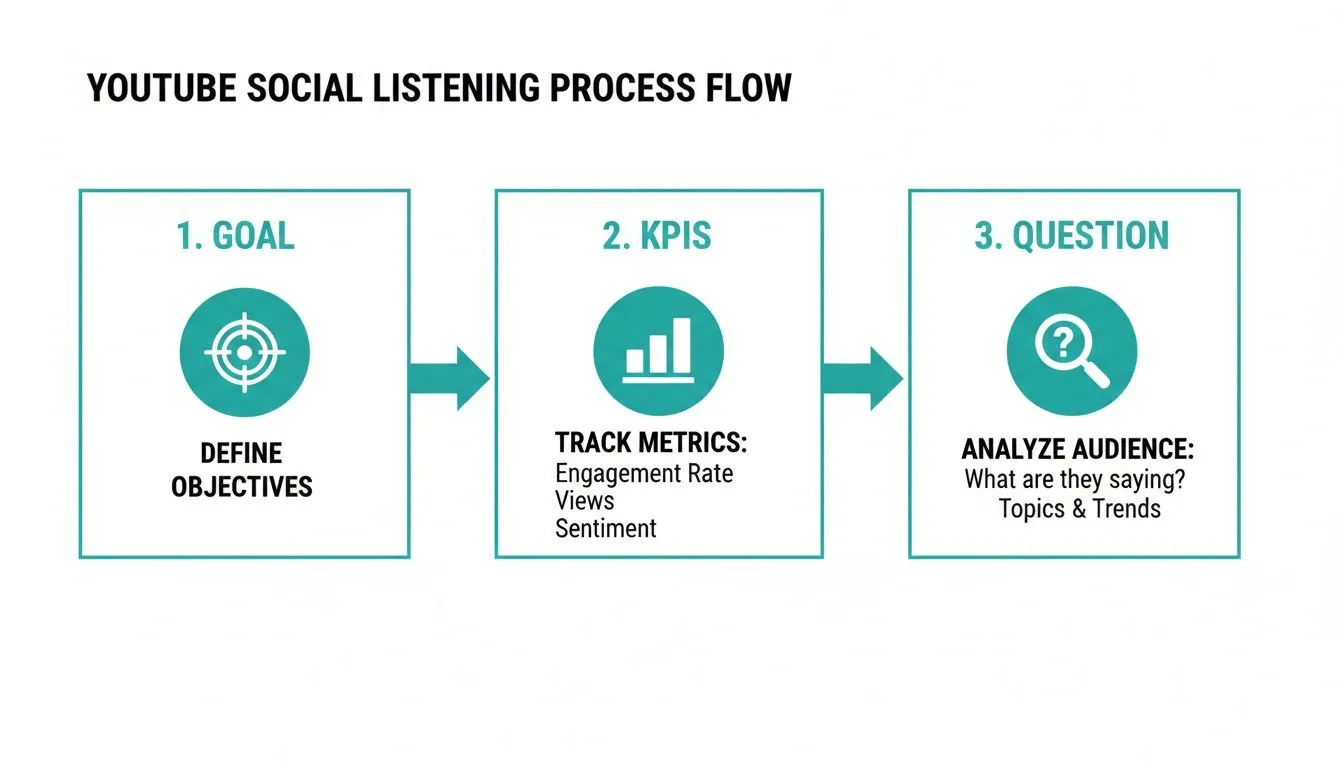
As you can see, starting with a clear goal and focused research question is what keeps you from getting lost in a sea of irrelevant chatter. It is all about working smart.
Choosing the Right Export Format
The file format you choose for your export really depends on what you plan to do next. Different analysis methods work best with different file types.
- CSV (Comma Separated Values): This is your go-to for any analysis in a spreadsheet. Opening a CSV in Excel or Google Sheets neatly organizes everything into columns: comment text, author, likes, reply-to ID, and so on. It’s perfect for sorting, filtering, and running basic quantitative analysis.
- TXT (Plain Text): A simple text file might not seem as useful at first, but it’s incredibly powerful for AI-powered analysis. A clean TXT file can be fed directly into tools like ChatGPT for summarization, sentiment analysis, or theme identification, without any messy spreadsheet formatting getting in the way.
For an even richer dataset, consider pairing comments with a video transcription. Transcribing the video gives you another layer of text to analyze, allowing you to see how the comments relate to specific things said in the video itself.
All this effort is more important than ever. Why? Because comment engagement on YouTube has exploded, seeing a massive 38% increase year-over-year. That far outpaces the 11% growth in likes. Comments are growing nearly four times faster, turning YouTube into a far more conversational platform and giving you a much richer pool of data to work with.
Turning Raw Comments Into Actionable Insights
Alright, you have got your mountain of comments exported and ready to go. This is where the real work and the fun begin. We are about to turn that raw data into something you can actually use to make smarter decisions.
You do not need to be a data scientist for this. It is all about knowing where to look and what questions to ask, and you can start right inside your favorite spreadsheet program.
Think of your exported CSV as your own private focus group. The first, most powerful move you can make is simply using the search and filter functions to scan for keywords. In seconds, you can sift through tens of thousands of comments for mentions of your brand, a specific product, or even your top competitors.
This first pass alone is incredibly revealing. You will immediately start to see the signal through the noise, giving you a gut check on what your audience is really talking about.
Finding Themes with Simple Searches
Let’s imagine you are a tech creator who just dropped a review of a new smartphone. The comment section is on fire. To get a handle on the conversation, you can run a few simple keyword searches in your spreadsheet for terms like:
- “battery”
- “camera”
- “price”
- “overheating”
Suddenly, that massive, overwhelming dataset is filtered down to just the comments that mention these specific topics. This is how you start to quantify what matters most. If “battery” shows up in 30% of the comments but “camera” only appears in 5%, you have just uncovered your audience’s primary concern.
From there, the possibilities are endless. A brand manager could search for competitor names to gauge sentiment and see how their products stack up. A creator could search for phrases like “you should do a video on” or “next time cover” to build a content calendar straight from viewer requests.
From Keywords to Concrete Insights
This basic level of analysis is fantastic for uncovering recurring themes, spotting frequently asked questions, and identifying common pain points that are hiding in plain sight. It elevates you from relying on a few anecdotal comments to making observations backed by real data.
The goal is to see your dataset not as a list of text, but as a roadmap to what your audience truly wants. Each comment is a breadcrumb leading you toward a more informed business decision.
I saw this happen with a small e-commerce brand selling coffee beans. They noticed a surprising number of comments mentioning “broken bag” and “packaging.” By filtering for just those terms, they quickly confirmed a flaw in their new mailers that was causing bags to split during shipping. That insight, found directly in their YouTube comments, led to a packaging redesign that saved them from a potential customer service nightmare.
Supercharge Your Analysis with AI
Spreadsheet analysis is a great starting point, but it has its limits. Manually reading thousands of filtered comments to gauge the overall feeling is still incredibly time-consuming. This is where AI can step in and do the heavy lifting for you.
When you use the TXT export option from YouTube Comments Downloader, you get a clean, simple text file that’s perfect for AI tools like ChatGPT. You can copy and paste thousands of comments directly into the chat window and ask it to perform sophisticated analysis in seconds. It’s a much cleaner approach than using other analysis tools that often choke on comment data or require a complicated setup.
With a simple prompt, you can ask an AI to:
- Perform Sentiment Analysis: Go beyond just “positive” or “negative.” You can ask it to identify specific emotions like “frustration,” “excitement,” or “confusion” in the comments.
- Identify Core Themes: A prompt like, “Identify the top 5 themes discussed in these comments and provide a representative example for each,” can give you a high-level summary in an instant.
- Summarize Discussions: Have a long, complicated thread of replies? Just paste it in and ask for a concise summary of the entire conversation.
This combination of a clean TXT export and a powerful AI tool is how you truly scale your social listening on YouTube. It allows a single person to accomplish what used to require an entire team of analysts. For a more structured way to think about this, you can learn more in our guide on discourse analysis methods, which provides a great framework for systematically breaking down conversations.
Ultimately, this workflow turns a mountain of raw data into a short, actionable report. You can go from 10,000 comments to the three most critical takeaways in just a few minutes, giving you the speed to react to audience feedback and stay ahead of the curve.
Visualizing and Sharing Your Findings
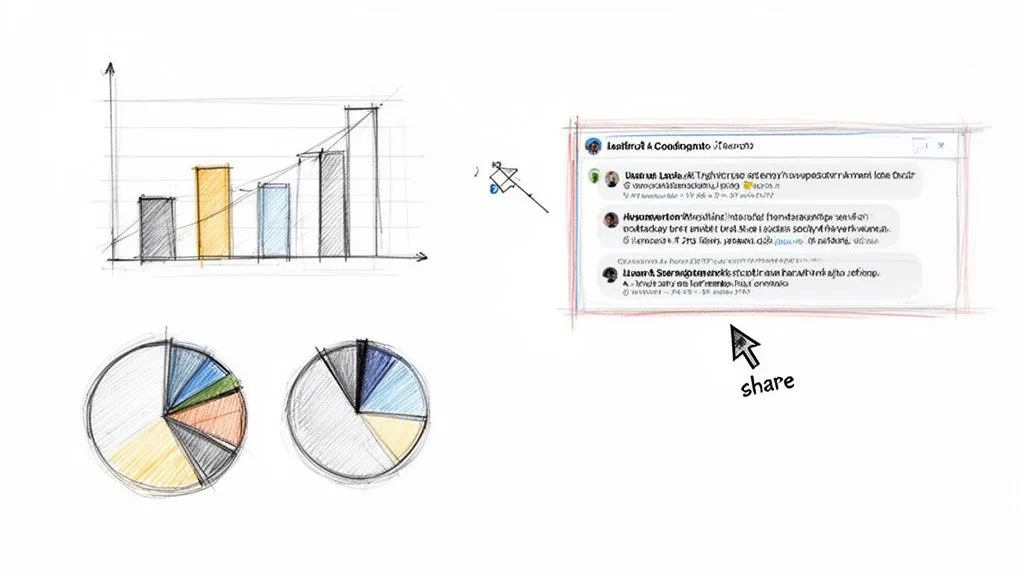
Raw data is a great start, but those thousands of comments you have just analyzed will not do anyone any good stuck inside a spreadsheet. The final, and arguably most important, part of this process is turning your findings into a story that people can understand and act on.
This is where you translate numbers and text into influence. You do not need a PhD in data science or expensive business intelligence tools, either. Often, the simplest charts made in Excel or Google Sheets are the most effective. By creating clear visuals, you allow anyone from your marketing lead to a product manager to grasp the core insights in seconds.
Creating Powerful Visuals from Comment Data
Once your comments are categorized, you are ready to build visuals. If you have run sentiment analysis or themed your comments, a few basic charts can tell a surprisingly rich story. A simple pie chart can show the sentiment breakdown after a product launch. A bar chart is perfect for showing the frequency of different themes, revealing what topics are really driving the conversation.
Let’s say you have been monitoring the comments on a major review of a competitor’s new phone. A bar chart showing the top five complaints, like “battery life,” “overpriced,” and “camera lag,” is undeniable. It is not just an opinion; it is data-backed proof of a competitor’s weakness, which your own marketing can then target.
But sometimes, a single comment thread is more powerful than any graph. You might find one perfectly phrased piece of user feedback or a hilarious exchange that perfectly captures a niche sentiment. Screenshotting a messy spreadsheet cell will not cut it, though. It just looks unprofessional.
A single, well-chosen comment thread can make your data feel human. It’s the difference between saying “15% of users are confused” and showing a real conversation where a customer is struggling. The latter makes the problem real and urgent.
This is where a tool like YouTube Comments Downloader really proves its worth. Its HTML export format is a game-changer because it mirrors the exact look of YouTube’s comment section, profile pictures and all. Instead of a clunky spreadsheet screenshot, you get a clean, professional-looking image of the actual conversation. These are perfect for dropping straight into a presentation, making your point instantly relatable.
Choosing the Right Export Format for Your Analysis
When it is time to share, you need to think about who you are sharing with. A CSV file is for you, the analyst. But for your boss or another team, a different format might be much more effective. A dedicated export tool gives you options, so you can pick the right one for the job.
The table below breaks down which export format to use and when, helping you match the file type to your final goal.
| Export Format | Best For | Key Advantage |
|---|---|---|
| CSV/XLSX | Deep data analysis, creating charts | Structured data that is ready for sorting, filtering, and feeding into spreadsheet software like Excel or Google Sheets. |
| HTML | Presentations, qualitative reports | Creates a clean, shareable snapshot of comment threads that looks just like YouTube, perfect for convincing stakeholders. |
| TXT | AI summaries, quick text analysis | Raw text that can be copied and pasted directly into an AI tool to generate summaries for a quick executive briefing. |
Ultimately, choosing the right format is not a technical detail. It is about making your insights as clear, persuasive, and easy to understand as possible for your audience.
Operationalizing Your YouTube Insights
The real goal of YouTube social listening is not to write a report; it is to spark action. Your findings have to escape the marketing department and become part of a company-wide feedback loop. This is what we call operationalizing your insights.
It is about creating a system where YouTube comments directly inform how the business runs.
- For Marketing: Negative sentiment around pricing could trigger a review of your ad copy. Trending slang from your community can be woven into future campaigns to feel more authentic.
- For Product Development: A wave of comments asking for a new feature can get it bumped up the product roadmap. Bug reports pulled from comments can be sent straight to the engineering team’s queue.
- For Content Strategy: The most common “how-to” questions in your comments are a goldmine for your next series of tutorial videos. Hot topics on competitor channels can inspire brand-new content pillars for you.
When you present your findings, do not just show the data; propose the action. Instead of saying, “Here is a chart showing user confusion,” say, “We saw a 40% increase in comments asking how to use Feature X. I propose we create a short tutorial video addressing this to reduce support tickets and improve satisfaction.”
This approach transforms social listening from a passive reporting exercise into a powerful source of real business value.
Common Questions & Sticking Points
Getting started with social listening on YouTube often brings up a few common questions. If you are wondering about the practical side of this process, you are not alone. Let’s walk through some of the things people often ask.
Is This Kind of Analysis Only for Big Brands?
Not at all. In fact, some of the biggest wins come from smaller players. Social listening on YouTube is for everyone: from solo creators and small businesses to massive corporations. The beauty of it is that you are tapping into public conversations, which makes it one of the most accessible forms of market research out there.
A creator, for instance, can dig through comments to find their next viral video idea. A small e-commerce shop can get brutally honest product feedback without paying for a single focus group. Our own YouTube Comments Downloader was built to be affordable for this very reason, putting serious analytical power in anyone’s hands.
How Is This Better Than Just Reading My Comments?
There is a world of difference between casually reading comments and performing structured social listening. Reading comments gives you anecdotes. Exporting them gives you data.
Manually scrolling through comments on even a few dozen videos is a recipe for missing the bigger picture. You simply cannot spot trends or measure shifts in opinion that way.
When you export all those comments into a structured CSV, you can suddenly search, filter, and analyze thousands of them at once. You can go from saying, “I think a few people mentioned this,” to stating, “25% of comments in the last month mention this specific bug.” That’s an insight you can actually act on. It’s the difference between guessing and knowing.
The real magic happens when you turn that chaotic stream of opinions into an organized, searchable database. That’s what unlocks real business intelligence.
What if I Get Overwhelmed with Too Many Comments?
This is a good problem to have because it means people are talking! The key is to avoid boiling the ocean. Do not try to analyze everything at once. Go in with a clear, focused mission.
For example:
- Goal: Understand sentiment around a new product feature.
- Action: Export the comments and filter the spreadsheet for any row containing the feature’s name.
If you’re dealing with a truly massive dataset, a TXT export paired with an AI summarization tool can help you get the gist of thousands of comments in minutes. The workflow is not about reading every single comment; it is about efficiently finding the most representative trends and digging into those.
Can I Really Analyze My Competitors’ Comments?
Yes, and honestly, this is one of the most powerful things you can do. You are only accessing publicly available comments, which means you can ethically and legally export and analyze the conversations happening on any public YouTube channel or video.
This is your direct line into what your competitor’s customers are complaining about, what features they’re begging for, and where the company is falling short. It is an incredible source of competitive intelligence that can directly inform your own product roadmap and marketing strategy. You get to see their audience’s unmet needs, right out in the open.
Ready to stop guessing and start knowing what your audience truly thinks? With YouTube Comments Downloader, you can transform messy comment sections into clean, analysis-ready datasets in minutes.
Start your free trial today and uncover the insights hiding in plain sight.