
7 months ago
How to Scrape Multiple YouTube Videos Comments at Scale
If you want to understand what an audience really thinks, you need to go where they talk. On YouTube, that’s the comment section. The challenge is turning those thousands of scattered conversations across dozens of videos into something you can actually work with: a structured, analyzable dataset.
This is about more than just grabbing text. It’s about systematically pulling comments from specific videos, entire playlists, or even a whole channel and exporting them in a way that makes sense. Doing this at scale is the key to unlocking real audience insights, tracking what your competitors are up to, and getting a true read on brand sentiment.
Why You Can’t Afford to Ignore Bulk Comment Scraping
Let’s be honest: manually sifting through comments on a handful of videos is tedious. Trying to do it for a whole channel or a major campaign? It’s impossible. YouTube isn’t just a video platform anymore; it’s a massive focus group, and the most valuable feedback is buried in the collective voice of the community.
This is where bulk comment scraping becomes a game-changer. It’s not just about collecting the comments themselves. A proper scrape pulls in all the crucial metadata: the replies, the like counts, timestamps, and author details. This structured data is the foundation you need to make smart decisions, whether you’re tweaking your content strategy or refining a marketing campaign.
A Goldmine of Unfiltered Feedback
The sheer volume of conversation happening on YouTube is staggering. It’s a direct line to raw, unfiltered public opinion. When you start digging into the comments at scale, you’ll find:
- Product Feedback: What do people love? What drives them crazy? You’ll find honest-to-goodness suggestions for your next product update.
- Content Ideas: Notice the same questions popping up over and over? That’s your audience telling you exactly what video to make next.
- Community Trends: Spot emerging topics and shifts in sentiment before they become mainstream in your niche.
- Competitor Weaknesses: The comment section on a rival’s video is often a laundry list of customer complaints and frustrations you can learn from.
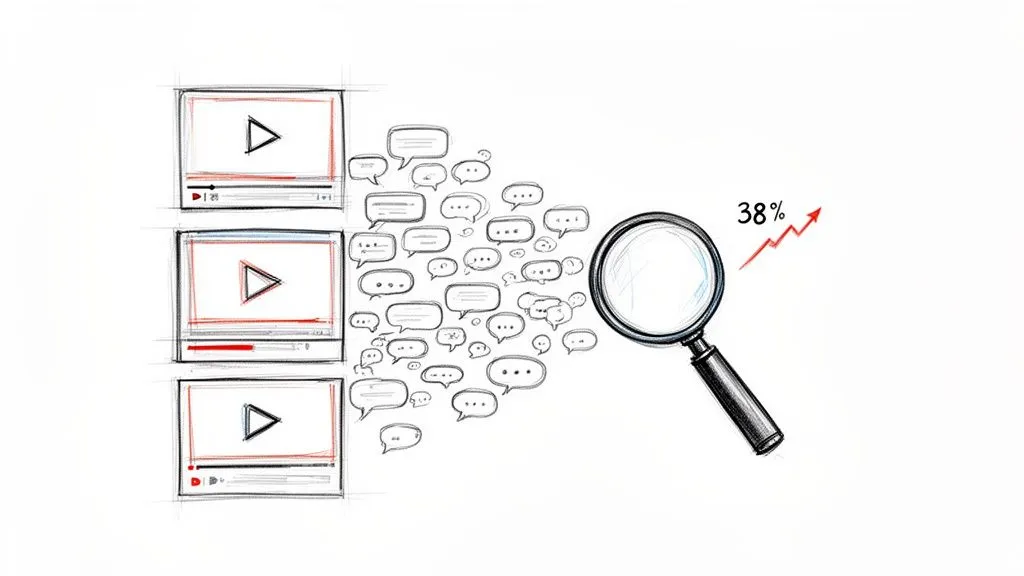
The comment section is no longer an afterthought. It’s a primary channel for audience interaction. With engagement projected to drive a 38% surge in comments by 2026, the ability to analyze this firehose of feedback is a serious competitive edge.
Before we get into the “how-to,” it helps to remember just how dominant YouTube is for brands. The platform’s massive user base is what fuels this constant stream of data, a topic explored well in this comparison of Podcasts Vs YouTube: Which Platform Wins for Brands in 2026.
Moving Past Manual Grunt Work
Relying on copy-paste to analyze comments from multiple videos is a recipe for disaster. It’s painfully slow and incredibly error-prone. Worse, you lose all the context, like which comment is a reply to another, making any deep analysis impossible.
Imagine trying to track sentiment across a 50-video product launch by hand. The effort is enormous, and the results would be unreliable at best.
A dedicated tool to scrape multiple YouTube videos comments automates this entire process, letting you process whole playlists or channels in minutes, not days. It turns that chaotic mess of conversation into clean spreadsheets or JSON files. Suddenly, you can spot patterns, measure sentiment, and find insights that were completely buried in the noise. This guide will walk you through exactly how to set that up.
Picking the Right Tool for Scraping Comments from Multiple YouTube Videos
So, you need to pull comments from a bunch of YouTube videos. You’ve basically got three ways to go about it: use a ready-made no-code tool, wrestle with the official YouTube Data API yourself, or attempt the soul-crushing manual copy-paste method. Your choice really boils down to what you’re trying to achieve, your technical comfort level, and frankly, how much you value your time.
For most people, whether you’re a marketer, researcher, or creator, the goal is the same: get high-quality data without getting lost in a technical rabbit hole. That’s where a dedicated, no-code tool really shines.
The Fast and Simple Route: No-Code Tools
A specialized no-code solution like YouTube Comments Downloader was built for one specific job: pulling public comments from YouTube videos in bulk. It’s made for people who need answers now, not after spending weeks learning to code and debugging a fragile script. This approach completely flattens the technical learning curve.
You wouldn’t learn to be a mechanic just to drive to the store. In the same way, you shouldn’t have to become a programmer just to analyze your audience’s feedback. A no-code tool gives you a direct path from question to insight, processing thousands of videos in minutes and handing you clean, organized data.
- No Coding Necessary: The interface is straightforward. You just paste your list of video URLs, a channel ID, or a playlist link, and hit go.
- Get Results Immediately: Instead of fighting with API keys and programming logic, you get your data in a clean XLSX or CSV file, ready for Excel or Google Sheets.
- Keeps Data Intact: These tools are built to preserve the entire comment structure: replies, likes, timestamps, and author details, which is absolutely essential for understanding the context of a conversation.
If your main job isn’t software development, the time you save is immense. You get to spend your energy analyzing the insights, not just struggling to access them. While other services exist, many are designed for broad, generic web scraping and lack the specific features needed for deep YouTube analysis, like properly handling threaded replies or live stream chats.
The Developer’s Path: Using the YouTube API
The official YouTube Data API is an incredibly powerful interface for developers. It gives you granular control, which is great for highly specific, large-scale projects. But that power comes with some serious trade-offs that make it a poor fit for most people who just need to export comments.
The biggest obstacle is the steep learning curve. You need to be comfortable with a programming language like Python, know how to manage API keys, handle authentication, and write code that doesn’t violate YouTube’s strict usage policies. This isn’t a quick weekend project.
Using the YouTube Data API is a real commitment. It’s not just the initial development work; it’s the ongoing maintenance. You have to constantly adapt to API changes and carefully manage your daily usage quotas, which can run out surprisingly fast and bring your work to a screeching halt.
And those quota limits are a major pain. Every request you make to fetch comments or video data uses up “units” from your daily allowance. A bulk job on hundreds of videos can burn through your entire quota in no time, forcing you to stop and wait 24 hours or apply for a pricey extension. If you’re curious about the nitty-gritty, you can read more about how a dedicated tool compares to the headaches of using the YouTube Data API directly.
A Side-by-Side Look at Your Options
Choosing the right approach becomes much clearer when you see how they stack up against each other. The differences in speed, required effort, and the quality of the final data are pretty dramatic.
Here’s a quick breakdown to help you decide.
Comparing Bulk Comment Scraping Methods
| Method | Speed & Scale | Technical Skill Required | Data Completeness | Best For |
|---|---|---|---|---|
| No-Code Tool | Excellent: Processes thousands of videos in minutes. | None: Point-and-click interface. No coding needed. | Excellent: Preserves full thread hierarchy, likes, and all metadata. | Marketers, researchers, and creators who need fast, reliable data. |
| YouTube API Script | Poor to Fair: Slow due to rate limits and daily quotas. | Expert: Requires coding, API knowledge, and maintenance. | Good: Can be complete, but you must code it to handle all data points. | Developers building a custom application with a dedicated budget and time. |
| Manual Extraction | Terrible: Impractical for more than a handful of videos. | None: Just requires patience and a tolerance for tedious work. | Poor: Loses all reply structure, likes, and metadata. | Not a realistic option for any serious analysis. |
At the end of the day, the manual copy-and-paste method is a non-starter for any project involving more than a few videos. It’s wildly inefficient and gives you messy, incomplete data that’s practically useless.
This leaves a clear choice between a no-code tool and a custom script. For the vast majority of people, the speed, simplicity, and rock-solid reliability of a dedicated tool make it the smartest way to turn YouTube conversations into actionable insights.
Alright, enough talk. Let’s get our hands dirty and build a real workflow for pulling comments from a ton of YouTube videos at once. A little bit of planning here will save you a massive headache later, turning a potentially messy data-gathering job into a smooth, predictable process.
Using a specialized tool like YouTube Comments Downloader makes this surprisingly simple. You can skip the technical nightmares and focus on the data, getting from a long list of videos to a clean dataset in just a few clicks.
Getting Your Inputs Ready
First things first, you need to tell the tool which videos you’re targeting. The great thing about a dedicated tool is that it’s not picky. You can feed it a list of videos in whatever format is most convenient for you.
You’ve got a few options here:
- A List of Video URLs: This is the most straightforward path. If you’ve already identified a specific set of videos, say, for a competitor analysis or to track feedback on a product launch, just copy and paste the entire list of URLs. Each one gets queued up as its own task.
- A Channel URL or ID: Need a bird’s-eye view of a creator’s entire community? This is the way to go. Point the tool to the channel’s main page, and it will get to work pulling comments from every public video they’ve ever posted.
- A Playlist Link: Playlists are fantastic for zeroing in on a curated set of content. Maybe you want to analyze your company’s “Tutorials” playlist or see what people are saying about a competitor’s latest series. Just drop the playlist link in, and you’re set.
This isn’t a one-size-fits-all situation. A market researcher might need to grab comments from an entire channel, while a social media manager might only need to analyze a playlist from a recent campaign. The key is that you have options.
Kicking Off the Bulk Scrape
Once your list of targets is prepped, the actual scraping is the easy part. A good no-code tool handles all the messy stuff: API keys, rate limits, running scripts, behind the scenes.
As you can see, there are a few ways to tackle this, but for most people, the no-code route is the path of least resistance.
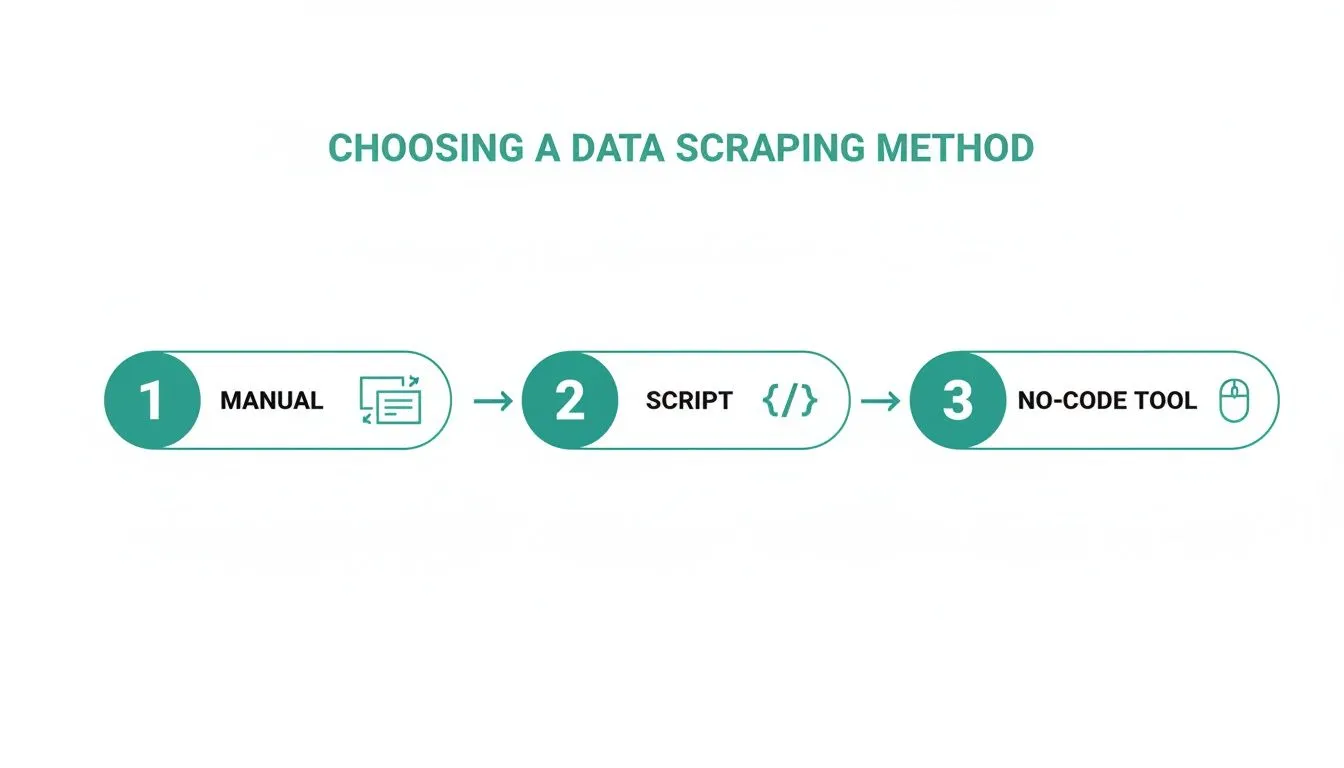
The manual and script-based methods have their place, but they come with a steep learning curve. A tool like YouTube Comments Downloader is designed to let you just paste your inputs, choose an export format, and hit “go.” It’s built to chew through huge amounts of data without breaking a sweat.
Choosing Your Export Format
The last piece of the puzzle is deciding what you want the final data to look like. Don’t just gloss over this step. Picking the right format from the start can save you hours of reformatting data later. What you choose really depends on what you plan to do with all those comments.
- For Spreadsheets (XLSX/CSV): If you live in Microsoft Excel or Google Sheets, this is your best bet. You’ll get a perfectly organized table with columns for the comment, author, likes, replies, and timestamps. It’s ready for sorting, filtering, and running analysis right out of the box.
- For Developers (JSON): If you’re planning to pipe this data into a custom application or a BI dashboard, you’ll want JSON. It’s a structured, machine-readable format that perfectly preserves the nested structure of comment threads, so you know exactly which replies belong to which parent comments.
- For Presentations (HTML): Need a quick visual for a report or a slide deck? The HTML export creates a file that looks exactly like a live YouTube comment section. It’s the fastest way to grab a clean-looking screenshot without any fuss.
- For AI and LLMs (TXT): If you’re feeding this data to a large language model like ChatGPT for summarization or sentiment analysis, the TXT export is your friend. It strips out all the metadata, leaving you with a clean, raw text file of just the comments themselves, perfect for model training and analysis.
Having this range of formats means your data is ready to use the second you download it. If you want to see some practical examples, our guide on how to bulk download YouTube comments dives even deeper. Choosing the right format is what closes the loop, getting you from a mountain of raw comments to valuable insights with as little friction as possible.
Turning Raw Comment Data into Actionable Insights
So you’ve scraped all the comments from a batch of YouTube videos. What now? You’re likely looking at a massive spreadsheet or text file, a wall of words that feels more overwhelming than insightful. The data extraction part is over, but the real work, and the real value, is just getting started. This raw data is a potential goldmine, but you need the right approach to find the gold.
A pile of comments is just noise. The trick is to turn that bulk data into actual intelligence. This is where you put on your customer research analysis hat and start looking for the patterns and trends that matter. It’s the shift from simply collecting data to making data-driven decisions.
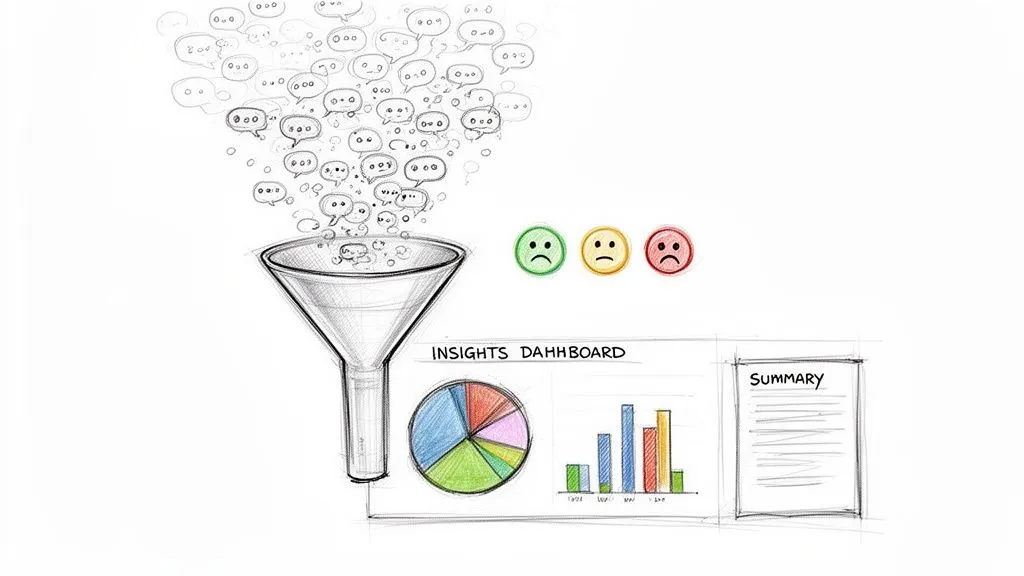
The comment section is more active than ever. In 2026, comments on YouTube grew by a staggering 38%, rising from an average of 0.50 to 0.69 comments per video. That growth far outpaced the 11% increase in likes, showing just how important this space has become for audience engagement. You can dig into more of this data in the full YouTube statistics report.
Practical Scenarios for Comment Analysis
Let’s talk about how this actually works in the real world. What you can do with this data is only limited by your goals.
- For Marketers: Picture this: you’ve just launched a new product with a campaign spread across 50 influencer videos. Instead of manually checking a few comments here and there, you can scrape them all. A quick search for terms like “price,” “confusing,” or “love it” gives you an immediate pulse check on your launch.
- For Creators: You have a library of 200 videos. By scraping every comment you’ve ever received, you can pinpoint the most frequently asked questions. These aren’t just random queries; they’re direct requests from your audience about what content to make next.
- For Researchers: If you’re studying online discourse, you could track how a specific meme, hashtag, or even an emoji travels across thousands of videos. It’s a powerful way to map the spread of ideas and spot influential voices within a niche.
The real magic doesn’t happen by looking at one video. It happens when you analyze the collective conversation across an entire channel, playlist, or campaign. That big-picture view is what separates casual observation from professional-grade insight.
Speeding Up Analysis with Built-In Tools
Even with a plan, sifting through a massive spreadsheet is a chore. This is where a tool like YouTube Comments Downloader comes in handy, with features built specifically to close the gap between exporting data and finding insights.
The built-in search function is a huge time-saver. It’s not just a simple text search, either. It’s typo-tolerant, which is a small detail that makes a world of difference. When you search for “awesome,” it will also catch “awesom” or “awsome,” perfect for the informal, fast-paced nature of YouTube comments.
You can also zero in on specific elements to find deeper context:
- Find mentions to see what other brands or creators your audience is talking about.
- Isolate hashtags to follow trends or community-driven conversations.
- Search for emojis (like 👍 or 😠) for a quick, at-a-glance sentiment analysis.
This turns what could be hours of manual review into a few minutes of targeted queries, letting you test ideas and find answers almost instantly. For those dealing with truly massive datasets, our guide on how to bulk download YouTube comments has more strategies for managing the process.
Using AI to Summarize Themes and Sentiment
Sometimes, even a powerful search isn’t enough. You need a high-level summary of what thousands of people are saying. This is the perfect job for AI.
YouTube Comments Downloader includes a TXT export format that’s cleaned and optimized for large language models. You can take the text output from hundreds of videos and drop it straight into a tool like ChatGPT.
Once it’s there, you can ask the AI to do the heavy lifting for you. Try prompts like:
- “Summarize the top 5 most common complaints in these comments.”
- “What is the overall sentiment (positive, negative, neutral) of this feedback?”
- “Identify the 10 most frequently asked questions from this text.”
To make it even easier, the companion YouTube Comments Downloader GPT is built to work directly with these exported files. You just upload your TXT file, and it can start generating summaries, analyzing themes, and building reports right away.
This creates a seamless workflow, taking you from bulk scraping to a clear, actionable report without writing code or reading a single comment manually. It’s the fastest way to turn chaotic audience feedback into a clear strategic direction.
Understanding the Rules of the Road for YouTube Data
When you’re doing professional research using YouTube data, you have to play by the rules. This isn’t about finding sketchy loopholes. It’s about ethically gathering public information to find meaningful insights. We are only ever interested in publicly available comments, and we collect them in a way that respects both user privacy and the platform itself.
Anytime you scrape comments from multiple YouTube videos, you’re tapping into YouTube’s infrastructure. To keep things stable and prevent abuse, YouTube has some ground rules. Knowing what they are is the key to a successful project. It’s not about what’s technically possible, but what’s allowed and sustainable for large-scale work.
Remember, the goal is analysis, not misusing personal data. Responsible data collection means you never use comments for spam, harassment, or anything that violates the trust of the YouTube community. This keeps your research legitimate and compliant.
The Big Problem: API Rate Limits
So, you’ve decided to build your own script with the official YouTube Data API. Sounds promising, right? Well, you’ll quickly run into a huge roadblock: rate limits. These are daily quotas that strictly cap how many requests your script can make, and fetching comments burns through that quota incredibly fast.
This isn’t just a small hiccup; it’s a fundamental barrier to scaling up. A custom script might work fine for a dozen videos, but it will suddenly hit a wall and stop working once the daily limit is reached. Your entire data collection process is then frozen for 24 hours. For anyone on a deadline, this kind of unpredictability can kill a project.
These limits are precisely why so many DIY solutions fail when dealing with a large volume of videos. They exist to stop a single user from overwhelming the system, but they also make extracting comments from hundreds or thousands of videos a painfully slow and frustrating process.
A professional tool like YouTube Comments Downloader is built from the ground up to navigate these limitations. It intelligently manages requests to get around the bottlenecks caused by rate limits, letting you process a massive list of videos without the frustrating stops and starts you’d get with a custom script.
Staying on the Right Side of YouTube’s ToS
YouTube’s Terms of Service are clear: unauthorized scraping is prohibited. That’s a critical point to understand. The platform has this rule to protect its content and its users, and ignoring it can get your IP address blocked or worse.
But the reality of data access is more nuanced. While YouTube doesn’t want people running rogue scraping bots, it does provide its public API as a sanctioned way to get data. The problem for most people is that using the API directly is complex and, as we just saw, too restrictive for bulk analysis.
This is where a dedicated tool offers a clear advantage. It operates as a sophisticated intermediary, interacting with YouTube’s system in a structured and compliant way that a quick, custom-built script simply can’t. It automates the approved methods of data retrieval, hiding all that complexity from you. The key is to use a method designed for respectful and efficient collection, not a brute-force approach that ignores the rules. That’s what separates legitimate research from problematic data harvesting.
Frequently Asked Questions About Comment Scraping
Once you decide to scrape multiple YouTube videos comments, a handful of very practical questions always seem to pop up. Getting these sorted out from the beginning can save you a world of headaches later on.
Let’s walk through some of the most common questions I hear from researchers, marketers, and creators who are just getting started with bulk comment analysis.
Can I Scrape Comments From YouTube Shorts And Live Streams?
Yes, you can, but the tool you use is what makes the difference. Many simple scripts or basic tools are built only for standard, long-form videos. They’ll often choke on anything else.
A professional-grade tool, however, is designed to pull comments from YouTube’s entire ecosystem. This means you can gather feedback from regular videos, capture the rapid-fire reactions on YouTube Shorts, and even get chat replays from live streams. This is a huge deal, since audience behavior is completely different across these formats. Missing out on Shorts or live chat means you’re only seeing part of the conversation.
How Are Comment Replies And Threads Handled?
This is where the real value is. Just grabbing a giant list of comments without any context is almost useless for deep analysis. You lose all the nuance of the back-and-forth conversations.
A robust tool like YouTube Comments Downloader is built specifically to preserve the full thread hierarchy. In your exported file, every reply is connected to its original parent comment, usually with a “parent comment ID.” This lets you easily filter and reconstruct entire conversations in a spreadsheet. Without this, you can’t tell who is talking to whom, making it impossible to truly understand community dynamics.
The ability to see who replied to whom is not a minor feature; it is fundamental to understanding the dynamics of community discussion. Without it, you’re just analyzing a jumble of disconnected statements.
Is It Legal To Scrape Public YouTube Comments?
This is probably the most important question, and the answer has some nuance. It all comes down to the difference between analyzing publicly available data and using aggressive, automated methods that violate YouTube’s Terms of Service and disrupt the platform.
While YouTube’s ToS does have strict rules against scraping, they also provide an official API for data access (though it comes with its own heavy limitations). A legitimate tool for researchers and marketers works by interacting with the platform’s public data in a respectful, structured way. The goal is always the ethical analysis of public conversations for insight, not harvesting private information or spamming people.
Ready to turn chaotic comment sections into structured, actionable data? With YouTube Comments Downloader, you can process thousands of videos from channels, playlists, or custom lists in minutes, not days. Start your free trial and get the insights you need without the technical headaches. Get started with YouTube Comments Downloader.