7 months ago
Best YouTube Comment Scraper 2026: A Practical Guide
When you’re looking for the best YouTube comment scraper in 2026, you quickly realize one thing: for anyone serious about understanding their audience, whether they are creators, marketers, or researchers, a specialized tool like YouTube Comments Downloader is a game-changer. It’s built specifically to pull massive amounts of data from YouTube while keeping the full context of conversations intact, something generic tools and the YouTube API just cannot do efficiently.
Why You Need a Specialized YouTube Comment Scraper in 2026
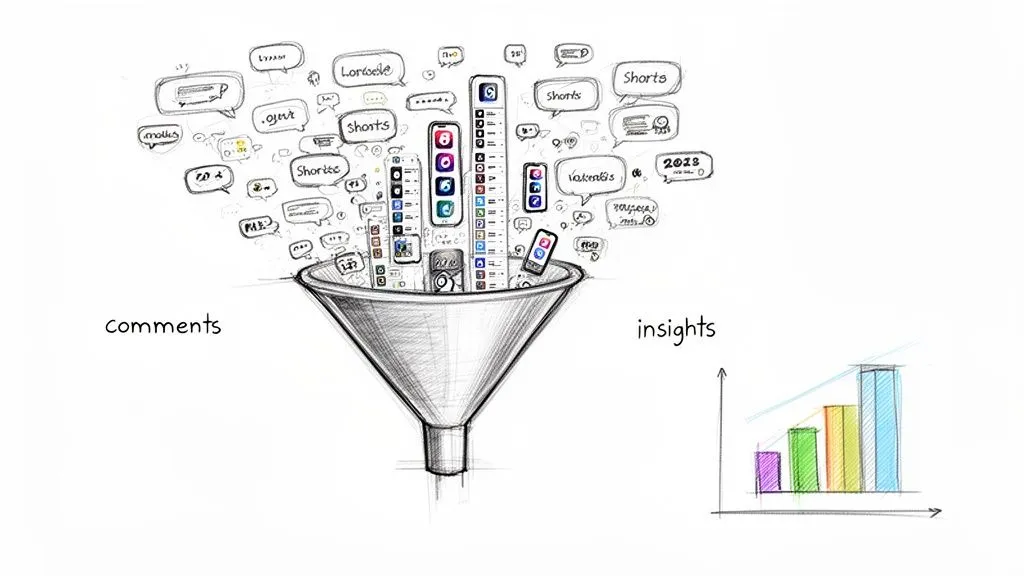
Let’s be blunt: in 2026, trying to manually read through YouTube comments is not just a waste of time, it is a strategic mistake. The sheer volume of user feedback on the platform is staggering, and anyone still using old-school methods is leaving valuable insights on the table.
The need for a dedicated comment scraper has grown right alongside YouTube itself. Shorts, for example, now pull in 70 billion daily views and make up 35% of all watch time, creating an explosion of rapid-fire feedback. In fact, researchers are finding that comments on Shorts can reveal up to 2x higher engagement insights compared to traditional long-form videos.
The Limits of Standard Approaches
Many people first try the official YouTube API, but it’s not built for bulk analysis. Its strict rate limits turn large-scale data gathering into a slow, frustrating crawl. Even worse, the API often misses deeply nested replies, completely breaking the conversational thread you need to understand the full picture.
Then you have general-purpose web scraping platforms. While powerful, they come with their own set of headaches for this specific task. They demand a good bit of technical know-how to set up, have a steep learning curve, and usually operate on a pay-as-you-go model that gets expensive fast. They simply are not fine-tuned for the specific task of pulling and organizing YouTube comments.
A dedicated tool is not just about grabbing data. It is about turning millions of raw, messy comments into clear, organized insights without needing a developer on standby. It closes the gap between raw data and real-world strategy.
The Core Criteria for a Modern Tool
Choosing the right YouTube comment scraper in 2026 boils down to three key factors that directly address the weaknesses of other methods:
- Speed and Scale: Can it handle hundreds of videos or an entire channel’s worth of comments at once, without making you wait in a queue?
- Data Richness: Does it capture everything? We are talking full comment threads with replies, author info, like counts, and timestamps.
- Ease of Use: Is it a simple, no-code tool that lets a marketer, creator, or researcher get the data they need right away, without any fuss?
These are not just features; they are the foundation for a tool that delivers structured insights, not just a jumble of files. If you’re curious about the bigger picture and want to know if Is YouTube Automation Legit, it’s worth a read. And for a step-by-step look at the process, check out our guide on how to extract YouTube comments for sentiment analysis.
What Really Matters in a YouTube Comment Scraper?
Before we jump into a side-by-side shootout, let’s get on the same page. Deciding on the best youtube comment scraper 2026 is not about picking the tool with the longest feature list. It is about finding a genuine research partner that delivers clean, complete, and immediately useful data.
The goal here is not just to download comments; it is to extract real-world insights. For anyone in marketing, research, or content creation, the devil is in the details. Here’s the no-nonsense criteria we will be using to judge these tools.
Data Completeness and Thread Integrity
First things first: if a tool only scrapes top-level comments, it’s practically useless for understanding real conversations. The true gold is in the replies, where debates happen and opinions are formed. A scraper must preserve the entire conversational thread.
This means it absolutely has to capture:
- Nested Replies: Every single reply, and the replies to those replies, mapping out the full discussion tree.
- Core Metrics: The essentials like author names, handles, like counts, and timestamps for every comment and reply.
- Permalinks: A direct link back to the specific comment on YouTube. This is non-negotiable for fact-checking and seeing the comment in its original context.
Without this, you are looking at a flat list of disconnected statements. You lose all the nuance of how the community is actually interacting.
The real story is not just in what people say, but in how others react. A scraper that breaks comment threads is like reading the first sentence of every chapter in a book, you get a lot of openings, but zero conclusions.
Bulk Processing Speed and Scalability
Let’s be realistic, serious analysis requires working at scale. Whether you are digging into a competitor’s entire channel or analyzing the reaction to a major launch across dozens of videos, you cannot be stuck processing them one by one.
Bulk processing speed is a critical feature. A professional-grade tool needs to handle hundreds of videos or millions of comments in a single job without grinding to a halt. For instance, a tool like YouTube Comments Downloader sets a high bar, processing 750,000 comments in under 30 minutes. That is the kind of performance that enables rapid market research, not a weekend-long project.
Flexible Data Exports for Different Needs
Raw data is pointless if you cannot easily use it. A one-size-fits-all export is a sign of a lazy tool. The best youtube comment scraper 2026 will give you options tailored to how you actually work.
Look for these key formats:
- XLSX/CSV: The bread and butter for anyone using Excel or Google Sheets. This lets you immediately sort, filter, and build charts.
- JSON: A must-have for developers who need to feed comment data into other apps, databases, or custom analysis scripts.
- HTML: Creates a self-contained, offline report that looks just like the YouTube comment section. It is perfect for sharing visual, easy-to-read results with clients or team members who are not data-savvy.
This flexibility means the data is ready to go, whether you’re a social media manager, a data scientist, or a PhD candidate.
Advanced Filtering and Search Capabilities
Exporting a massive file of comments just creates a new problem: finding the signal in the noise. A truly great scraper has powerful search and filtering tools built right in, saving you hours of manual sifting.
This includes smart features like typo-tolerant search. It can find mentions of your brand or keywords even when people misspell them, a surprisingly common issue. Having the ability to instantly filter comments by hashtags, @mentions, or specific phrases directly within the tool makes the whole process faster and more efficient.
How Different YouTube Comment Scrapers Compare
When you start digging into the best YouTube comment scrapers for 2026, you will quickly find yourself sorting through a few distinct types of tools. Each one comes with its own set of trade-offs, and choosing the right one is not just about features, it is about finding the most direct path to the insights you need.
Let’s cut through the noise and look at how a dedicated tool like YouTube Comments Downloader stacks up against the other options out there.
The field is mainly split into three camps:
- Dedicated YouTube Comment Tools: Software built from the ground up for one specific job: pulling and organizing YouTube comments.
- General Web Scraping Platforms: Powerful, do-it-all systems like Apify or Octoparse that can scrape nearly any website, including YouTube. However, they require complex setup for this specific task.
- Browser Extensions: Simple, lightweight add-ons that grab comments from the single video page you have open in your browser.
For most creators, marketers, and researchers, the end goal is clean, structured data, not a frustrating engineering project. Understanding the practical differences here is the key to avoiding a major headache.
Before we dive deeper, this table gives a quick overview of what to expect from each type of tool.
YouTube Comment Scraper Type Comparison for 2026
This side-by-side comparison highlights the practical advantages of a dedicated tool for marketers, creators, and researchers who need reliable data without a steep learning curve.
| Feature | YouTube Comments Downloader | General Web Scraping Platforms (e.g., Apify/Octoparse) | Browser Extensions |
|---|---|---|---|
| Setup Time | Seconds (paste a URL) | Hours or days (requires configuration) | Instant (install and click) |
| Bulk Processing | Yes (channels, playlists) | Possible, but complex to set up | No |
| Speed | Extremely fast; direct data access | Slow; simulates a real browser | Very slow; limited by your browser |
| Data Completeness | Excellent (full threads, metadata) | Varies; depends on setup quality | Poor (often misses replies) |
| Ease of Use | No-code, intuitive | Requires technical skill/coding | Very easy, but limited |
| Cost Model | One-time or subscription | Pay-per-use (compute time) | Often free or one-time |
| Best For | Marketers, researchers, creators | Developers, data engineers | Quick, casual look-ups |
As you can see, what looks like a simple choice on the surface involves significant differences in effort, cost, and the quality of the final data.
Speed and Scale: A Tale of Two Workflows
Speed is not just a nice-to-have; it is what makes large-scale analysis practical. This is where the difference between scraper types becomes glaringly obvious, especially when you need to pull comments from hundreds of videos or an entire channel.
General scraping platforms are not designed for the unique structure of YouTube comments. They force you to build a “robot” that navigates the site, simulates endless scrolling to load everything, and then extracts the text. The setup alone is a time sink. Worse, you are often paying for every second of that computing time, which adds up fast. It is an inefficient approach for this specific task.
Browser extensions are the slowest of the bunch, hands down. They run inside your browser and scrape comments one by one as they appear on your screen. If you’re looking at a video with 50,000 comments, you could be waiting for hours, if your browser does not crash first. Bulk processing is completely off the table.
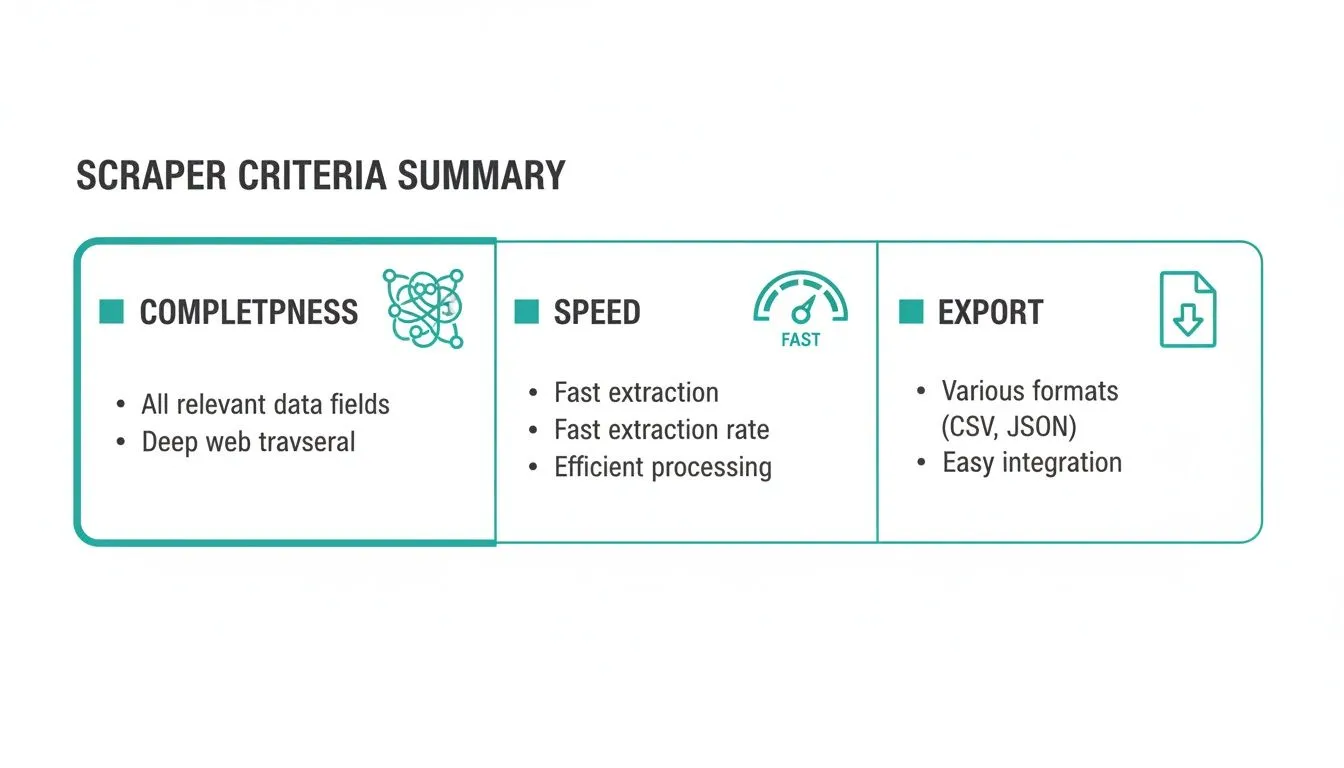
Completeness, speed, and export flexibility are the three pillars of a high-value scraper. It is not just about getting the data, but getting it quickly and in a format you can actually use.
On the other hand, a dedicated tool like YouTube Comments Downloader is built specifically for this workflow. It interacts with YouTube’s data sources more directly, completely skipping the slow, clunky process of rendering a webpage in a browser. For example, it can process 3,000 videos and 750,000 comments in under 30 minutes. This specialized architecture gets you a complete dataset in minutes, not hours.
Ease of Use: Built for Marketers, Not Engineers
This is perhaps the most important dividing line. Your time is better spent analyzing comments for sentiment and feedback, not wrestling with CSS selectors.
Platforms like Apify are built for developers. They assume you are comfortable with web scraping concepts and can troubleshoot when an anti-bot measure blocks your scraper. A marketer would face a steep learning curve just to get a single export.
Browser extensions are dead simple, but that simplicity comes at the cost of control. You click a button and get a data dump, often in a messy, unusable format. There are no options for filtering, bulk exports, or choosing which data points to include.
In contrast, YouTube Comments Downloader offers a clean, no-code interface. You just paste a video or channel URL, pick an export format, and hit “Start.” All the technical heavy lifting happens behind the scenes.
Key Differentiator: The entire experience is built around the job of comment analysis. You are not configuring a generic bot; you are using a purpose-built research tool.
This focus allows it to include practical features you will not find elsewhere without custom coding, like typo-tolerant search and presentation-ready HTML exports.
Data Completeness and Reliability
Finally, the quality of your insights is directly tied to the quality of your data. A specialized tool is designed to understand the specific structure of YouTube, which gives it a huge advantage here.
- YouTube Comments Downloader: It is built to preserve full thread hierarchies, capturing every nested reply in context. You also get crucial metadata like author details, like counts, and direct links to each comment.
- General Scraping Platforms: You can configure them to capture threads, but it is a complex process that can break the moment YouTube updates its website layout. Reliability is a constant battle.
- Browser Extensions: These frequently fail to capture nested replies, giving you a flat, incomplete view of the conversations happening on a video.
For anyone who needs programmatic access, a dedicated solution’s API is almost always more stable. For a deeper look at this, you might find our guide on using a YouTube comment scraper API helpful.
At the end of the day, a specialized tool is the clear winner for anyone who values their time and needs analysis-ready YouTube data without all the technical overhead.
Practical Use Cases for Exported Comment Data
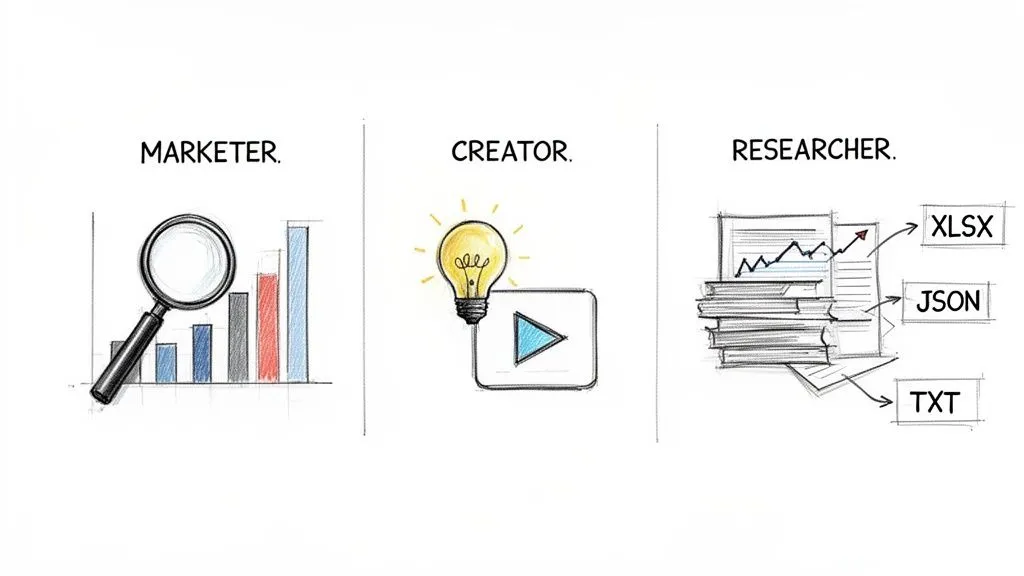
Getting your hands on a massive file of YouTube comments is one thing, but turning that raw text into a real strategy is where the magic happens. A great scraper does not just hand you a pile of data; it provides the clean, organized building blocks you need to make smarter decisions.
This is where the specific features of a tool like YouTube Comments Downloader stop being abstract bullet points and become tangible advantages. Let’s break down how different professionals can put exported comments to work.
For Marketers: Uncovering Competitive Intelligence
For any marketer, your competitors’ comment sections are an unfiltered focus group running 24/7. Trying to read through all that feedback manually is a non-starter, but a targeted export can reveal strategic gaps and opportunities in minutes.
Picture this: your main rival just launched a new product with a big announcement video. Scraping the comments lets you take the pulse of their audience’s reaction almost instantly.
Here’s a simple, effective workflow:
- Bulk Scrape: Use a tool that can process an entire channel or playlist at once, like YouTube Comments Downloader. Grab all the comments and replies from your competitor’s key videos, especially product launches.
- Filter for Pain Points: Open the XLSX export in Excel or Google Sheets. The search function is your best friend here. Look for keywords like “problem,” “wish,” “doesn’t,” or “broken” to isolate negative feedback and feature requests.
- Spot Service Gaps: Pay close attention to comments where users are comparing the product to alternatives or mentioning things they wish it could do. This is why full thread preservation is so important, the real gold is often buried in the replies.
This turns a competitor’s YouTube channel into a ready-made list of your target audience’s frustrations. You can use that intel to sharpen your own marketing messages, guide product development, or create content that directly solves their problems.
For Creators: Fueling Content Ideas and Building Community
As a creator, your comment section is a direct line to your audience. It tells you what they want to see next, what they loved about your last video, and where their interests are headed.
Instead of guessing what to make next, you can let your audience guide you. Mining your own comments is one of the most powerful ways to build a content calendar that actually hits the mark.
A practical approach looks like this:
- Export Your Channel: Scrape comments from your entire channel or just a playlist of your most popular videos.
- Search for Questions: Use the typo-tolerant search to find common questions. Look for phrases like “how do you,” “can you explain,” or any comment ending in a question mark. Every one of those is a potential video idea.
- Find Your Testimonials: Search for positive keywords like “love this,” “helpful,” “best,” or “thank you.” This gives you a quick way to collect authentic testimonials for social proof. The permalink included in the export makes it easy to find and screenshot the original comment.
By systematically analyzing your own comment data, you shift from a reactive content creator to a proactive one. You are not just making videos; you are building a content engine fueled directly by audience demand.
For Researchers: Powering Large-Scale Discourse Analysis
Academic researchers and data analysts need massive, clean datasets to track trends and study online behavior. Gathering this data used to be a huge hurdle, but by March 2026, no-code YouTube comment scrapers have made it incredibly efficient. Researchers can now pull thousands of comments from multiple videos in under 30 minutes.
These tools are game-changers for anyone studying online discourse. For instance, one academic study scraped 750,000 comments from channel playlists and found that 35% of discussions revolved around specific hashtags and emojis, a key insight that helped shape global content strategies.
Here’s how you can do it:
- Gather Your Dataset: First, identify a playlist or channel relevant to your research. Use a tool built for bulk extraction to download all the comments.
- Prep for AI Analysis: Export the data as a ChatGPT-optimized TXT file. This clean, simple text format is perfect for feeding directly into large language models for tasks like sentiment analysis or topic modeling. Our guide on how to extract YouTube comments for sentiment analysis covers this in detail.
- Analyze and Visualize: Once you have the data, you can unlock its meaning with AI. To get the best results, it pays to get good at mastering AI prompts. You can ask an LLM to categorize comments by theme, identify recurring topics, or even track how sentiment shifts over time.
For any of these roles, the right tool transforms YouTube comments from an overwhelming sea of text into a structured, queryable database. This is what makes the best youtube comment scraper 2026 an indispensable asset for anyone serious about a data-driven strategy.
Our Pick for Fast, Actionable Insights
After running all the tests, a clear winner emerged for the best youtube comment scraper 2026, especially for anyone who values speed, simplicity, and clean data. While some tools are incredibly powerful for complex, custom jobs, one solution consistently delivered practical results without a steep learning curve.
For marketers, creators, and researchers who need reliable comment data now, not after a week of troubleshooting, we confidently recommend YouTube Comments Downloader.
It Does One Thing, and It Does It Exceptionally Well
Many tools on the market are general web scrapers that have been jury-rigged to handle YouTube. The result is often a clunky, inefficient process. You might find yourself building complicated scraping “recipes” or even writing code, turning what should be a simple data-gathering task into a full-blown project. These platforms are powerful, sure, but that power comes at a cost: complexity, sluggish performance for this specific job, and pricing that punishes you for scale.
YouTube Comments Downloader is different. It was built from the ground up for a single purpose: extracting and organizing YouTube comments. That sharp focus is its biggest advantage. It allows the tool to sidestep the slow, browser-based methods that general scrapers rely on, interacting with YouTube’s data sources more directly and efficiently.
The core benefit is simple: you get a cleaner, more complete dataset in a fraction of the time. If your goal is to analyze comments, a specialized tool is always the fastest path to getting answers.
This dedicated design means it’s already optimized for the unique challenges of scraping YouTube, like preserving entire conversation threads or pulling comments from a whole channel at once without crashing.
The Obvious Choice for Non-Technical Users
Perhaps the biggest differentiator is just how easy it is to use. A data engineer might be perfectly happy configuring a complex scraping platform, but a social media manager, PhD candidate, or content creator probably is not. They just need a tool that works out of the box.
This is where YouTube Comments Downloader really shines. It offers a true no-code experience:
- No Setup Needed: You literally just paste a URL and click a button.
- Intuitive Workflow: The process is dead simple, with clear options for exporting your data as a clean XLSX file, a flexible JSON file, or even a presentation-ready HTML report.
- No Technical Jargon: You don’t need to know what a CSS selector or an API endpoint is. You just need the link to the video.
This simple, direct approach makes powerful audience research accessible to the people who need it most, regardless of their technical background. It removes all the friction between having a question and getting the data to answer it.
Unmatched Value and Predictable Costs
Finally, you can’t ignore the pricing model. Many scraping platforms run on metered pricing that can get expensive and unpredictable, fast. In contrast, YouTube Comments Downloader offers straightforward prepaid plans, subscriptions, and even a lifetime license for its desktop app. This gives you a predictable, fixed cost and fantastic long-term value if you plan on analyzing comments regularly.
Whether you’re a marketer grabbing instant competitive intelligence, a creator looking for honest audience feedback, or a researcher needing clean datasets for a large-scale study, YouTube Comments Downloader is the most direct, efficient, and cost-effective choice on the market in 2026.
Frequently Asked Questions About Scraping YouTube Comments
When you’re looking for a good YouTube comment scraper in 2026, a few key questions always come up. You want to know how these tools work, what their real-world advantages are, and where they stand legally. Let’s tackle them head-on.
Is It Legal to Scrape Public YouTube Comments in 2026?
This is a big one, and the short answer is yes, for public data. Generally speaking, scraping comments that anyone can see on YouTube is fair game for things like market research or analyzing viewer sentiment. The key is that the data is already out in the open.
But there is a big “if” here: you have to be ethical about it. This is not about harvesting private user details, selling personal info, or spamming people. The goal is to understand public opinion and audience feedback. As long as you respect user privacy and stick to the platform’s terms of service, you are on solid ground.
How Is a Dedicated Tool Better Than the Official YouTube API?
While the official YouTube API is certainly powerful for developers building apps, it is a real headache for anyone who just needs to analyze comments in bulk. The API hits you with strict daily quotas and rate limits, which can turn a simple task, like pulling comments from a popular channel, into a painfully slow, multi-day ordeal.
On top of that, the API often fumbles when it comes to getting all the replies in a conversation thread. This means you get fragmented data and lose the context of the discussion, which is often where the most valuable insights are buried.
A dedicated tool like YouTube Comments Downloader was built specifically to solve these problems. It delivers faster, more complete datasets without the technical overhead and quota nightmares of the API, making it a much better fit for marketers and researchers.
What Is the Best Way to Analyze Exported Comment Data?
How you analyze the data really comes down to your goal and how comfortable you are with different software. A major plus of using a specialized tool is that you get your comments in multiple formats, each designed for a specific kind of work.
- For Quick Insights: Jump into a spreadsheet. The XLSX and CSV files are perfect for using Excel or Google Sheets to sort by likes, filter comments by keywords, and whip up some quick charts.
- For Advanced AI Analysis: This is where the TXT and JSON exports shine. You can drop the raw text directly into AI tools like ChatGPT for a quick summary or use it with Python libraries to perform deep sentiment analysis and topic modeling.
- For Sharing with Others: The presentation-ready HTML export is a fantastic feature. It creates an offline report that looks just like a YouTube comment section, which is perfect for sharing clear, visual findings with clients or team members who are not data savvy.
Do These Tools Work with YouTube Shorts and Live Chats?
Absolutely. The best comment scrapers in 2026 have evolved right alongside YouTube itself. So much of the conversation now happens on Shorts and during live streams, so this is not just a nice-to-have; it is essential.
A truly capable tool will let you pull comments from every corner of a channel:
- Standard long-form videos
- YouTube Shorts
- Community tab posts
- Live chat replays
This is the only way to get a complete, 360-degree view of audience feedback, no matter where they decide to join the conversation.
Why Choose a Paid Tool Over a Free Browser Extension?
Free browser extensions can be tempting, but they fall short for any kind of serious analysis. They usually only scrape the single video you have open, so forget about bulk processing. Worse, they are often slow, unreliable, and notorious for crashing on videos with thousands of comments or failing to grab nested replies.
Think of a professional, paid tool like YouTube Comments Downloader as an investment in speed, reliability, and data quality. You get bulk scraping for entire channels, much faster speeds, and complete data with all conversational threads intact. For any serious creator, marketer, or researcher, the time saved and the quality of insights you gain are well worth it.
Ready to stop guessing and start knowing what your audience really thinks? YouTube Comments Downloader is the fastest, easiest way to turn millions of comments into actionable insights. Get your analysis-ready dataset in seconds. Start for free today.