7 months ago
Extract YouTube Comments for Sentiment Analysis: Quick Guide to Insights
When you need to extract YouTube comments for sentiment analysis, the quickest path is to use a tool designed for the job. It lets you download every comment from a video directly into a clean CSV or XLSX file, sidestepping API limits and tedious manual work. This means your data is ready to go for analysis in Excel, Python, or even with ChatGPT right away.
Your Direct Path to YouTube Sentiment Insights
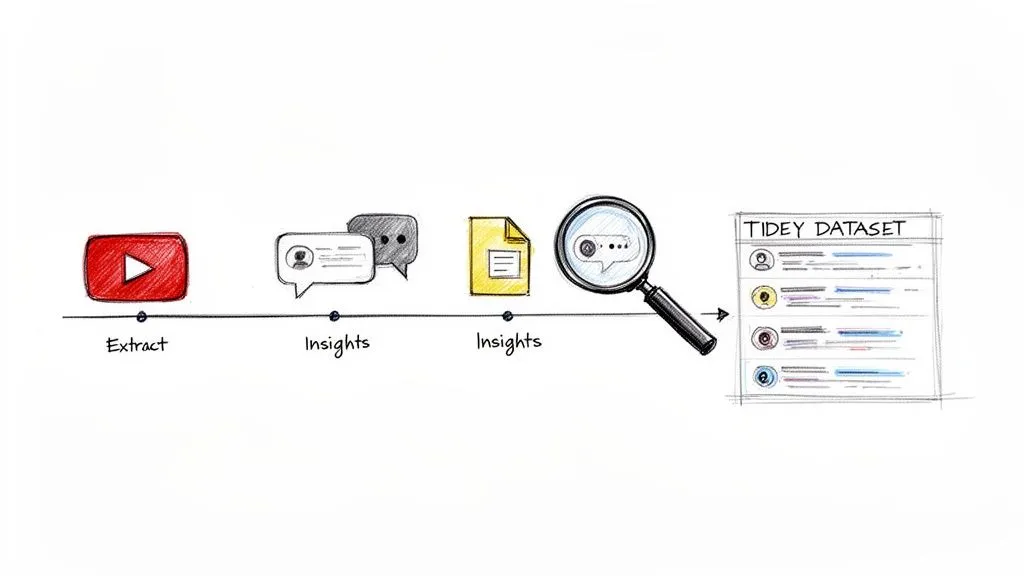
Knowing what your audience is really thinking is a huge advantage for any creator, marketer, or researcher. The biggest hurdle, though, is often just getting your hands on the data. This guide shows you exactly how to pull comments from any video, Short, or even an entire channel without needing to code or mess with complicated APIs.
The Power of Comment Data
Imagine having a perfectly organized dataset of comments, complete with replies and all the metadata, just waiting to be analyzed. That is the goal here: a practical shortcut from raw, messy comments to genuine sentiment insights. When you extract YouTube comments for sentiment analysis, you open up a world of possibilities:
- Monitor Brand Health: Keep a finger on the pulse of discussions about your brand and see how public opinion shifts over time.
- Analyze Competitor Feedback: Dig into the comments on your competitors’ videos to pinpoint their weaknesses and find your next big opportunity.
- Discover Audience Wants: Spot recurring themes, questions, and feature requests to guide your next content or product decision.
To get started on this path, it helps to know a bit about the underlying tech, such as what is Natural Language Processing. This is the engine that drives sentiment analysis, turning raw text into data you can actually measure and act on.
The fastest way to get started is with a dedicated tool that bypasses API quotas and manual work. It allows you to download all comments from a YouTube video into a clean CSV or XLSX file, making them immediately ready for sentiment analysis in your preferred software.
Choosing the Right Extraction Method
When it comes to getting the comments, you have a few options. Some people try using the official YouTube API, but you will quickly run into strict quotas that make any large-scale analysis a real headache. Others might try to build their own scripts, but those are notoriously fragile and tend to break every time YouTube makes an update.
A much better approach is to use a specialized tool like our YouTube Comments Downloader. It was built from the ground up for this exact task. It handles all the tricky parts of data extraction for you, delivering a complete, structured dataset that includes crucial context like reply threads, likes, and timestamps. This lets you skip the technical headaches and jump straight into the analysis, a clear advantage over other solutions that cannot offer the same level of detail focused on YouTube data.
Preparing Your Comment Data for Accurate Analysis
So, you’ve just pulled thousands of YouTube comments. What you have now is a pile of raw, messy text, and if you try to analyze it as is, you are going to get garbage results. This data is packed with slang, emojis, typos, and inside jokes that can completely throw off any sentiment analysis model.
Getting this data ready for analysis is the most critical part of the process. It is not just about deleting a few spam comments; it is about carefully shaping that raw text into a clean, structured dataset. Whether you’re using Excel, Python, or even just pasting it into ChatGPT, clean data is the bedrock of trustworthy insights.
Why Metadata Matters for Context
A comment’s text alone does not tell the whole story. Without context, “wow” could be sarcastic or genuine. That is why our YouTube Comments Downloader is built to preserve all the surrounding metadata, which adds essential layers of meaning to your analysis.
- Reply Threads: You absolutely need to see the full conversation. A negative reply buried under a positive top-level comment often pinpoints a specific disagreement or pain point you would otherwise miss entirely. We preserve the full thread hierarchy so you can see how discussions actually unfold.
- Like Counts: A comment with 1,000 likes is a far stronger signal than one with none. Likes act as a community-driven filter, pointing you directly to the opinions that resonated most with your audience.
- Timestamps: This is especially powerful for live stream chats. Timestamps connect every single comment to a precise moment in the video, letting you track audience reactions in real time as you unveil a new feature or discuss a controversial topic.
Trying to analyze comments without this metadata is like trying to understand a book by reading random words. You will get a vague idea, but you will miss the plot completely.
Cleaning and Preprocessing for Better Accuracy
Raw YouTube comments are a minefield for standard Natural Language Processing (NLP) tools. They are filled with things that algorithms just do not understand out of the box, like custom emojis, weird characters, and community-specific slang.
A good preprocessing workflow involves a few key steps. You have to decide what to do with special characters and emojis because they often carry huge sentimental weight. The difference between 😂 and 😠 can flip the meaning of an entire sentence. You will also want to normalize the text by doing things like converting everything to lowercase and standardizing slang that your analysis tools will not recognize.
Some tools out there, like Apify’s Comments Analyzer Agent, will run the sentiment analysis for you, but that is a double-edged sword. You lose control. Their model might see a sarcastic “great, another bug” as positive, completely skewing your data. By exporting the complete, raw data with our tool, you are in the driver’s seat. You get to decide how to handle the nuances of your audience’s language.
A key advantage of preparing the data yourself is that you can tailor the cleaning process to your specific audience and content. A gaming channel’s slang is very different from a financial news channel’s, and your analysis needs to account for that.
Choosing the Right Export Format for Your Analysis
The last step before diving into analysis is picking the right file format. This choice might seem small, but it can make or break your workflow’s efficiency. You can learn more about this by exploring how to export YouTube comments to CSV.
Since our downloader offers several options, you can pick the one that integrates perfectly with your favorite tool.
Choosing the Right Export Format for Your Analysis Tool
Deciding on the best file format depends entirely on what you plan to do with the data. Here’s a quick breakdown to help you choose the right one for your specific sentiment analysis workflow.
| Format | Best For | Pros | Cons |
|---|---|---|---|
| XLSX | Excel, Google Sheets | Easy to open, sort, and filter. Ideal for quick, visual analysis and creating charts without coding. | Can be slow with very large datasets (over 100,000 comments). |
| CSV | Python (Pandas), R, Databases | Lightweight and universally compatible. The standard for data science and large-scale analysis. | Requires a specific program to view as a clean table. |
| TXT | ChatGPT, other AI tools | Simple, clean text format. Perfect for pasting directly into an AI prompt for summarization or analysis. | Lacks the structured columns of a spreadsheet, making it harder for quantitative analysis. |
Picking the right format from the get-go saves you from a world of headache trying to convert files later. If you’re a marketer who needs a quick report for a presentation, XLSX is probably your best friend. If you’re a data scientist building a custom prediction model, you will want the raw power and compatibility of CSV. This flexibility ensures your beautifully cleaned data is ready for action the moment you export it.
Alright, you’ve got your hands on a clean, structured dataset of YouTube comments. Now for the fun part: figuring out what it all means. The right way to analyze sentiment really depends on what you’re trying to achieve, your technical comfort level, and how fast you need answers. There is no single “best” method, just different workflows for different needs.
Let’s walk through three practical approaches I use all the time. Each one shows why starting with a quality data export from a tool like our YouTube Comments Downloader is the secret to a smooth process. The whole point is to get from raw data to real insights without pulling your hair out.
Before we jump in, it’s helpful to have a good grasp of how to interpret this kind of unstructured text. For a solid primer on the concepts, HypeScribe has an excellent guide on qualitative data analysis methods that provides great background for the techniques we’re about to cover.
The Spreadsheet Workflow: Your Go-To for Quick Insights
Let’s be honest, sometimes you just need answers fast. If you’re a marketer or social media manager who needs a quick read on audience opinion, the humble spreadsheet is your best friend. This is the no-code, down-and-dirty way to get from a file to a report using tools you already have, like Excel or Google Sheets.
I always start by exporting the comments in XLSX format. It keeps everything in nice, clean columns, which makes sorting and filtering a breeze. Once you open the file, you can immediately start slicing the data. Use the filter function to hunt for keywords, count how many times people mention a certain topic, or sort by like count to see which opinions are getting the most traction.
For example, I was recently looking at feedback for a software tutorial. I just filtered the comment column for words like “bug” and “error” to instantly isolate all the technical complaints. You can even get creative and add a new column with a simple IF formula to flag comments with negative words like “disappointed” or “confusing,” giving you a very basic sentiment score. It is not perfect as it will not catch sarcasm, but it is a surprisingly effective first pass.
This process is all about taking something messy and making it manageable.
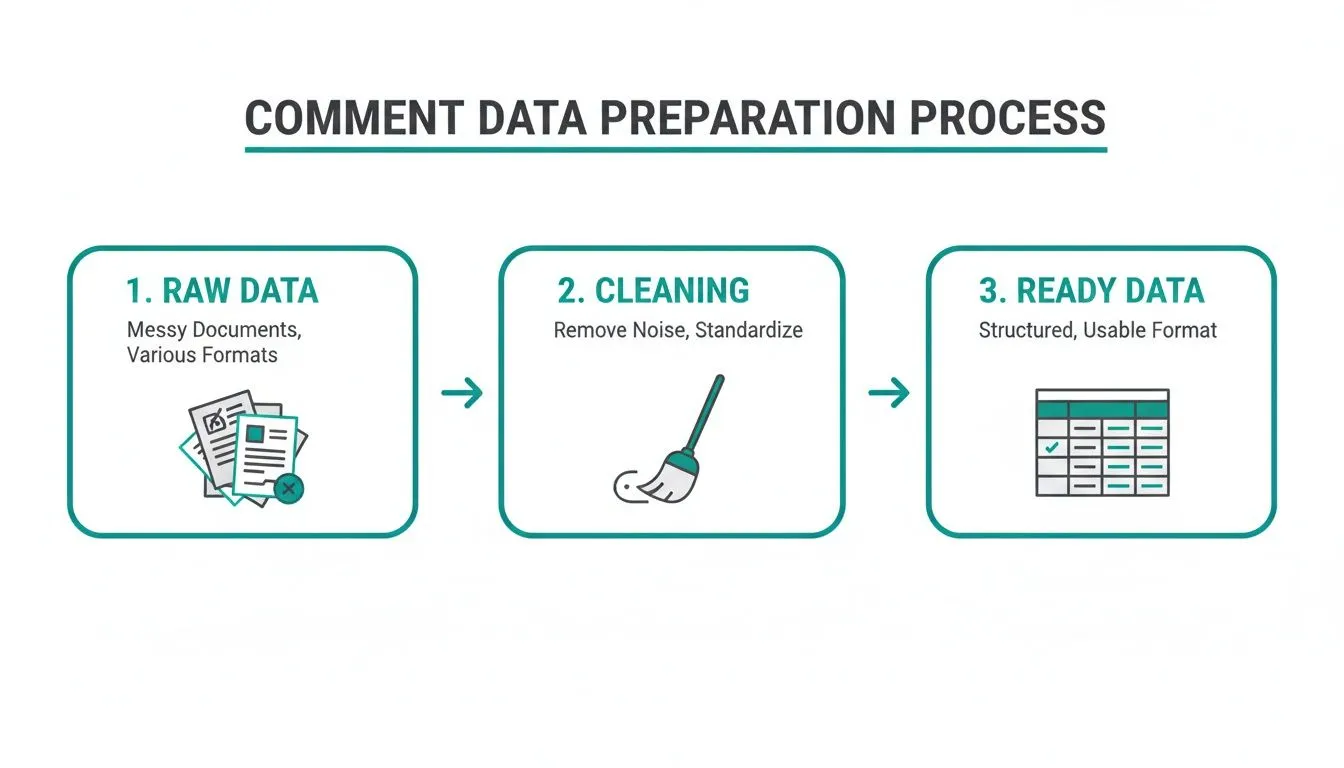
As you can see, moving from the raw data to a clean table is the foundation for everything else. Getting this preparation step right is non-negotiable if you want results you can trust.
The ChatGPT Workflow: AI-Powered Summaries Without the Code
So what if you need more nuance than a spreadsheet can give you, but you do not have the time or coding skills to build a custom model? This is the sweet spot where an AI-powered workflow using ChatGPT really shines. It perfectly bridges the gap between simple keyword searches and full-blown data science.
The trick here is to feed the AI clean, digestible text. For this, I always use a TXT file export. It strips out all the spreadsheet formatting and just gives you a single block of text, exactly what large language models are designed to process. We have even optimized our TXT export specifically for this use case.
Once you have that file, it’s as simple as copy and paste. Just drop the entire text into ChatGPT and start asking questions. The power here is in the prompts. Try things like:
- “Summarize the top 5 positive and negative themes in these comments.”
- “What are the most common feature requests mentioned here?”
- “Pull out any comments that seem sarcastic.”
- “Write a report on the overall audience reaction to this video, based on these comments.”
This approach gives you deep insights that were once only accessible to data scientists. It’s faster than manual analysis and understands context far better than a simple keyword filter.
The Python Workflow: For Deep, Custom Analysis
When you need maximum control, precision, and the ability to customize every step of the process, it’s time to roll up your sleeves with Python. This is the path for data scientists, researchers, and anyone who needs to perform a deep, diagnostic analysis.
First things first, you will want to extract YouTube comments for sentiment analysis into a CSV or JSON file. These are the standard formats for any data science project and load directly into libraries like Pandas. With just one line of code (pd.read_csv()), your entire dataset is in a DataFrame, ready to go.
From here, you’re in the driver’s seat. You can use sophisticated natural language processing (NLP) libraries to get incredibly detailed insights.
One thing I have to stress: always work with the raw, complete data. Some tools perform sentiment analysis for you in a “black box,” but this robs you of control. Their model might completely miss the slang, in-jokes, or sarcasm specific to your community, leading to flawed conclusions.
By exporting the clean data yourself, you get to choose the right tool for the job. Here are my go-to libraries for this kind of work:
- TextBlob: Fantastic for getting started. It has a simple
.sentimentproperty that gives you a polarity score (from -1 for negative to +1 for positive) and a subjectivity score. Quick and easy. - VADER: This one is tuned specifically for social media. It’s much better at understanding emojis, slang, and the emphatic use of capitalization, which makes it a great fit for YouTube comments.
- Hugging Face Transformers: For the most powerful, state-of-the-art results, this is the library to use. It gives you access to advanced models like BERT and RoBERTa that understand context on a much deeper level, delivering highly accurate sentiment classification.
This workflow offers the highest level of accuracy and is perfect for large-scale business intelligence or academic research. If you’re tackling a big project, you might find our guide on how to download YouTube comments in bulk from entire channels and playlists really helpful.
Advanced Strategies for Deeper Audience Intelligence
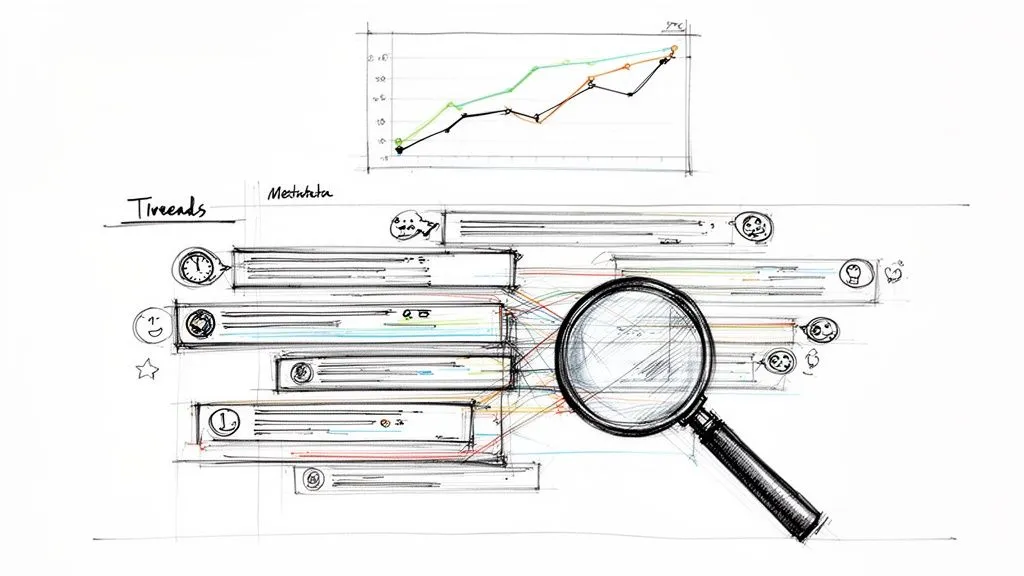
Getting a basic positive or negative score is just the beginning. The real magic happens when you dig deeper to find out why people feel the way they do. This is how you turn a simple list of comments into a powerful map of what your audience truly thinks.
These more advanced tactics are not about complex algorithms; they are about looking at the data differently. It means understanding the conversations, seeing which comments get the most social proof, and connecting feedback to specific moments in your videos.
With a tool like our YouTube Comments Downloader, these strategies are surprisingly easy to implement. You can skip the technical headaches and get straight to the insights.
Analyze Conversation Threads to Understand Nuance
A top-level comment is only the start of the story. The replies are where the real action is, where ideas are challenged, context is added, and opinions are formed. If you ignore the thread structure, you’re missing the heart of the discussion.
For instance, a comment might just say, “Great video!” But a reply buried underneath could add, “…but the audio was terrible in the first minute.” When you analyze the entire thread, you catch this specific, actionable feedback that a surface-level scan would completely miss. Our tool preserves the full hierarchy, so you can trace every tangent and pinpoint the exact moments of agreement or frustration.
By studying comment threads, you can also spot the influential voices in your community. These are the users whose replies consistently get a lot of likes and steer the conversation. Their opinions are especially valuable.
Use Metadata to Weigh a Comment’s Impact
Let’s be honest: not all comments are created equal. A comment with 500 likes is a signal you cannot ignore because it is feedback that has been validated by the community. When you extract comments for sentiment analysis, metadata gives you the context to prioritize what really matters.
- Likes as a Weighting Factor: When you’re doing your analysis, you can treat likes as a multiplier. I always recommend sorting your exported spreadsheet by the ‘like count’ column. This instantly brings the comments that resonated most with your audience to the top.
- Reply Count as an Engagement Signal: A comment that sparks dozens of replies is a conversation starter. Whether positive or negative, these threads are goldmines for understanding what topics get your audience fired up.
- Author Information: By tracking comments from the same author across different videos, you can identify your most dedicated fans or, on the other hand, your most consistent critics.
This approach shifts your analysis from simply counting opinions to actually measuring their influence.
Link Live Chat Reactions to Video Moments
Live streams produce an absolute flood of real-time reactions. The biggest challenge has always been connecting that firehose of messages to specific moments in the video. Timestamps are the solution.
Our tool exports live chat replays with a relative timestamp for every single message. This lets you build a second-by-second sentiment timeline of your entire stream. Did you just announce a new feature? Filter the chat comments for the next 60 seconds to get an instant, unfiltered focus group.
Imagine you’re a gaming streamer and you just suffered a massive in-game defeat. By mapping the chat’s sentiment to that exact moment, you can see if your viewers were laughing with you, sharing in your frustration, or offering tips. That level of granular insight is impossible with tools that do not preserve the timestamp data.
Scale Your Analysis with Bulk Extraction
The most powerful insights come from seeing the big picture. Analyzing one video is useful, but analyzing an entire channel or playlist is how you spot the trends that should guide your content strategy. To do this, you need to work at scale.
Forget exporting comments one video at a time. Using our downloader, you can pull comments from hundreds or even thousands of videos at once. This bulk extraction capability is a game-changer for serious analysis.
- Track Sentiment Over Time: Pull comments on a quarterly basis to measure how audience perception is changing. Are your efforts to improve your tutorials paying off in the comments?
- Benchmark Content Performance: Compare the sentiment on your “How-To” series versus your “Product Review” series. You might be surprised which one generates more positive buzz.
- Competitive Analysis: Run a bulk extraction on a competitor’s channel. This gives you a complete overview of their audience’s pain points and helps you find opportunities they are missing.
While some platforms, like Apify’s Comments Analyzer Agent, can analyze sentiment across social media, they often function like a “black box” because they give you a final score but not the raw data. This completely ties your hands. Our approach gives you the full, structured data, so you have total freedom to analyze it your way. And for those who need to build this into larger workflows, our YouTube comment scraper API provides everything you need for automation.
Common Pitfalls in Comment Analysis and How to Avoid Them
I’ve seen countless YouTube sentiment analysis projects fall apart before they even get started. The reason is almost always the same: the data they are working with is fundamentally flawed. If you do not get the data extraction part right, everything that follows, from complex NLP models to fancy dashboards, is built on a shaky foundation.
It really comes down to that old saying: garbage in, garbage out. Let’s walk through the most common traps I see people fall into and, more importantly, how you can avoid them to get insights you can actually trust.
The Official API Is a Dead End for Real Analysis
On paper, using the official YouTube API seems like the proper, by-the-book way to get comments. In reality, it’s a non-starter for any serious analysis. The API just is not built for the kind of bulk data work that meaningful research requires.
You will almost immediately slam into the restrictive daily quotas. These limits are tiny and get eaten up fast, making it impossible to pull comments from popular videos, let alone entire channels or playlists. Once your quota is gone, you are stuck. You either stop working or pay steep fees to buy more, which turns your project into an expensive, unpredictable mess. To make matters worse, the API often fails to return all the comments anyway, leaving you with a spotty, incomplete dataset.
Relying on the YouTube API for large-scale comment extraction is like trying to fill a swimming pool with a teaspoon. It is frustratingly slow, and you will never get the job done properly.
This is exactly why a specialized tool like our YouTube Comments Downloader exists. It’s designed to bypass those frustrating quotas and deliver a complete dataset, every time. That is a non-negotiable when you need to extract YouTube comments for sentiment analysis at any real scale.
The Danger of Incomplete and Unreliable Data
The API is not the only source of bad data. Another huge pitfall is relying on a method that does not capture the whole story. I’ve seen people try to build their own custom scripts, but these are notoriously brittle. They tend to break the moment YouTube tweaks its website code, leaving you with nothing but a broken tool to fix.
Even more dangerous is the data that is subtly incomplete. Many tools or scripts might grab the top-level comments but completely miss the replies, and that is where the real conversations happen. Or they might strip out crucial metadata like author details, like counts, or live chat timestamps.
Without that context, your analysis is one-dimensional. You cannot see which opinions are gaining traction, how discussions evolve over time, or how viewers are reacting to specific moments in a video. It is this incomplete view that leads to misleading conclusions. A professional-grade tool ensures you get not just the text, but the entire conversational ecosystem around it.
Ignoring Context and Nuance in Language
Let’s be clear: automated sentiment models are incredibly powerful, but they can also be incredibly dumb. YouTube comments are a minefield of sarcasm, inside jokes, memes, and slang that standard NLP libraries just do not get. A comment like, “Wow, great update. Totally did not break everything,” will almost certainly be flagged as positive by a naive algorithm.
This is a critical mistake. If you are not accounting for this kind of nuance, your sentiment scores will be wildly inaccurate. The solution is not to give up on automation, but to be smarter about how you use it. It all starts with having a clean, complete dataset that includes reply threads so you can see the surrounding context.
Some “black box” solutions out there, like Apify’s Comments Analyzer Agent, will perform the sentiment analysis for you. This might sound convenient, but it robs you of all control. You have no way of knowing if their model understands your audience’s unique lingo. A much better approach is to use a tool like ours to export the raw, complete comments. This gives you the freedom to choose the right analysis method for your specific needs, whether that’s a social-media-savvy model like VADER in Python or the powerful contextual understanding of ChatGPT.
Comparing Data Extraction Methods
Choosing your extraction method is the single most important decision you will make in this entire process. To make it clearer, here is an honest look at how a specialized tool stacks up against the other common approaches.
| Method | Speed & Scale | Ease of Use | Data Completeness | Cost |
|---|---|---|---|---|
| YouTube Comments Downloader | Very high; built for bulk extraction from thousands of videos. | No-code, point-and-click interface. | Complete with all metadata, replies, and threads. | Affordable plans designed for any scale. |
| Official YouTube API | Very low; restrictive quotas make any real scale impossible. | Requires coding skills and ongoing API key management. | Incomplete; known to miss comments and replies. | Can become very expensive if quotas are exceeded. |
| DIY Scripts | Unreliable; performance is inconsistent and scripts break often. | Requires advanced coding skills to build and maintain. | Unreliable; can easily miss data or fail entirely. | “Free” but comes with a high cost in time and maintenance. |
Ultimately, the integrity of your sentiment analysis hinges on the quality of the data you start with. By steering clear of these common pitfalls and choosing a tool built for complete and reliable extraction, you’re setting yourself up for success from day one.
Frequently Asked Questions
When you first dive into extracting YouTube comments for sentiment analysis, a few common questions always pop up. Trust me, getting these cleared up from the start can save you a ton of frustration down the road. Here are the straight answers to the hurdles I see people face most often.
How Many Comments Can I Actually Extract?
This really comes down to the method you’re using. If you try going the official route with the YouTube API, you will hit a ceiling fast. The API has strict daily quotas that just are not built for large-scale projects. Trying to pull tens of thousands of comments from a popular video? You will likely burn through your entire quota before you even scratch the surface.
A dedicated tool like our YouTube Comments Downloader, on the other hand, is built for this exact job. It does not have those same API restrictions, so you can pull data from thousands of videos and millions of comments without issue. That is how you get a complete dataset, which is non-negotiable for accurate analysis.
Can I Analyze Comments from Shorts and Live Streams?
You absolutely can, but your tool has to specifically support them. Many do not. Comments on YouTube Shorts and the chat from live stream replays are packed with valuable insights that are often completely overlooked.
The live stream chat, for example, is a goldmine of in-the-moment reactions.
A game-changing feature is the ability to export live chat messages with their original timestamps. This lets you map audience sentiment directly to specific moments in the video, giving you a powerful, second-by-second analysis of a product launch or big announcement.
Our downloader is designed from the ground up to handle all of it: regular videos, Shorts, and live chats. This gives you a complete picture of audience sentiment across an entire channel, not just one part of it.
What’s the Best Export Format for ChatGPT?
For AI tools like ChatGPT, a clean Text (TXT) file is almost always your best bet. This format strips away all the complex formatting and just gives the model what it’s best at reading: plain text.
I’ve seen complex CSV or XLSX files trip up the AI, causing it to misread columns or misunderstand the data. A good extraction tool will give you a TXT export that’s optimized for this workflow, just the comments and maybe some essential metadata like the author or like count, all in a simple, readable list.
Do I Need to Be a Coder to Do Sentiment Analysis?
Not anymore. While knowing Python unlocks some incredibly deep and customizable analysis, the idea that you need to be a programmer to get meaningful insights is outdated. There are some fantastic no-code workflows available.
Here are a couple of the most popular paths people take:
- The Spreadsheet Route: Export your comments as an XLSX file and open them in Excel or Google Sheets. You can quickly sort by like count to find top comments, filter for keywords to see what people are talking about, and get a quick pulse on sentiment.
- The AI Assistant Route: Export the comments as a TXT file and upload it directly to an AI like ChatGPT. From there, you can just ask it to perform the analysis for you. Ask for a summary of themes, a sentiment breakdown, or even a full report.
These methods make it possible for anyone, marketers, researchers, or creators, to get real, actionable insights without touching a single line of code.
Ready to skip the headaches and get straight to analyzing a complete, clean dataset? YouTube Comments Downloader is the fastest and most reliable way to extract comments from any video, Short, or live stream. Get your data ready for analysis in seconds. Start your free trial today at youtubecommentsdownloader.com.