7 months ago
Scrape YouTube Comments Online: A Practical Guide
What if you had a direct line into the minds of your audience, capturing their raw, unfiltered opinions? That is exactly what you get when you scrape YouTube comments online. It is less about a fancy tech trick and more about tapping into a massive, ongoing conversation to find genuine audience intelligence.
Why Scraping YouTube Comments Is a Game Changer
If you have ever tried to manually read through the comments on a popular video, you know how quickly it becomes impossible. After a few hundred, they all start to blur together. To really get a handle on what people are saying, you need a way to pull those chaotic discussions out of YouTube and into a structured format you can actually work with.
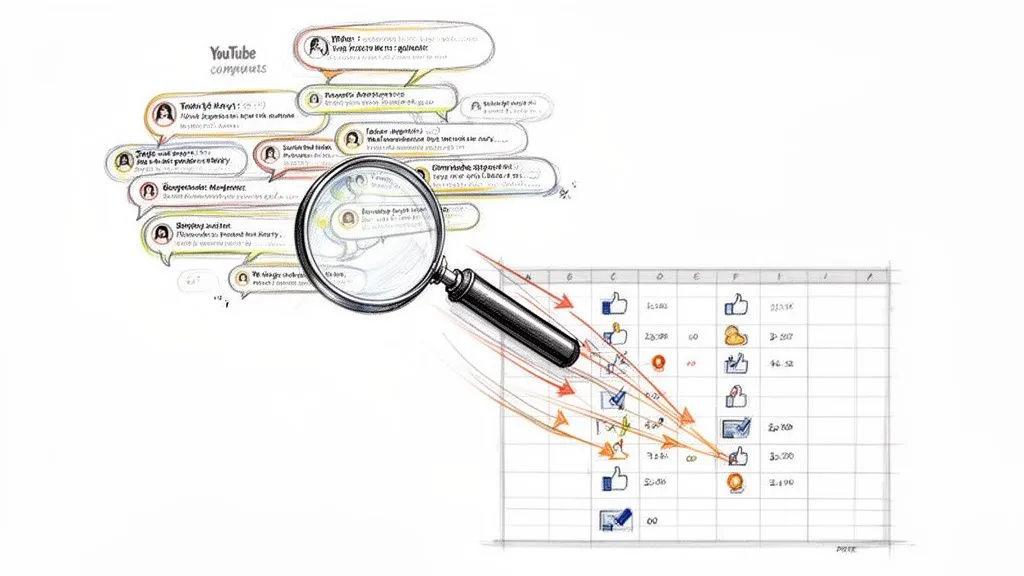
This is where dedicated online tools come in. They do the heavy lifting of gathering the data so you can jump straight to the interesting part: the analysis.
By scraping comments, you are moving beyond guesswork and gut feelings. You start making decisions based on actual evidence. It has become a go-to method for everything from sentiment analysis and competitor research to spotting the next big trend. And thanks to modern no-code tools, you do not need to be a programmer to do it. This has opened up large-scale data collection to everyone.
Uncovering Hidden Value in Comment Data
Think of the comment section as a huge, continuous focus group that you do not have to pay for. Every single comment is a data point, revealing what your audience loves, what confuses them, and what they want to see next. When you collect this data in bulk, you start to see patterns you would never spot otherwise.
A marketing team, for instance, can get an almost instant read on a new ad campaign. Forget waiting weeks for survey data; they can analyze thousands of comments just hours after a video goes live. This allows for incredibly fast pivots on messaging or strategy. For creators, the gold is often in the questions. The most frequently asked questions are basically a free list of your next 10 video ideas.
When you turn comments into a spreadsheet, you are essentially building a custom search engine for your audience’s voice. You can filter, sort, and analyze the conversation to find exactly what you need.
But it is not just about the text itself. A good scraping process also grabs the metadata, which adds crucial layers of context to your findings.
- Thread Hierarchy: You need to see which comments are replies to others. This is the only way to understand the flow of a conversation and is vital for any kind of discourse analysis methods.
- Timestamps and Likes: These are your clues to which comments made the biggest impact or resonated most with other viewers. A comment with 500 likes is saying something important.
- Author Details: You can start to see if certain user segments feel a particular way or identify who your most loyal and engaged fans are.
The best part is that all this rich, structured data can be exported into a CSV or XLSX file. That means you can open it right up in Excel or Google Sheets and get to work. This simple path from raw comments to real insights is what makes this process so valuable for anyone trying to understand and connect with their audience on a deeper level.
Choosing Your YouTube Comment Scraping Strategy
So, you want to get your hands on YouTube comments for analysis. The first thing to figure out is how. This is not a one-size-fits-all situation; the best approach really depends on what you are trying to do, how comfortable you are with code, and just how much data you need.
You basically have three paths you can go down: the old-school manual copy-paste, wrestling with the official YouTube API, or using a purpose-built online tool.
Let’s be honest, manually copying and pasting comments is barely a strategy. If a video has ten comments, sure, go for it. But the second you are looking at a video with a few hundred, let alone thousands of comments, this method falls apart completely. You will spend hours highlighting text, lose all the replies and conversational threads, and none of the important metadata like who wrote what, when, or how many likes it got will make it into your spreadsheet. It is tedious, error-prone, and just does not work for any serious project.
The YouTube API: Powerful but Painful
If you have got some coding skills, your mind might immediately go to the YouTube Data API. It is Google’s official, developer-focused way to pull data from the platform. On paper, it sounds great. It is powerful and can be integrated directly into your own custom apps and workflows.
In reality, though, it is a massive headache for most people. Getting it set up is a project in itself. You have to navigate the Google Cloud dashboard, create a project, enable the specific API, handle credentials, and figure out authentication. It is a long way from a simple “plug and play” solution.
The biggest killer, by far, is the API’s strict quota system. Google gives you a tiny allowance of daily requests. Trying to scrape the comments from a single popular video can burn through your entire daily quota in minutes, forcing you to stop and wait until the next day. Pushing the limits can even get your access suspended.
Unless you are a developer building a full-blown application and are ready to manage code and strict usage limits, the API often creates more problems than it solves.
No-Code Tools: The Smart Choice for Most Users
This leads us to the most practical and efficient strategy for marketers, researchers, and creators: dedicated no-code YouTube tools.
Platforms like YouTube Comments Downloader were built from the ground up to handle this exact task. They cut out all the technical nonsense and give you a straight line from a YouTube URL to a clean dataset, no code required.
You just give it a video link, and the tool does all the heavy lifting behind the scenes. Within minutes, you have a perfectly structured file ready for analysis. The real magic is in the quality of the data you get back.
- Preserved Reply Threads: You can actually follow conversations because all the replies are correctly nested under their parent comments. This is absolutely critical for understanding context.
- Rich Metadata: Every comment comes with the good stuff: author names, comment permalinks, timestamps, and like counts.
- Multiple Formats: You can instantly download everything in XLSX for Excel or CSV for Google Sheets and other databases.
While some social media aggregator tools can pull content from various platforms, they often lack the depth needed for YouTube-specific analysis. A specialized tool is simply better for this job.
Many competing comment scrapers are just flimsy wrappers around the same YouTube API we talked about earlier. This means they inherit all its flaws, like slow speeds and restrictive quotas. In contrast, a robust solution like YouTube Comments Downloader is engineered for performance and scale, easily handling thousands of videos without the frustrating queues and delays. For anyone who needs reliable YouTube comment data without the technical drama, it is the clear winner.
Let’s get practical. Theory is great, but the real magic happens when you can pull valuable data without a single line of code. Using a no-code tool like YouTube Comments Downloader turns what sounds like a complex technical job into a simple copy-and-paste task. It is built for one thing: getting you the comments you need, fast.
So, where do you start? First, decide what you want to investigate. Are you curious about the reactions to a single viral video? Maybe you need to see the feedback across a whole product launch playlist. Or perhaps you are keeping an eye on the community sentiment over on a competitor’s channel. A good online tool should handle all these situations with the same easy approach.
This is a world away from the old days of manual scraping or wrestling with complex APIs. The entire process has been simplified.
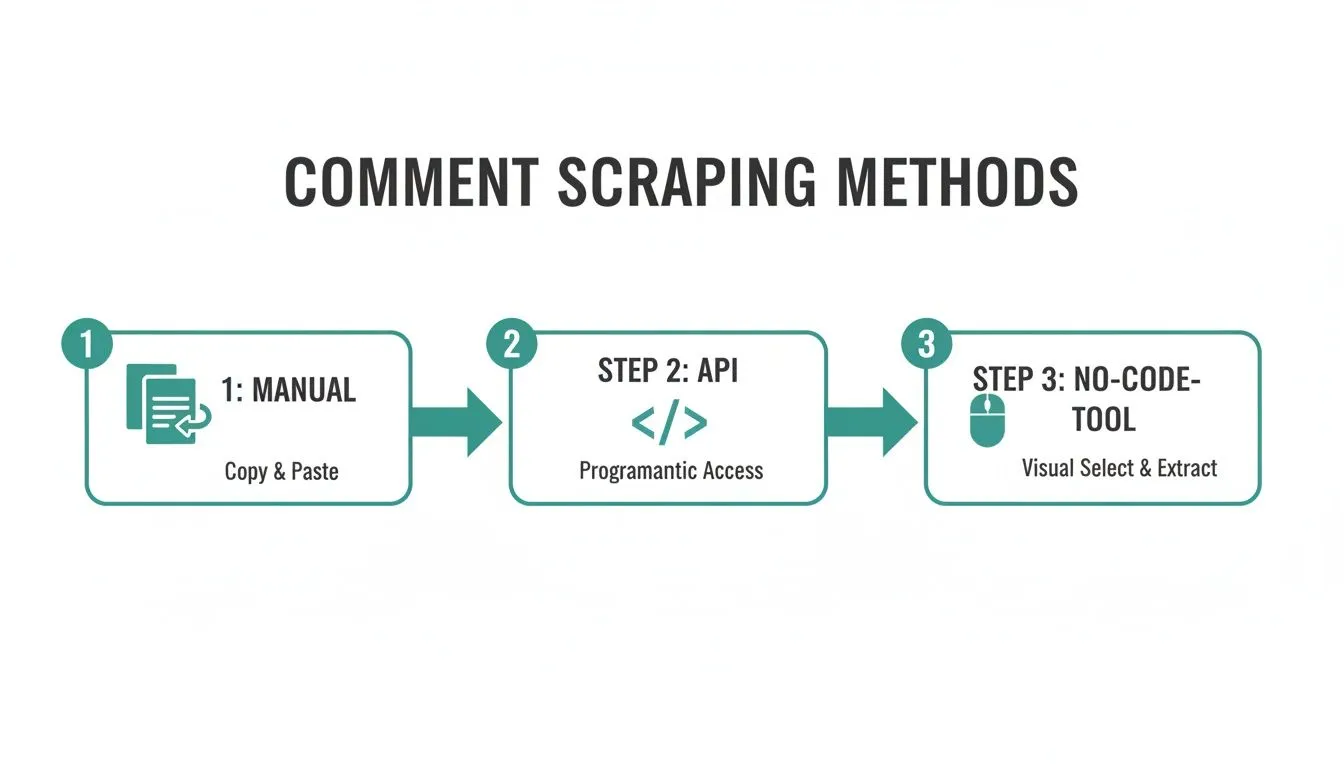
The point is, these specialized tools are designed to remove all the friction. They open the door for anyone to grab this data with just a few clicks.
Kicking Off Your First Comment Scrape
Getting started is as simple as it sounds. All you need is the URL of the YouTube content you want to analyze. When you open a tool like YouTube Comments Downloader, you will notice the interface is clean and minimal. That is by design. It is meant to get you straight to the data without any distractions.
Just paste your link into the main input field and hit go. There is no complicated setup or confusing settings to tweak. The system gets to work right away, and a huge plus is the queue-free processing. Unlike some services that make you wait in line, your request is handled instantly. You will often have your results in minutes.
Going Beyond Standard Videos
YouTube is not just about standard, long-form videos anymore. Engagement is spread across all sorts of formats, and a truly useful scraper has to keep up.
This is where the real power comes in. You can use that same “paste and go” method to pull comments from all corners of the platform:
- YouTube Shorts: Capture the quick-fire reactions and trends that define short-form content.
- Live Stream Chats: Export the entire chat replay from a past live stream to see how the audience engaged moment-to-moment.
- Community Posts: Pull comments from a channel’s community tab, a goldmine for feedback from a creator’s most dedicated fans.
Handling Large-Scale Projects with Bulk Scraping
If you are a marketer running a deep competitor analysis or a researcher studying broad social trends, scraping one video at a time just will not cut it. This is where bulk processing becomes a total game-changer. With a tool like YouTube Comments Downloader, you can feed it a list of thousands of video URLs or just a single channel URL to grab the comments from every video on that channel.
Think about it: you need to analyze customer feedback on every video a competitor has posted in the last year. Manually, that is a soul-crushing task that could take weeks. With bulk extraction, you can set it up, walk away, and have a complete dataset ready for analysis that very same day.
This ability to handle huge requests is what separates a professional-grade tool from the more basic options out there. It is built for scale. For those looking to take that massive amount of data and find insights, a platform like Lunabloom AI’s application can help you process and make sense of it all.
Ultimately, a good no-code tool is all about closing the gap between your question and the answer. By eliminating technical roadblocks and focusing on speed, it lets you put your energy where it matters most: figuring out what the data is actually telling you. To see it in action, check out our detailed guide on how to get YouTube comments easily with our extractor.
From Raw Comments to Real Insights
Once you scrape YouTube comments online, you are left with a pile of raw text. The real magic happens next, turning that data dump into something you can actually use to make decisions. The key is choosing the right export format from the get-go, as it sets the stage for your entire analysis.
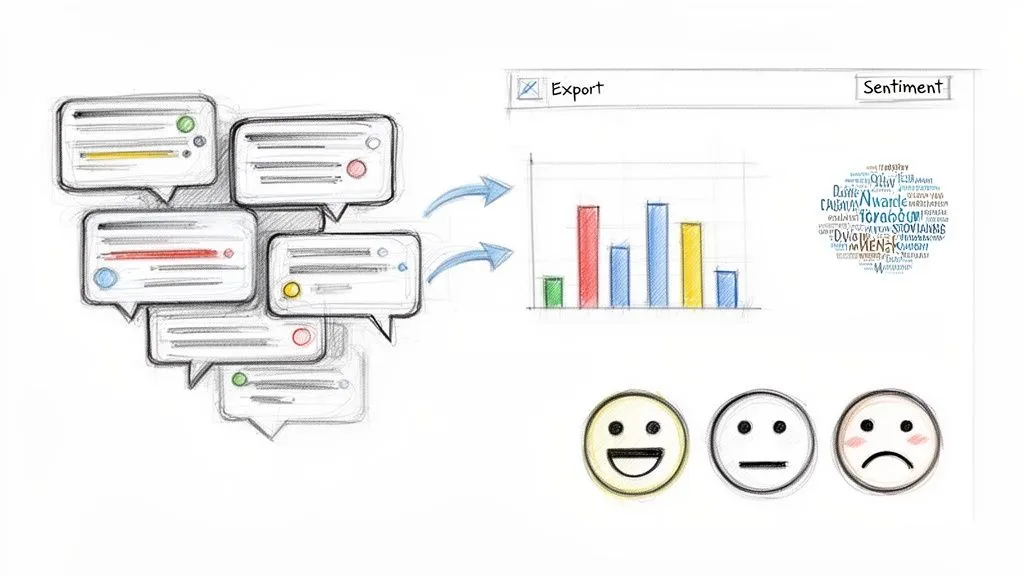
A good tool like YouTube Comments Downloader will not just give you a wall of text. It provides different file types, each designed for a specific kind of work. Think of it as getting a clean, organized dataset that is ready for whatever you throw at it.
Choosing the Right Export Format for Your Analysis
The best format really depends on what you want to accomplish. Are you making a quick report in a spreadsheet, or are you feeding the data into a sophisticated analysis tool? Each job calls for a different file.
To help you decide, here is a quick rundown of the most common formats and what they are good for.
| Format | Best Use Case | Key Feature | Example Application |
|---|---|---|---|
| XLSX | Business intelligence and manual review | Opens perfectly in Excel & Google Sheets. | A marketer sorts comments by like count to find top feedback for a product report. |
| CSV | Large datasets and database imports | A lightweight, plain-text format for any system. | A researcher imports 500,000+ comments into a Python script for deep analysis. |
| JSON | Developers and custom applications | Structured, nested data ideal for programming. | A developer pipes comment data into an app that tracks brand mentions in real time. |
| TXT | Quick AI sentiment analysis | Clean, simple text optimized for AI input. | A creator pastes the file into ChatGPT for a fast summary of audience sentiment. |
| HTML | Presentations and visual reporting | Mirrors YouTube’s look for easy screenshots. | A social media manager includes screenshots of specific comment threads in a client report. |
This flexibility is what makes a professional tool so valuable. A creator might grab a TXT file for a quick vibe check, while a data analyst uses a CSV for a more rigorous study. For a more detailed walkthrough, check out our guide on how to export YouTube comments to CSV for powerful analysis.
What Makes Data “Analysis-Ready”
Getting truly “analysis-ready” data is about more than just the comments themselves. A comment without context is just a sentence. The real insights come from the metadata and conversational structure that a high-quality export preserves.
This means every comment you export should come with:
- Full Thread Hierarchy: Replies are properly nested under parent comments, letting you trace conversations from beginning to end.
- Author Handles and Details: Knowing who said what helps you spot key influencers, loyal fans, or specific audience groups.
- Likes and Timestamps: These metrics tell you which comments resonated most and when the conversation was most active.
Having this rich, structured data from the start saves you countless hours of manual cleanup. You can jump straight into asking questions instead of wrestling with a messy dataset.
Real-World Scenarios From Scraped Comments
Let’s see how this works in the real world.
A digital marketer for a software company needs to track mentions of their new app. Instead of endlessly scrolling, they use the search feature in YouTube Comments Downloader to find their brand name (and common typos). They export the filtered list as an XLSX file to share with the product team, highlighting bug reports and feature requests.
An academic researcher studying online discourse scrapes comments from dozens of political news videos. They export the data as JSON to keep the nested reply structure intact. This allows them to map out conversational trees and identify how arguments evolve over time.
Finally, a YouTube creator just wants to know what their audience thought of their latest video. They scrape the comments and export them as a simple TXT file. They upload it to ChatGPT with a prompt like, “Summarize the main themes and overall sentiment in these comments.” In minutes, they get a clear overview of what viewers loved and what they should cover in their next Q&A.
In every one of these cases, the ability to quickly scrape YouTube comments online and get them into the right format is what unlocks the analysis. It turns a chaotic public forum into a source of clear, actionable intelligence.
Advanced Strategies for Marketers and Creators
Pulling raw comments is one thing, but turning that data into something that actually helps you is where the real work begins. Whether you are a marketer trying to get an edge, a researcher mapping online conversations, or a creator looking for your next big video idea, scraped comments can fuel your entire strategy.
It is all about knowing what to look for and building a workflow that fits your specific goals. This is how you get smarter, faster, and more dialed-in with your audience.
The Marketer’s Playbook for Competitor Analysis
For marketers, scraping comments from your competitors’ channels is like getting a backstage pass to their audience’s private focus group. You get an unfiltered look at what their customers absolutely love, what they can’t stand, and what they are desperately wishing for. This is not just about snooping; it is about spotting market gaps your brand can fill.
Try this: collect all the comments from a rival’s last six months of videos. You will quickly see patterns emerge. Are people constantly complaining about a missing product feature? Are they asking questions that your brand already has answers for? This is your opening to sharpen your messaging and play to your strengths.
As a quick-and-dirty analysis, export the data and just run a search for keywords like “wish,” “if only,” or “disappointed.” The results can immediately point you toward your next marketing campaign or even a product development sprint. Suddenly, that wall of text in their comments section becomes a goldmine of strategic intelligence.
Powering Academic Research with Bulk Data
If you are an academic researcher studying online discourse, you know that manually collecting hundreds of thousands of comments for a project is a non-starter. You need huge, well-organized datasets to map conversations with any accuracy.
The ability to preserve reply threads is absolutely essential for serious research. If you lose that conversational context, your analysis is just a shallow reading of disconnected statements.
This is where a high-performance tool really proves its worth. Something like the YouTube Comments Downloader can chew through thousands of videos and process over half a million comments in less than 30 minutes. That kind of speed is a game-changer, especially for researchers tracking fast-moving events like political rallies or viral news stories. It allows you to gather data while the conversation is still hot, enabling timely analysis that would otherwise be impossible.
How Creators Can Mine Their Own Gold
As a YouTube creator, your own comment section is an absolute treasure trove. It is packed with content ideas, honest feedback, and chances to connect directly with your community. Scraping your own comments helps you organize all that feedback systematically instead of getting lost in the scroll.
Here are a few practical workflows I have seen work wonders for creators:
- Source Your Next Q&A: Export all the comments from your last few videos. Do a simple search for a question mark (
?). Boom, you have got an instant list of the most common questions your audience is asking. It is the perfect foundation for a Q&A video. - Find Your Next Video Idea: Search for phrases like “you should make a video about” or “can you explain.” These are direct requests from your audience telling you exactly what they want to see next.
- Spot Community Pain Points: When you analyze the comments, you can see what your audience is struggling with. This is invaluable for creating tutorials, guides, or other content that solves a real problem for them.
This approach helps you filter out the junk. YouTube’s moderation is no joke. It removed over 842.8 million comments in a single quarter, with about 82% flagged as spam. A structured export lets you quickly toss the irrelevant chatter and focus on the authentic discussions that matter, a trend highlighted in recent findings on YouTube’s content moderation.
You will shift from just reacting to comments to proactively building a content calendar that is perfectly aligned with what your audience truly cares about.
Got Questions About Scraping YouTube Comments?
Diving into the world of YouTube comment scraping always brings up a few key questions. Whether you are a creator tracking feedback, a marketer sizing up the competition, or a researcher gathering data, you want to be sure you are doing things correctly and efficiently.
Let’s walk through the most common queries we hear so you can get started with confidence.
Is It Legal to Scrape Comments from YouTube?
This is usually the first thing people ask, and for a good reason. The short answer is that scraping publicly available data, like comments on a YouTube video, is a widely accepted practice for research and analysis. The key is to do it responsibly.
Think of it this way: you are collecting data that anyone can see just by scrolling. Professional tools are built to do this without overwhelming YouTube’s servers. Using that information for your own market intelligence, academic study, or to understand your audience is perfectly fine.
The line gets crossed when the data is used unethically. Reselling the raw comment data, for instance, or using it to spam people is a clear violation of good faith and platform terms. Stick to using the insights for your own projects, and you will be on solid ground.
Can I Really Get All Comments from a Video with Millions of Them?
It is a common goal, but the reality is a bit different. YouTube itself limits how many comments it will load for any given video, no matter what tool you use. Not even Google’s own API can get around this platform-wide ceiling.
For a really popular video, you can typically expect a tool to pull anywhere from a few hundred thousand up to about one million of the “top” or most relevant comments. So, while you cannot grab every single one of the 5 million comments on a viral hit, a good scraper is optimized to get the absolute maximum number that YouTube makes available for that URL.
If you need a massive dataset for a whole channel, the best strategy is to scrape the comments from each individual video. Over time, this builds a far more comprehensive picture of the channel’s audience engagement.
How Can I Quickly Analyze the Sentiment of Thousands of Comments?
Reading thousands of comments one by one to gauge sentiment is a non-starter. This is where a little bit of AI can save you countless hours. Once you have scraped the comments, analyzing them is surprisingly straightforward.
The quickest method is to export your data as a TXT file. This format is already cleaned up and perfect for pasting directly into an AI model like ChatGPT.
From there, you can use simple prompts to get a high-level summary. Try asking things like:
- “Analyze the sentiment of these comments and sort them into positive, negative, and neutral.”
- “What are the top 5 most common themes people are discussing in this data?”
- “Pull out all the questions users have asked in this list of comments.”
For more granular control, you can export a CSV or JSON file and pull it into specialized sentiment analysis software. And if you are comfortable with code, Python libraries offer endless possibilities for custom analysis.
What’s the Difference Between a One-Time Purchase and a Subscription?
Choosing the right plan really just comes down to how often you will be scraping comments.
- A subscription plan makes the most sense for ongoing work. Marketers performing regular brand monitoring or creators who are constantly checking in on audience feedback will get the best value here, as it provides a recurring batch of credits at a lower cost.
- Pre-paid credits or a desktop app with a lifetime license are perfect for focused, short-term projects. If you are an academic running a single study or a consultant putting together a one-off report, this is the way to go. The credits never expire, so you only pay for what you actually use.
This flexibility means you are not locked into a plan that does not fit your specific needs, whether you are doing a single deep-dive or setting up a continuous data-gathering workflow.
For the fastest, most reliable way to scrape YouTube comments online, try YouTube Comments Downloader. Start free today and turn chaotic discussions into analysis-ready data in seconds. Find out more at youtubecommentsdownloader.com.