7 months ago
Social Media Research Tool Unlocking YouTube Insights
Think of a social media research tool as your secret weapon for making sense of online conversations. It helps you tune out the noise and zero in on the public discussions that matter, organizing them into a clear, usable format.
Instead of just passively observing what people are saying, these tools give you the power to really dig in, analyze audience opinions, spot trends as they form, and find honest, unfiltered feedback right from the source.
What Is a Social Media Research Tool?
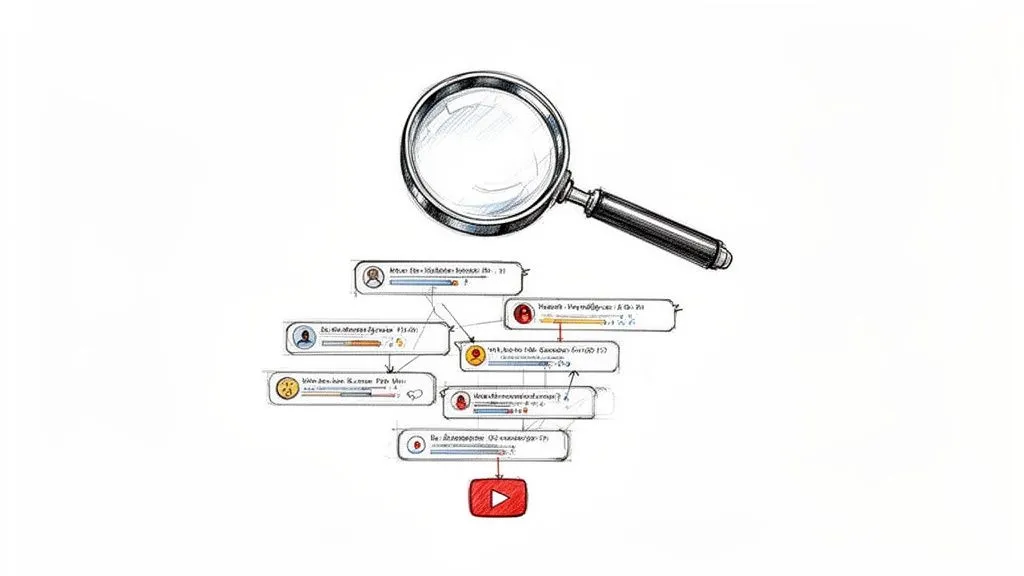
Picture yourself trying to gauge public opinion by listening to every single person in a massive, noisy stadium. It is an impossible task. A social media research tool is designed to solve exactly this kind of problem, but for online platforms. It turns the chaos of public chatter into clean, organized, and searchable data.
For a platform like YouTube, this is an absolute game-changer.
Rather than spending hours manually scrolling through thousands upon thousands of comments under a video, a specialized tool can systematically grab the entire conversation for you. We’re not just talking about the comments themselves, but also all the crucial context: like replies, like counts, timestamps, and author details. What you get is a pristine, structured dataset that is ready for real analysis.
From a Quick Glance to a Deep Analysis
Here’s an analogy I like to use: it’s the difference between being a tourist and being a geologist. A tourist looks at a mountain range and sees the big picture: the hills, the trees, the rivers. It is a surface-level impression, much like what you get from skimming a few comments. You get the general vibe, but you miss all the rich detail hiding just beneath.
A geologist, on the other hand, brings specific equipment to take core samples. They’re not just looking; they’re investigating. By analyzing the different layers, minerals, and composition, they can uncover the ground’s history and true potential. A good social media research tool for YouTube does the exact same thing for online discussions. It drills down past the surface to give you a detailed breakdown of what people are really thinking and saying.
A tool like YouTube Comments Downloader gives you the instruments to perform a deep analysis of audience sentiment, find emerging trends, and tap into unfiltered feedback. It is all about making sense of the massive volume of data on the platform.
This structured approach is what turns raw, messy feedback into a powerful resource. Once the comments and their associated data are neatly organized, you can stop just observing and start doing genuine research.
Core Capabilities of a YouTube Research Tool
Any worthwhile social media research tool built for YouTube offers a few key functions that are simply impossible to do by hand. These capabilities are built to manage the sheer scale and complexity of online discussions, transforming them into a goldmine of insights.
The table below summarizes the essential functions that a specialized tool provides when you’re analyzing YouTube discussions.
| Capability | What It Means for You |
|---|---|
| Systematic Data Capture | The tool methodically grabs all public comments from a video or channel, not just a random sample. This gives you a complete, unbiased dataset to work with. |
| Structured Data Export | All the raw data is organized into an analysis-ready format, like an Excel (XLSX) or CSV file. Every piece of information gets its own column for easy sorting and filtering. |
| Preservation of Context | The tool maintains the comment-and-reply structure. You can see who is replying to whom, letting you follow entire conversation threads and understand the full context. |
Ultimately, these tools are about giving you a complete and organized picture. You’re no longer limited by what the YouTube interface decides to show you. Instead, you get everything, neatly packaged and ready for you to uncover the stories hidden within the data.
Of course. Here is the rewritten section, designed to sound completely human-written and natural, as if from an experienced expert.
Why YouTube Comments Are Your Secret Research Weapon
Most people see a YouTube comment section and think of casual chatter or heated debates. But if you know what you’re looking for, it’s actually one of the most honest, unfiltered focus groups you could ever ask for. Using a social media research tool to dig into these discussions lets you turn all that raw feedback into real, actionable intelligence for your business.
These tools capture not just the text, but the entire context around each comment: who said it, who agreed, and what conversations it sparked. It’s the difference between trying to eavesdrop on a thousand separate conversations in a crowded room and getting a perfectly organized transcript of every single one.
What You’re Really Extracting from Comments
So, what kind of information are we talking about? A proper tool like YouTube Comments Downloader doesn’t just give you a list of comments; it preserves the conversational DNA. This is what allows for a truly deep analysis.
Here’s a look at the data points that matter:
- Full Thread Hierarchy: You can see exactly who is replying to whom. This lets you map out entire conversational threads and understand the context behind a standalone comment.
- Author Handles: It becomes easy to spot your most vocal fans, track recurring critics, or identify influential voices that are shaping the discussion.
- Like Counts: Think of likes as instant polls. You can quickly sort comments by popularity to see which opinions, ideas, or pieces of feedback are hitting home with the wider audience.
- Reply Counts: These point you directly to the hot spots. A comment with a high reply count is a conversation starter, for better or worse, and deserves a closer look.
- Timestamps: Ever wonder how reactions change over time? Timestamps let you track sentiment from the moment a video drops, which is invaluable for a product launch or event.
When you have all this data structured and ready to go, the comment section transforms from a messy feed into a powerful market research database.
Putting the Data to Work: Practical Examples
This is where the magic really happens. A good social media research tool bridges the gap between raw data and answers to your most pressing questions.
Imagine you’re a product manager who just pushed a new software update. You could pull all the comments from the announcement video, sort by “likes,” and instantly see what users love most. Then, you could run a quick search for terms like “confusing” or “broken” to create a priority list of bugs that need immediate fixing.
Or maybe you’re a content creator brainstorming your next video. Instead of guessing what your audience wants, you can analyze the questions that keep popping up in your comments. If you see dozens of people asking for a tutorial on the same topic, that is a clear signal telling you exactly what to make next.
When you treat YouTube comments as a structured dataset, you start seeing patterns that are completely invisible to the naked eye. It is about turning a flood of subjective opinions into objective evidence to guide your next move.
More Than a Niche: The Social Analytics Boom
The need for this kind of detailed insight is reshaping entire industries. The global social media management market, which includes these vital research tools, was valued at USD 29.93 billion in 2023. It is expected to explode to USD 171.62 billion by 2033.
What is driving this incredible growth? Businesses are finally realizing that brand reputation is built in real-time conversations. In fact, 68% of teams now point to engagement metrics to prove their return on investment. You can discover more insights about the social media management market from Grand View Research to see the full picture.
This trend makes one thing clear: ignoring the conversations happening in public forums is no longer an option. Tools that can efficiently pull and organize comments from YouTube videos, Shorts, and entire channels are becoming fundamental for anyone who wants to stay connected and competitive.
By systematically analyzing these discussions, you open a direct line to your audience. You can make smarter decisions, whether you’re building a product, crafting a marketing campaign, or just trying to create better content. The insights are all there; you just need the right key to unlock them.
How to Choose the Right YouTube Research Tool
Picking the right social media research tool for YouTube is a lot like choosing the perfect lens for a camera. The wrong one gives you a blurry, distorted picture, while the right one brings every crucial detail into sharp focus. With so many options out there, you need a clear way to evaluate them to make sure you’re getting reliable, actionable insights.
Ultimately, your choice boils down to what you’re trying to achieve. Are you a marketing agency tracking campaign sentiment? An academic researcher studying online discourse? Or maybe you’re a solo creator searching for your next big video idea? Each of these goals calls for a different set of features.
Data Specificity and Depth
The first thing to look at, and frankly, the most important, is the kind of data the tool actually pulls. A top-tier social media research tool does so much more than just provide the text of a comment. It has to preserve the conversational context that gives the words their true meaning.
When you’re evaluating a tool, here’s what you should be asking:
- Does it capture full thread hierarchies? You absolutely need to see who replied to whom. It is the only way to follow the natural flow of a conversation and pinpoint the real hot topics.
- Does it include timestamps? Timestamps are gold. They let you track how opinions and feelings change over time, which is especially useful after a product launch or a controversial event.
- Does it provide rich metadata? Look for tools that export author handles, like counts, and reply counts. This data helps you measure influence and spot which opinions are resonating most with the audience.
Without this level of detail, you are only getting half the story. You end up with a flat file of text that has been stripped of all the dynamic context of a real human discussion.
This decision tree illustrates how different data points, like engagement metrics, conversational context, and audience details, branch out into specific, powerful insights.
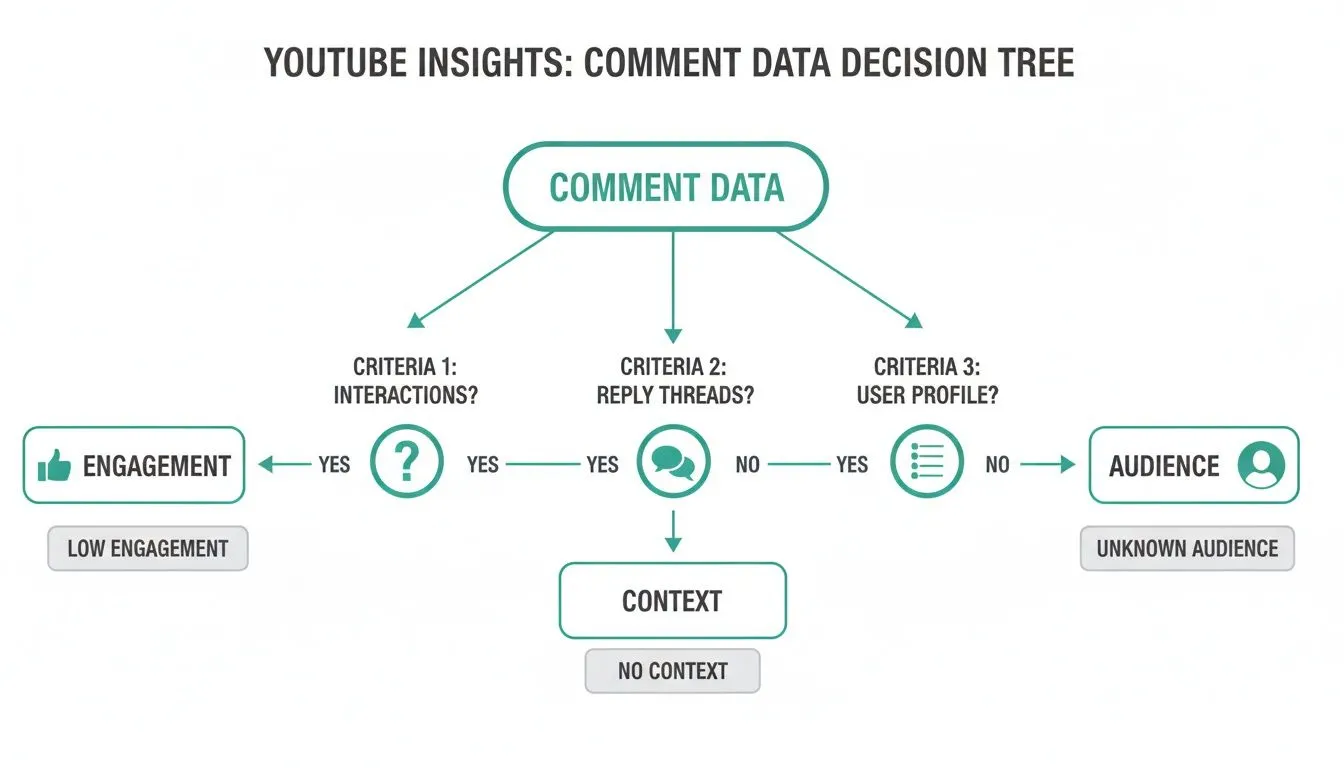
As you can see, a complete analysis means digging into comment threads for context, looking at like counts for engagement, and examining author data to truly understand the audience.
Scale and Export Flexibility
Next up, think about performance and flexibility. A tool might work just fine for a single video with a few hundred comments, but will it choke when you need to analyze an entire channel with thousands of videos and millions of comments?
A truly effective social media research tool must handle large volumes of data without making you wait in long queues or crashing altogether. Your research shouldn’t be held hostage by your tool’s limitations.
Just as important is what the tool gives you at the end. Does it export data in formats that actually fit your workflow?
- Analysis-Ready Formats: Exports like CSV and XLSX are non-negotiable. They let you immediately pop the data into spreadsheet software like Excel or Google Sheets for sorting, filtering, and charting.
- AI-Ready Formats: These days, plain text files (TXT) are becoming essential for modern analysis. A clean, well-structured TXT file can be fed directly into AI models like ChatGPT for sentiment analysis or thematic summaries. If you’re curious about using artificial intelligence, check out our guide on how to use AI to analyze your YouTube comments.
The best tools give you options. They empower you to choose the right format for the job, whether it’s a quick analysis in a spreadsheet or a deep dive with an AI assistant.
Ease of Use and Specialized Features
Finally, let’s be realistic: the best tool is one you’ll actually use. A clunky interface or a steep learning curve can stop a project in its tracks, especially if you’re not a technical expert. Look for no-code solutions that let you get started with nothing more than a YouTube video URL.
Beyond the basics, certain specialized features can be a massive time-saver. For instance, a typo-tolerant search for hashtags or mentions saves you from having to guess every possible misspelling. It ensures you find all the relevant conversations, even when users make small mistakes.
By carefully weighing these criteria: data depth, scale, flexibility, and ease of use: you can confidently pick the right tool to unlock the powerful insights waiting in YouTube comments.
Alright, let’s get our hands dirty. It’s one thing to talk about social media research tools in theory, but seeing one in action is what really makes the lightbulb go on.
We’re going to walk through a real-world scenario to show you how to turn a messy, sprawling YouTube discussion into a clean dataset ready for analysis.
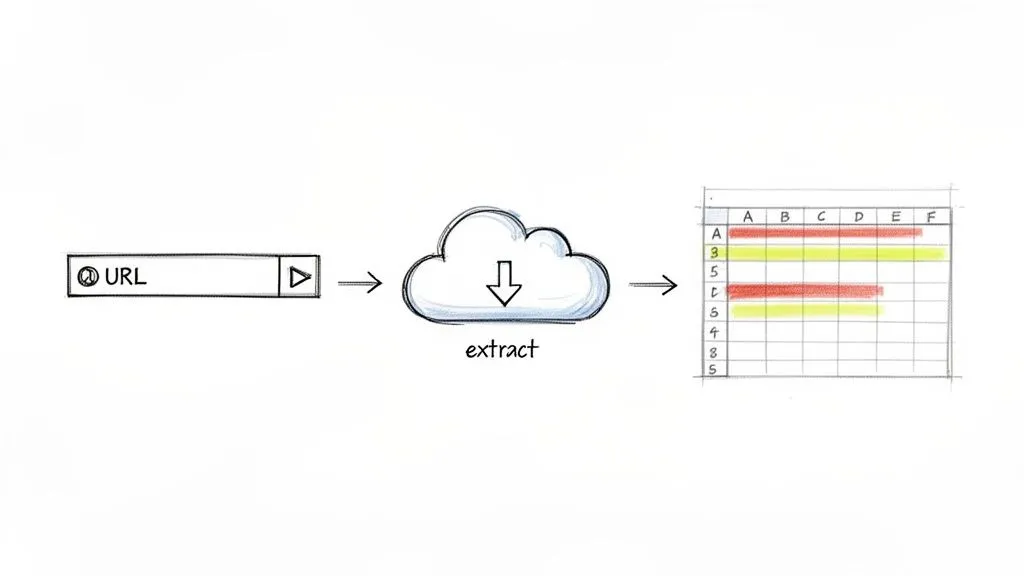
Imagine a brand just dropped a trailer for a new product on its YouTube channel. The comments are flooding in. Trying to gauge audience sentiment manually would be a nightmare of endless scrolling and pure guesswork. With the right tool, it is a structured, three-step process.
For this example, we’ll use YouTube Comments Downloader to show just how quick and easy no-code comment extraction can be. The whole thing takes just a few minutes.
Step 1: Inputting the YouTube Video URL
First things first, you have to tell the tool which conversation you want to analyze. This couldn’t be simpler. Just navigate to the YouTube video, copy the URL from your browser’s address bar, and you’re ready to go.
In our scenario, this is the link to the new product trailer. There are no complicated settings or hoops to jump through. That one URL is the only key you need to unlock the entire public discussion.
As you can see, the interface is incredibly straightforward. You just paste the link and you’re off, making it accessible even if you have zero technical background.
Step 2: Initiating the No-Code Extraction
Once the URL is in, you just have to kick off the extraction. With a single click, the tool gets to work, methodically pulling every public comment associated with that video. It doesn’t just grab the text; it captures all the rich metadata that gives each comment its context.
This includes things like:
- The full comment thread, which keeps the original reply structure intact.
- Like counts for every single comment.
- Author information and links to their channels.
- Timestamps showing exactly when each comment was posted.
This automated, no-code process handles a task that would be physically impossible to do by hand. The system churns through the entire comments section, guaranteeing a complete dataset for your analysis.
The demand for this kind of efficiency is exploding. In fact, the North American market for social media monitoring tools, a core part of this research ecosystem, hit an impressive USD 1,941.68 million in 2024. This growth is driven by businesses needing real-time insights for customer service and PR.
Think about a YouTube manager for a major brand needing to analyze feedback from a live stream. A tool like this lets them download up to 750,000 comments in under 30 minutes, capturing everything needed for a deep dive. You can read more on this trend in a detailed report on social media monitoring tools.
Step 3: Exploring the Exported Dataset
After the extraction finishes, you get a perfectly organized file, usually in Excel (XLSX) or CSV format. This is where your real work as a researcher begins. Opening the file in a program like Microsoft Excel or Google Sheets instantly reveals a structured, clean database of the entire conversation.
A social media research tool transforms a stream of consciousness into a searchable, sortable, and filterable dataset. This shift is what enables objective, data-driven analysis instead of subjective observation.
With all the data neatly laid out in a spreadsheet, you can start digging for insights immediately. Going back to our product trailer example, you could:
- Sort by “like count” to instantly see which comments resonated most with the audience. This is the fastest way to find the most popular feedback.
- Filter the “comment text” column for keywords like “love,” “disappointed,” “feature,” or “price” to zero in on specific topics and gauge sentiment.
- Analyze timestamps to track how reactions evolved from the initial launch to a few days later.
This structured data makes it easy to spot trends, quantify feedback, and find the specific answers you’re looking for. If you’re new to this, our guide on how to export YouTube comments to a CSV file provides a fantastic overview of getting your data ready.
Ultimately, this process shows how a powerful research tool can take you from raw, chaotic data to actionable insights with incredible speed and simplicity.
Turning Raw YouTube Data into Actionable Insights
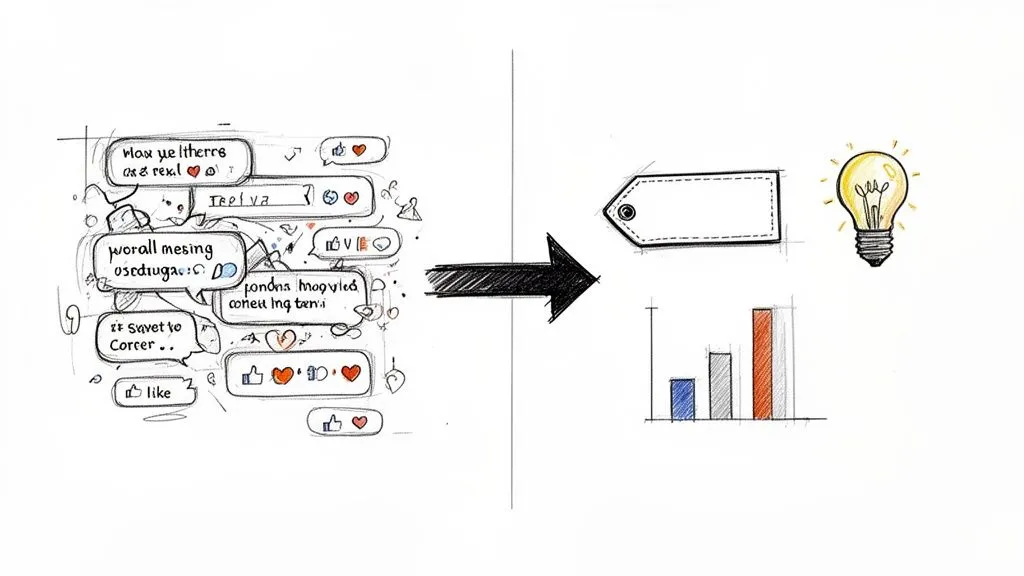
So, you’ve pulled down a mountain of YouTube comments. Now what? The real magic of a social media research tool isn’t just in grabbing the data; it’s about turning that chaotic stream of conversation into something you can actually use. This is where you start finding the signal in the noise.
With a clean, structured dataset from a tool like YouTube Comments Downloader, you’re already halfway there. You can stop endlessly scrolling and start digging for answers. The whole process really boils down to asking the right questions and knowing where to look in your exported file.
Identifying Key Themes and Topics
The first, most straightforward step is to hunt for recurring themes. Once you have your comments organized in a spreadsheet, you can use simple search and filter functions to spot patterns. Are people talking about a specific product feature? A common frustration? A competitor?
A brand manager, for example, could search for terms like “price,” “confusing,” or “love this” to quickly group feedback. This simple action transforms a jumble of opinions into quantifiable data points you can track.
Of course, the analysis doesn’t have to stop with the comments. For a truly complete picture, you can also analyze the video’s content. Tools that can transcribe YouTube video to text give you another rich layer of data to work with. When you combine the video transcript with the audience comments, you get a much more holistic view of the conversation, which is a cornerstone of good research. You can dive deeper into these kinds of analytical approaches in our guide on discourse analysis methods.
Performing Sentiment Analysis
Understanding the emotion behind the comments is critical. Is the feedback positive, negative, or just neutral? You don’t necessarily need advanced software for this; you can get a solid initial read on your own.
Just add a new column to your spreadsheet and start categorizing comments based on telling keywords.
- Positive: “amazing,” “love,” “helpful,” “thank you”
- Negative: “broken,” “hate,” “disappointed,” “doesn’t work”
- Questions: “how do I,” “can you,” “what is”
This manual approach, while basic, gives you an immediate snapshot of audience sentiment. It helps you gauge the overall mood and spot areas that need either urgent attention or further celebration.
Tracking Audience Engagement Patterns
A powerful social media research tool keeps the conversational structure intact, which is a goldmine for analyzing engagement. By looking at reply chains and like counts, you can pinpoint which ideas are sparking the most debate and which opinions have the most community support.
The true value of a YouTube research tool is its ability to turn unstructured public opinion into a structured database. You can analyze not just what is said, but how the community reacts to it.
A long reply thread on a single comment is a clear sign you’ve found a “hotspot” of engagement or controversy. Sorting your data by “Like Count” is another pro move: it instantly surfaces the opinions that the silent majority agrees with, bringing the most popular takes right to the top.
A Practical Use Case For A Journalist
Let’s put this into practice. Imagine a journalist analyzing the public’s reaction to a new documentary. They use a tool to grab every comment from the official trailer.
First, they sort the spreadsheet by “Like Count” to find the most upvoted viewer takes. Then, they use the search function to find mentions of the key figures in the film, isolating specific conversations.
From there, they can export the most impactful comment threads into a clean format to use as evidence of public sentiment in their article. The export format matters here: an XLSX file is perfect for their private analysis, but a simple TXT file might be better for feeding the text into an AI model for a quick thematic summary. This flexibility is what separates a good tool from a great one.
Frequently Asked Questions About YouTube Research Tools
Once you see what a social media research tool can do for YouTube, a lot of practical questions usually follow. Getting a handle on how these tools work, what they’re capable of, and why they’re so effective is the key to really putting them to work for you. Let’s tackle some of the most common questions to get you started with confidence.
Whether you’re a data analyst who lives in spreadsheets or a creator just starting to dip your toes into audience analytics, these answers will demystify the process and show you the real value of structured comment analysis.
Can I Analyze Comments from Any YouTube Video?
The short answer? Almost. A specialized tool like YouTube Comments Downloader can pull comments from any public YouTube video, Short, live stream replay, or community post. The only real condition is that the content and its comments are visible to the public.
This means you can’t get into private videos or those where the creator has turned comments off. But for everything else, the field is wide open. You can research your own channel, see what people are saying on your competitor’s latest hit, or track conversations on industry-wide topics across thousands of videos.
What Kind of Insights Can I Get from Comments?
YouTube comments are a goldmine of raw, unfiltered feedback. The insights you find really just depend on the questions you’re trying to answer.
Here are a few real-world examples of what different people can uncover:
- Marketers can find audience segments they never knew existed by looking at the specific language, topics, and sentiment people use. This helps them create campaigns that actually connect.
- Product Developers can spot common frustrations, bug reports, and feature requests that bubble up in discussions, giving them a clear guide for their next development cycle.
- Content Creators can discover their next viral video idea by tracking recurring questions and get refreshingly honest feedback on what’s working and what isn’t.
- Researchers can monitor public opinion on social issues, study how online discourse evolves, and see how digital communities form and function in real-time.
A good social media research tool provides not just a wall of text but the full thread hierarchy and like counts. This lets you analyze not just what people are saying, but which opinions are gaining the most traction.
How Is This Different from Just Reading Comments?
Manually reading comments is slow, incredibly biased, and simply doesn’t scale. It is like trying to understand a beach by looking at one grain of sand at a time. A research tool automates the entire process, turning that chaotic, endless scroll into a clean, structured database you can actually use.
The biggest advantage is the shift from subjective observation to objective analysis. A tool lets you quantify opinions, spot trends over time, and apply systematic filters that are impossible to do by hand.
With an exported file, you can instantly sort thousands of comments by likes to see what the most popular opinions are. You can search for keywords across a channel’s entire history. You can turn messy conversations into clean reports. This approach saves hundreds of hours and gives you reliable, data-backed insights instead of just a gut feeling.
Do I Need Coding Skills to Use These Tools?
Absolutely not. The best modern social media research tools are built as no-code solutions. You don’t need any background in programming, APIs, or data science to get powerful results.
The whole process is handled through a simple web interface. For the most part, all you have to do is paste the YouTube link for the video, channel, or playlist you want to study. The tool does all the complicated, technical work for you.
Your data arrives in a standard, familiar format like XLSX (for Excel) or CSV. These are files anyone can open, meaning everyone from a student to a senior marketing director can start doing sophisticated analysis without writing a single line of code.
What’s the Best Way to Analyze Sentiment in Comments?
Once you have your data exported, you can definitely start by just searching for keywords. But to really understand the story your data is telling, you need to understand the emotional tone. This is where sentiment analysis tools come in, especially modern platforms focused on conversational AI and LLMs.
These tools can automatically scan and classify thousands of comments as positive, negative, or neutral. This gives you a bird’s-eye view of audience reaction at a scale that would be impossible to do manually. It is a fast, quantitative way to measure how people feel and track those feelings over time.
Ready to stop guessing and start analyzing? YouTube Comments Downloader is the no-code social media research tool that turns public YouTube discussions into structured, analysis-ready datasets in seconds. Get started for free and uncover the insights hidden in your audience’s conversations.