
6 months ago
The Best Way to Scrape 10000 YouTube Comments in 2026
If you want to scrape 10,000 YouTube comments, the most straightforward and reliable method is using a dedicated, no-code tool. While you could wrestle with the YouTube Data API or build a custom Python script, a specialized tool gets you a massive dataset instantly, without the technical headaches, quota limits, or risk of getting your account flagged.
Why Bother with 10,000 YouTube Comments?
Digging into thousands of YouTube comments can completely reshape your marketing, content strategy, and market research. A dataset of 10,000 comments is where you cross the line from anecdotal hunches to real, data-driven decisions. It is a statistically significant sample size that lets you accurately gauge audience sentiment, spot emerging trends, and gather unfiltered feedback at scale.
The problem is, YouTube is designed for watching videos, not for bulk data extraction. Manually copying a few hundred comments is a painful task. Trying to grab 10,000 is practically impossible, thanks to the way the platform dynamically loads content. This is a technical wall that stops most marketers and creators dead in their tracks.
Three Paths to Your Data
To get your hands on this valuable data, you have three main options. Each comes with its own trade-offs in terms of speed, cost, and technical know-how.
| Method | Time to Get 10k Comments | Technical Skill Needed | How Complete is the Data? |
|---|---|---|---|
| No-Code Tool | A few seconds or minutes | None | Full threads & metadata |
| YouTube Data API | Hours (due to quotas) | Intermediate | Partial (no replies) |
| Custom Python Script | Hours (if it even works) | Advanced | Varies; often breaks |
We are going to compare these three approaches to figure out the most effective way to collect comments on a large scale. While the technical routes have their niche uses, you will see why a no-code tool is the modern, efficient choice for anyone who needs reliable data without the wait.
The goal is simple: turn a chaotic public discussion into a structured dataset ready for analysis. With 10,000 comments, you can uncover patterns in what your audience wants, find your competitor’s weak spots, and even discover product ideas that are completely invisible in smaller samples.
Think about trying to manually scroll through a viral video’s comments to get to 10,000. You would spend hours clicking “load more,” bumping into YouTube’s rate limits, and maybe even getting your account flagged for suspicious activity. Back in the early 2020s, when YouTube first crossed over 1 billion hours of daily watch time, this was a common nightmare for researchers.
Thankfully, dedicated no-code tools like YouTube Comments Downloader changed everything. To get 10,000 comments now, you can pull them from a single mega-hit video or across several smaller ones in just seconds. You get the full dataset with comment threads, author handles, and timestamps intact. You can learn more about how to extract YouTube comments at scale.
Comparing Methods for Scraping 10,000+ YouTube Comments
So, you need to pull 10,000 comments from a YouTube video. It sounds straightforward, but choosing the wrong path can turn a simple task into a technical nightmare of incomplete data, frustrating delays, and broken scripts.
Let’s cut through the noise and compare the three main ways to get this done: wrestling with the official YouTube Data API, building your own scraper from scratch, or using a specialized no-code tool. Your choice here directly impacts your speed, data quality, and sanity.
The Official YouTube Data API
At first glance, using Google’s official YouTube Data API seems like the most legitimate route. It is the “by the book” method, but it was never really designed for bulk comment extraction, and its limitations become painfully obvious when you are dealing with large numbers.
The biggest roadblock is the quota system. Every account gets a free daily quota of 10,000 units. A single request to fetch a page of comments costs 1 unit, which sounds fine until you do the math. Pulling 10,000 comments can easily burn through hundreds of requests, maxing out your entire daily limit before you have even finished a single video. You are then stuck waiting 24 hours just to resume.
What the API really costs you is time. Hitting your quota halfway through a scrape on a viral video means your data collection stalls, making it completely impractical for timely analysis.
Worse yet, the data you get is often shallow. The API can struggle with nested replies, which means you miss out on the back-and-forth conversations where the real insights are often hidden. You get the top-level comments, but the context is broken.
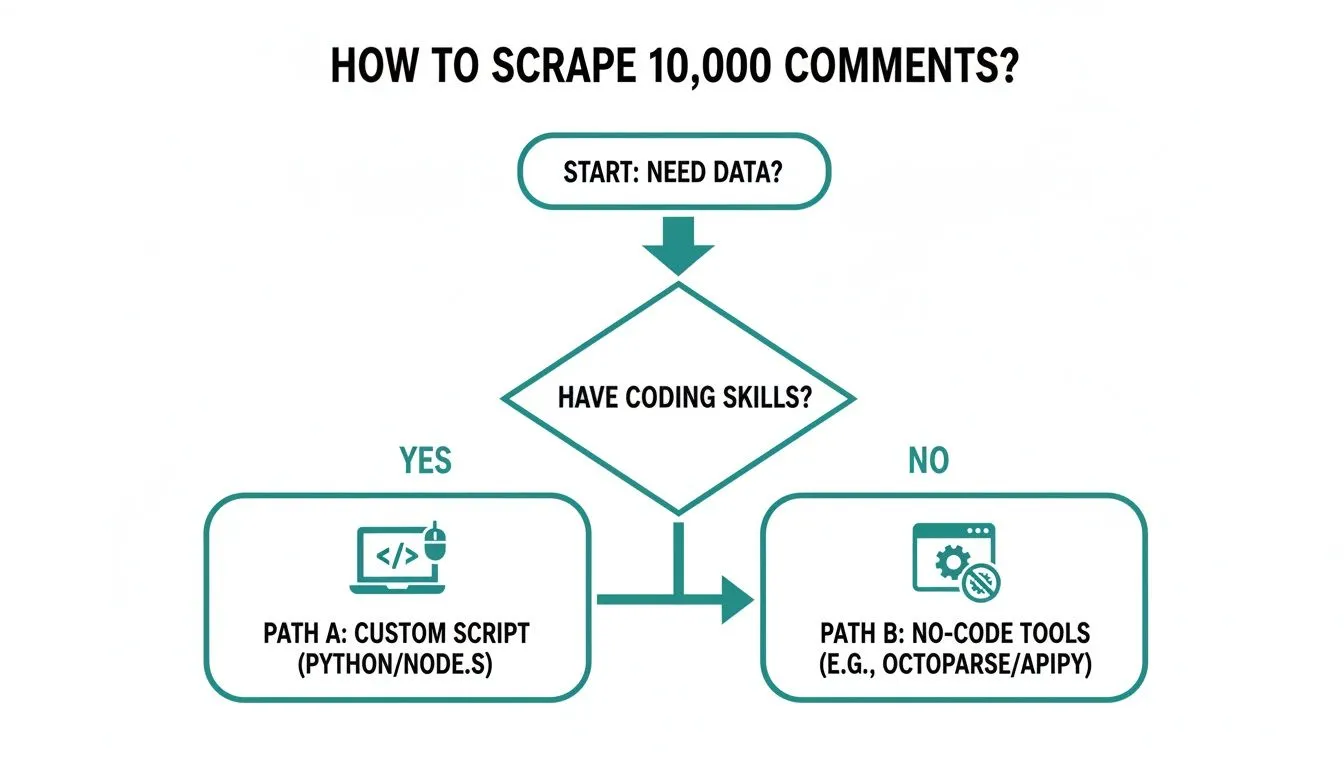
As you can see, the path forward really hinges on one question: are you a coder? If not, the choice becomes much simpler.
Building a Custom Python Script
If you have some coding chops, your first instinct might be to write your own scraper using a Python library like Selenium or Puppeteer. This approach lets you automate a browser to scroll down a video page, load all the comments, and then parse the HTML. You get to bypass the API’s quota limits, which is a huge plus.
But this path comes with its own set of serious headaches. YouTube’s front-end is in a constant state of flux. A script that works perfectly today might break tomorrow because a developer pushed a minor update that changed a class name or element ID. This turns your “free” script into a part-time job of constant maintenance and debugging.
On top of that, YouTube is very good at spotting bots. A script that scrolls and scrapes too quickly is a dead giveaway, often leading to temporary IP blocks or CAPTCHA challenges that bring your entire operation to a halt. It’s a fragile and unreliable method for anyone who needs dependable data without interruption.
Using a No-Code Tool
This brings us to the third and, frankly, most practical option for almost everyone: a dedicated no-code tool like YouTube Comments Downloader. This is the best way to scrape 10,000 YouTube comments because these services are built specifically to overcome the challenges of the other two methods.
Let’s quickly compare these three approaches head-to-head.
YouTube Comment Scraping Methods At a Glance
| Method | Speed for 10k Comments | Data Completeness | Ease of Use | Best For |
|---|---|---|---|---|
| YouTube Data API | Slow (Hours to Days) | Incomplete (often misses nested replies) | Hard (requires coding) | Small-scale academic projects with low time pressure. |
| Custom Python Script | Moderate (Minutes) | Complete (if the script works) | Very Hard (coding & maintenance) | Developers who need absolute control and enjoy debugging. |
| No-Code Tool | Fast (Seconds) | Complete (preserves full comment threads) | Very Easy (no-code) | Marketers, researchers, and anyone needing fast, reliable data. |
A dedicated tool changes the game entirely. You are not managing quotas or fixing broken code. The service handles all the technical complexity in the background, from dealing with YouTube’s updates to navigating anti-scraping measures.
Here is why it stands out:
- Blazing Speed: Forget about rate limits. You can pull thousands of comments in seconds.
- Full Data Integrity: It captures everything—parent comments and all their nested replies—so you get the complete conversational context.
- Plug-and-Play Simplicity: Just paste in a video URL and click a button. No setup, no coding, no fuss.
This method simply gets you the data you need so you can start analyzing it. It is especially powerful if you’re working with multiple videos. For more on that, check out our guide on how to scrape comments from multiple YouTube videos. While other methods throw up technical barriers, a no-code tool gives you a direct and efficient path to your goal.
The Pitfalls of DIY Scraping with Python Scripts
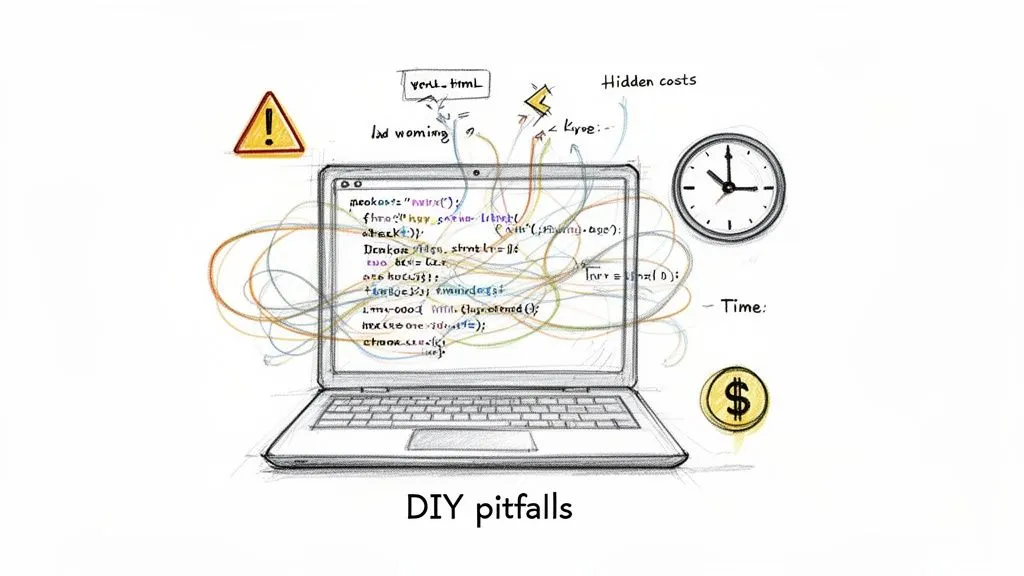
If you’ve got some coding skills, building your own Python script to scrape YouTube comments can sound pretty tempting. At first glance, it looks like a free, powerful way to get around API limits and grab exactly the data you need.
But what starts as a “free” side project almost always turns into a massive drain on your time, money, and patience. The DIY path to scraping 10,000 comments is not a straight shot; it is a constant, frustrating battle against a platform that is actively working to block you.
The Never-Ending Maintenance Cycle
The first big headache is that YouTube is constantly changing. The platform’s code gets updated all the time, usually without any warning. A tiny tweak to an HTML class name or a data attribute is all it takes to completely break your scraper.
So that script that worked perfectly yesterday? Today, it is dead in the water. This throws you into a reactive loop of debugging, where you are forced to poke around YouTube’s code, figure out what changed, and patch your script just to get it running again. This is not a one-and-done setup; it is a part-time job.
The real cost of a DIY script is not the initial development. It is the endless hours spent on maintenance, troubleshooting, and patching code every time YouTube pushes an update, which delays your access to critical audience data.
This makes Python scripts an incredibly fragile solution. If you are a marketer or researcher who needs timely data for sentiment analysis or spotting trends, a broken script means stalled projects and missed opportunities.
Battling Advanced Anti-Bot Defenses
YouTube has a whole arsenal of anti-bot systems designed to spot and shut down automated traffic. A simple script that just scrolls and grabs comments too fast is an easy target, leading to a bunch of problems that will stop your data collection cold.
You will quickly run into:
- Rate Limiting: If you make too many requests too quickly, you will start getting 403 Forbidden errors, which temporarily block your access.
- IP Blocking: Too much suspicious activity from your IP address can get you blocked for hours, days, or even permanently.
- CAPTCHA Challenges: Your script might suddenly get hit with a CAPTCHA. Since it is designed for a human to solve, your automated process will grind to a halt.
To have any hope of success, a DIY script needs some seriously complex workarounds. You would have to implement things like proxy rotation to hide your IP, cycle through realistic user agents, and program human-like pauses and scrolling behavior. Just building and managing that infrastructure is a huge technical project on its own.
The Unreliability of Large-Scale Scraping
Even if you manage all that, the success rate of a DIY script tanks when you try to scrape 10,000 comments or more. The more data you go after, the more likely you are to get flagged by YouTube’s anti-scraping systems. This makes custom scripts a terrible choice for anyone who needs a complete and consistent dataset.
YouTube’s defenses have made custom Python scripts a nightmare for large-scale jobs. Some companies like Scrapfly even offer specialized YouTube scraping services, but they highlight the deep complexity involved. These solutions often require reverse-engineering hidden data endpoints, and even then, success is not guaranteed. For a DIY builder, this means more time fighting the platform than analyzing data.
Ultimately, the DIY approach forces you to spend more time being a scraping expert than an analyst. The energy you pour into fighting with code, proxies, and blockades is better spent actually finding insights in the data. While it might be a fun challenge for a handful of developers, a managed service is the only practical solution for most. A well-built YouTube Comment Scraper API handles all these headaches for you.
Why a No-Code Tool Is Your Best Bet
After spending time with the quota-limited YouTube Data API and wrestling with fragile DIY Python scripts, one solution clearly comes out on top. For anyone—marketers, researchers, or creators—who needs data quickly without the headaches of coding or waiting for API limits to reset, a dedicated no-code tool is the most practical choice. It’s simply the best way to scrape 10000 youtube comments because it’s built for one specific job and does it flawlessly.
Tools designed for this task bypass the common frustrations of other methods. Instead of poring over API documentation or trying to outsmart YouTube’s anti-scraping defenses, you get a simple interface that pulls comprehensive data in minutes, not days.
Speed and Reliability, Solved
The first thing you will notice is the sheer speed. There are no queues and no artificial delays. While the API forces you to wait 24 hours after hitting a quota, and a custom script can fail without warning, a no-code tool can grab 10,000 comments in the time it takes to brew a pot of coffee.
This is not just a nice-to-have feature; it is about keeping your analysis relevant. When you are tracking sentiment on a new product launch or monitoring a viral trend, immediate data is critical. A purpose-built tool delivers it without the technical roadblocks.
A no-code tool lets you stop being a part-time coder or an API quota manager. Instead, you can focus on what actually matters: finding actionable insights in the comments. Your time shifts from data collection to data interpretation.
These tools are also backed by teams who handle all the maintenance. When YouTube changes its layout (and it will), you will not have to scramble to fix a broken script. The service provider handles all that complexity on the back end, ensuring your data extractions work consistently.
Richer Data with Full Context
Beyond speed, the quality of the exported data is a huge differentiator. A common blind spot with other methods is their failure to preserve the full conversational context. The YouTube Data API, for example, often struggles to retrieve nested replies, leaving you with a disjointed and incomplete picture of the conversation.
A good no-code tool, on the other hand, captures the entire thread structure. You get every parent comment along with all its replies, perfectly organized. For anyone doing sentiment analysis or digging into audience debates, having this full context is essential.
You can expect a dataset that includes:
- Full Thread Hierarchy: Parent comments and their replies are grouped together, preserving the flow of conversation.
- Author Details: Usernames and channel handles are included to help you identify key contributors.
- Engagement Metrics: Get the like count and reply count for every single comment.
- Timestamps and Permalinks: Pinpoint exactly when a comment was posted and get a direct link back to it.
This structured data comes in formats ready for immediate analysis.
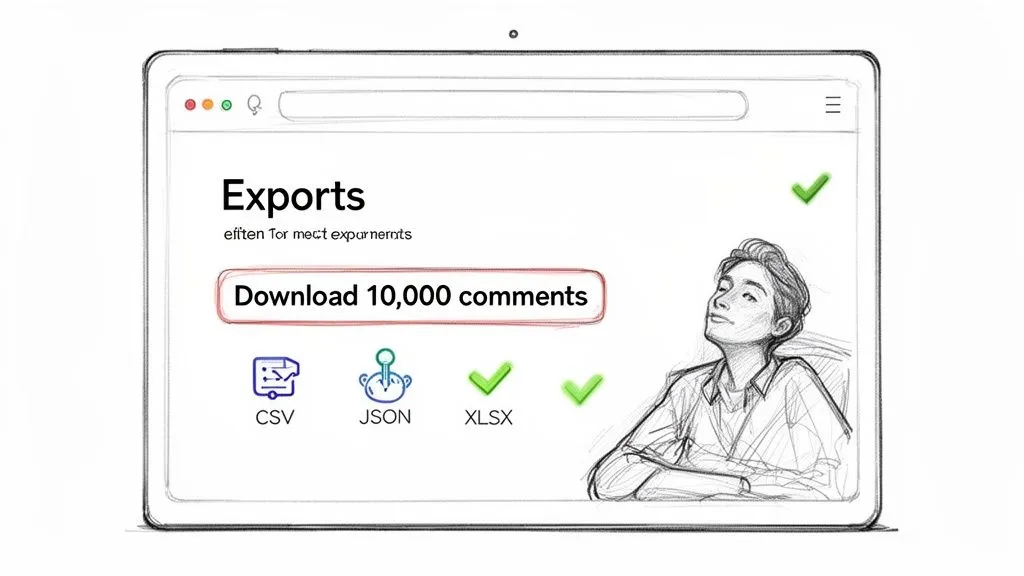
As you can see, getting the data into a usable format like XLSX, CSV, or JSON is dead simple. You can open the file directly in Excel or Google Sheets or import it into your analysis software without any tedious data cleaning.
From Raw Data to Actionable Insights Instantly
The real game-changer is that the best tools do not just stop at extraction; they help you make sense of the data. Some solutions now come with a built-in AI assistant, effectively turning a simple scraper into a powerful research platform. No more exporting a file just to upload it to another tool for analysis.
This integration allows you to instantly:
- Summarize Key Themes: Ask the AI to identify the top three topics people are discussing in the 10,000 comments.
- Perform Sentiment Analysis: Get an immediate read on whether the overall tone is positive, negative, or mixed.
- Extract Actionable Feedback: Tell the AI to pull out all the specific suggestions, feature requests, or complaints.
This one-two punch of effortless extraction and built-in intelligence is a massive efficiency boost. We are seeing this trend across the board with AI-powered tools, like those for converting YouTube video to text with Whisper AI, which show just how powerful specialized software can be. Ultimately, a great no-code tool is not just a scraper; it is an end-to-end solution for audience research.
How to Export Your First 10,000 Comments Step-by-Step
So, how hard is it to actually get your hands on a massive dataset of YouTube comments? If you are picturing complex API setups or debugging Python scripts, think again. Using a dedicated tool like YouTube Comments Downloader simplifies the whole thing down to three quick steps. You can go from a video link to an analysis-ready file in just a few moments.
This walkthrough shows you just how fast and simple it is to scrape 10,000 YouTube comments or even more. There are no quotas to worry about, no code to write, and no proxies to set up. Let’s dive in.
Step 1: Input Your Target URL
First things first, you need to tell the tool what you want to scrape. The real power of a purpose-built solution is its flexibility; you are not just limited to one video at a time.
You can paste in the URL for:
- A single video to zoom in on its specific audience reaction.
- An entire playlist to track feedback across a whole content series.
- A complete channel to run a comprehensive audit of a creator’s community engagement.
This is a massive advantage over other methods. Trying to scrape all the comments from an entire channel with the API would burn through your quota in no time, but here, it is just as easy as grabbing comments from a single video.
The interface is clean and simple; you just paste your link and you are ready to go.
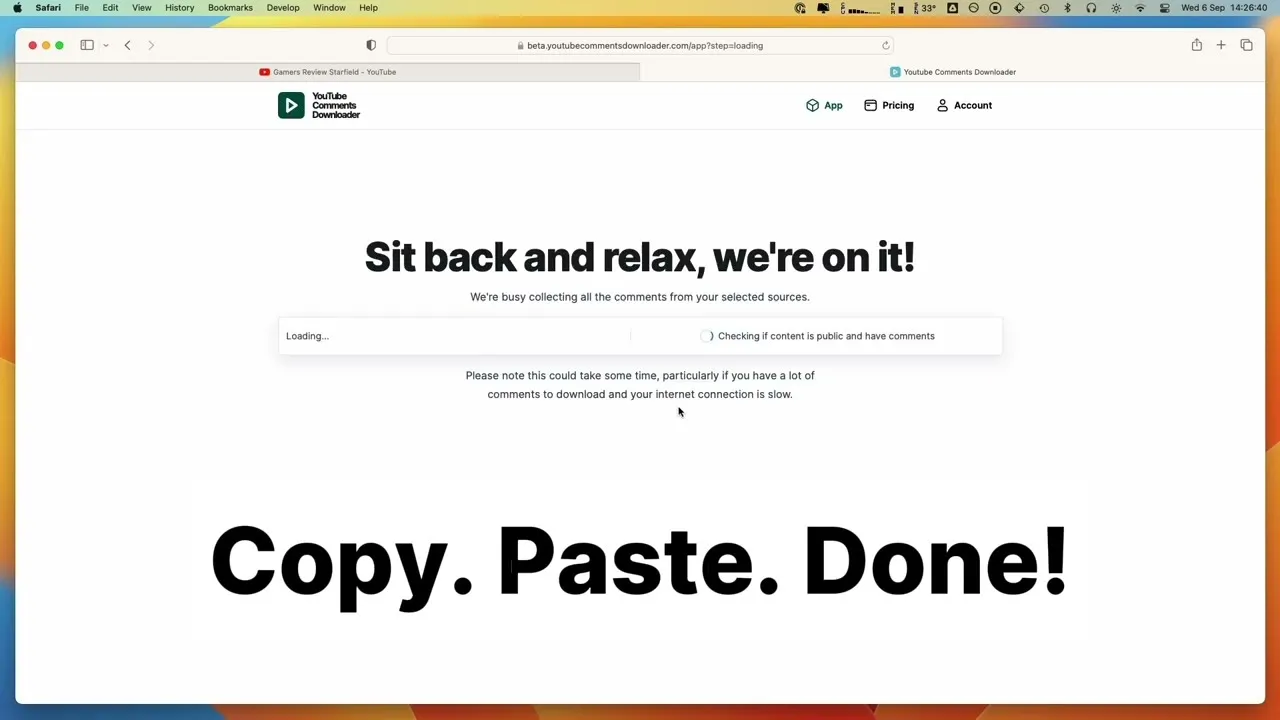
It is designed to be fast and clear, letting you target exactly the content you need without any guesswork.
Step 2: Configure Your Export Settings
Once you’ve provided the URL, the next step is choosing how you want your data. This is where you decide on the file format for your dataset, making sure it is a perfect fit for whatever analysis you have planned.
Different tasks call for different formats. YouTube Comments Downloader gives you several options, including XLSX, CSV, and JSON. If you are a marketer who lives in spreadsheets, picking XLSX or CSV means you can pop the file open in Excel or Google Sheets immediately. For developers or data scientists, the structured JSON format is easy to parse and import into other applications.
The whole point is to get data that is ready to use right away. By offering these analysis-ready formats, the tool cuts out all the tedious data cleaning and reformatting that usually comes after a DIY scrape.
Step 3: Download Your Comments
With your settings locked in, all that’s left is to hit the download button. The tool gets to work instantly, pulling every comment from the URL you provided. The process is incredibly fast; it is common to get tens of thousands of comments in under a minute.
The final file is neatly organized with all the data you could want: the comment text itself, author details, like counts, and even the full reply threads. This is the best way to scrape 10000 youtube comments because it transforms a complicated technical chore into a simple, three-click process. To get a closer look at the different export options, you can check out our detailed guide on how to export YouTube comments.
Common Questions About Scraping YouTube Comments
When you start looking into scraping YouTube comments, a few key questions always pop up. Let’s clear the air and give you the straightforward answers you need to move forward confidently and ethically.
Is It Legal to Scrape YouTube Comments?
This is the big one, and the short answer is: it depends on what you do with the data. Scraping publicly available information, which includes YouTube comments, is generally considered acceptable for research and analysis. Think of it like a souped-up version of copy-pasting what you can already see on the screen.
Where you can get into trouble is with copyright infringement (like republishing the comments as your own content), reselling the data, or using it for spam or other malicious activities. A good third-party tool is built for legitimate research, helping you analyze public sentiment without crossing into legally gray areas.
Can I Get Private Information Like User Emails?
Absolutely not. And frankly, you should not want to. Any ethical scraping tool is built to respect user privacy and will only collect information that is already public on YouTube. This means it can not—and will not—access private data like email addresses or other personal details.
The gold standard for any comment scraping method is privacy by design. A tool should only gather what is publicly visible, ensuring your work remains compliant and respects the people behind the comments.
You will get the comment text, the author’s public username, and engagement stats; nothing more.
How Is the Data Structured in the Export File?
Instead of getting a chaotic wall of text, a proper export gives you a perfectly organized dataset ready for analysis. Whether you choose an XLSX or CSV file, the data comes in a clean, tabular format that you can immediately load into Excel, Google Sheets, or a data analysis program.
You can expect to see distinct columns for all the important stuff:
- Comment Text: The complete text of each comment.
- Author Details: The commenter’s public username and their channel ID.
- Engagement Metrics: The number of likes and replies each comment received.
- Thread Hierarchy: A clear structure that links replies to their parent comments, so you never lose the context of a conversation.
- Timestamps: The exact date and time a comment was posted.
This structured format is a massive time-saver. It means you can skip the tedious manual cleanup and get straight to analyzing trends and finding insights.
Ready to stop wrestling with code and API quotas? Get all the YouTube comment data you need, structured and ready for analysis. YouTube Comments Downloader can get you your first 10,000 comments in minutes. Start your free trial and see for yourself.