
6 months ago
12 Best YouTube Comment Export Tool for Excel Picks in 2026
YouTube comments are more than just audience feedback; they are a goldmine of raw, unfiltered data. For creators, marketers, and researchers, these discussions hold valuable insights into audience sentiment, product feedback, emerging trends, and content performance. In fact, comments are a powerful form of User-Generated Content (UGC) that can drive strategic decisions when analyzed correctly.
However, manually sifting through thousands of comments is impractical. The real challenge lies in extracting this data efficiently and structuring it for analysis. This is where a specialized YouTube comment export tool becomes essential, especially one that prepares data for a powerhouse like Excel. These tools solve the critical problem of turning chaotic comment sections into organized, actionable datasets.
This guide provides a focused look at the top 12 platforms designed specifically for exporting YouTube comments. We will compare their capabilities in handling threaded replies, preserving metadata like timestamps and likes, and scaling for bulk exports across entire channels. Our goal is to help you find the best youtube comment export tool for excel that fits your unique needs, whether you are a data analyst, academic researcher, or channel manager. Each option reviewed includes direct links and practical insights to guide your choice, ensuring you can quickly get from raw comments to rich analysis.
1. YouTube Comments Downloader
Best For: Scalable, no-code comment analysis for creators, researchers, and marketing teams.
YouTube Comments Downloader establishes itself as a powerful and well-rounded choice for anyone needing structured comment data from YouTube. Its primary strength lies in its speed and scale, turning a notoriously manual process into an efficient, automated workflow. You can export comments from single videos, Shorts, live stream replays, playlists, or even an entire channel by simply pasting a URL.
The platform is engineered for deep analysis, not just raw data collection. It preserves critical conversational context, including the full thread hierarchy (replies nested under parent comments), author handles, like counts, and permalinks. This makes it the best YouTube comment export tool for Excel when your goal is to understand audience sentiment, identify key discussion themes, or track engagement patterns. For a step-by-step guide, you can review their tutorial on how to download YouTube comments to an Excel file.
Key Features and Use Cases
One of its most compelling aspects is its capacity for bulk processing. Users have successfully processed jobs involving thousands of videos and hundreds of thousands of comments in under 30 minutes. This makes it ideal for large-scale academic research or for channel managers conducting a comprehensive content audit. The tool automatically filters out duplicate or invalid links in bulk jobs, saving time and credits.
- Excel-Ready Exports: The primary XLSX output is clean and perfectly formatted for immediate use in Excel or Google Sheets, with columns for comment text, author, likes, timestamps, and thread structure.
- AI Integration: Beyond spreadsheets, it offers AI-ready TXT exports optimized for analysis in tools like ChatGPT and a companion GPT for sentiment analysis, which is a major advantage for teams looking to quickly summarize audience feedback.
- Flexible Access: New users receive free credits to test the service. Afterward, you can choose between pay-as-you-go credits, subscriptions, or a one-time purchase of a lifetime desktop app license for heavy users.
The user experience is straightforward and requires no technical skill. You can preview comment counts before committing credits, and developer support is noted for being exceptionally fast and personal. While it only supports public content and the credit system has a small learning curve, its speed, data integrity, and analytical depth make it a standout solution.
Website: https://youtubecommentsdownloader.com
2. ExportComments
ExportComments is a dedicated, multi-platform service built for one core purpose: exporting comments quickly and efficiently. For users who need a straightforward, web-based tool without the complexities of desktop software, it stands out as a strong candidate. It is particularly effective for marketing agencies and social media managers who regularly pull data from YouTube alongside other networks like Facebook and TikTok, but it presents certain limitations for deep YouTube analysis.

This platform is a contender for comment export due to its automation capabilities. The real power for professional users lies in its paid tiers, which unlock scheduled exports and API access. A creator could, for instance, set up a weekly export for their main channel videos to automatically track sentiment. However, these features are geared more towards general social listening than specific YouTube data analysis. The service delivers XLSX or CSV files containing critical data points like usernames and timestamps, which are ready for Excel.
Key Features and User Experience
The user interface is minimal and direct. You paste a public YouTube video URL, select your options, and start the export. While a free tier is available for small tests, serious data collection requires a subscription. Accessing detailed pricing information requires signing in, which can be a minor hurdle for new users.
- Automation: Scheduling and API access are its strongest features, ideal for creating reporting dashboards or ongoing research projects.
- Multi-Platform Support: A benefit for teams managing multiple social media accounts, though this can mean less specialized features for YouTube itself.
- Ease of Use: The web-based interface is simple, requiring no software installation or technical setup.
While it is functional, the automation features are behind a paywall and it operates exclusively as a web tool. Its generalist approach may not satisfy users needing the most detailed YouTube-specific data. For users seeking different functionalities, you can find a good comparison of ExportComments alternatives to weigh your options.
Website: https://exportcomments.com/
3. Comment Picker – YouTube Comment Exporter
Comment Picker’s YouTube Comment Exporter is a web-based utility designed for speed and simplicity. It excels at performing quick, one-off exports for users who need to grab comments from a YouTube video, including Shorts, without the friction of account creation or software installation. This makes it a good choice for creators running a quick giveaway or anyone requiring an immediate, small-scale analysis of a specific video’s comment section.
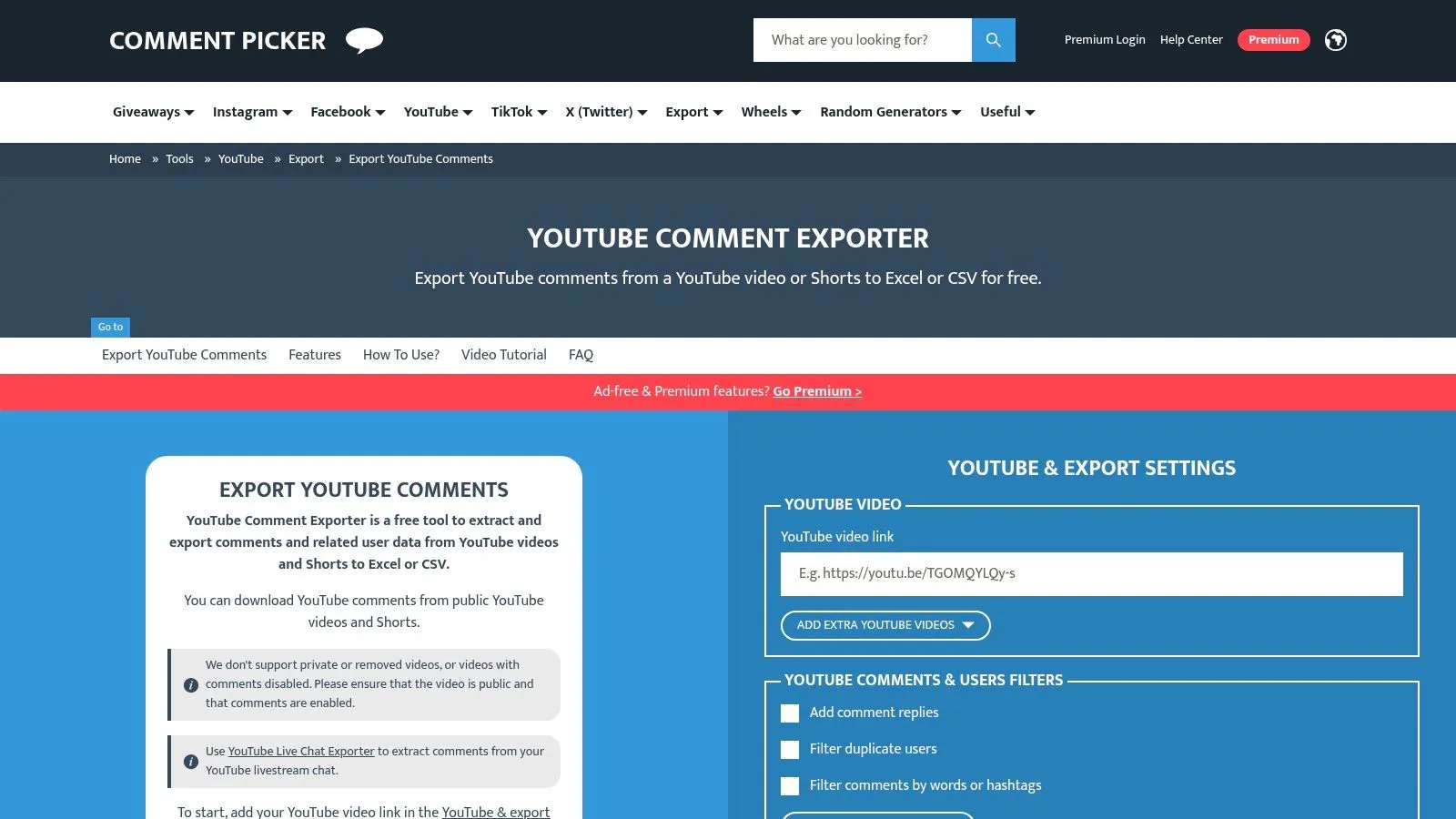
The platform’s transparency is a key differentiator; its free versus premium features are clearly laid out. While the free tier is capped at 50 comments, it is a decent way to test the output. For more extensive needs, the premium option unlocks the ability to export all comments into an XLSX or CSV file. The tool allows users to select which data columns to include, such as comment text and likes, ensuring the output is ready for basic sorting in a spreadsheet.
Key Features and User Experience
The interface is direct and focused. You paste the video URL, configure your export settings, and download the file. There is no need for complex project management, making it suitable for targeted tasks. Its ability to filter comments by text, date, or likes before exporting can save some time on data cleaning later.
- Selectable Columns: Choose what data you need, creating a focused dataset for Excel.
- Immediate Access: No sign-up is required to try the free version, providing a fast and frictionless experience for small exports.
- Simple Filtering: Pre-export filters for text, date, and likes allow for more targeted data collection.
While it is efficient for single-video jobs, its design as a single-page tool means it lacks the bulk project management features of more dedicated services. The free version’s limitations on comment volume make the premium upgrade necessary for any serious or recurring analysis, at which point more powerful solutions become more cost-effective.
Website: https://commentpicker.com/export-comments-youtube.php
4. Outscraper – YouTube Comments Scraper
Outscraper operates less like a simple tool and more like a data-as-a-service platform, designed for users who need YouTube comments at scale, particularly for integration into automated data pipelines. It is an API-first service with a pay-as-you-go model, making it a choice for developers and data analysts that require programmatic access to comment data. Instead of a one-off export, you can integrate its API to feed comments directly into your own applications.

The platform’s approach to pricing and access makes it a unique candidate for exporting YouTube comments. It offers a free monthly allowance of results, allowing for small-scale projects or development testing. For larger needs, its metered, per-result billing is straightforward. This can be useful for tasks like monitoring brand mentions or conducting academic research where thousands of videos are involved, delivering data in CSV or XLSX formats.
Key Features and User Experience
While Outscraper provides a web-based interface for manual tasks, its real strength is its API. The experience is geared toward users with technical comfort who want to automate data collection. The pay-as-you-go billing can be an advantage, as it removes the friction of monthly subscriptions for sporadic needs.
- API-First Design: Suitable for integrating YouTube comment data into custom software or marketing automation workflows.
- Pay-As-You-Go Pricing: A flexible model with a free tier, ensuring you only pay for the data you extract.
- Scalability: Built to handle bulk extraction from numerous videos, making it suitable for large data gathering tasks.
It’s important to note that maximizing Outscraper’s potential requires API familiarity. Those seeking a simpler, GUI-only experience with robust features for direct analysis in Excel might find other tools more direct and user-friendly. You can see a detailed breakdown of how it stacks up in this Outscraper feature comparison to evaluate its fit for your specific needs.
Website: https://outscraper.com/
5. Apify – YouTube Comments Scraper Actors
Apify is not a single tool but an automation platform hosting various ready-made utilities, called “Actors.” For users with technical or workflow-heavy needs, Apify offers a distinct approach by providing access to multiple YouTube comment utilities built by different developers. This marketplace approach allows you to choose an Actor that fits your data requirements and budget, making it a powerful choice for embedding comment collection into larger data pipelines, though it lacks the simplicity of a dedicated service.
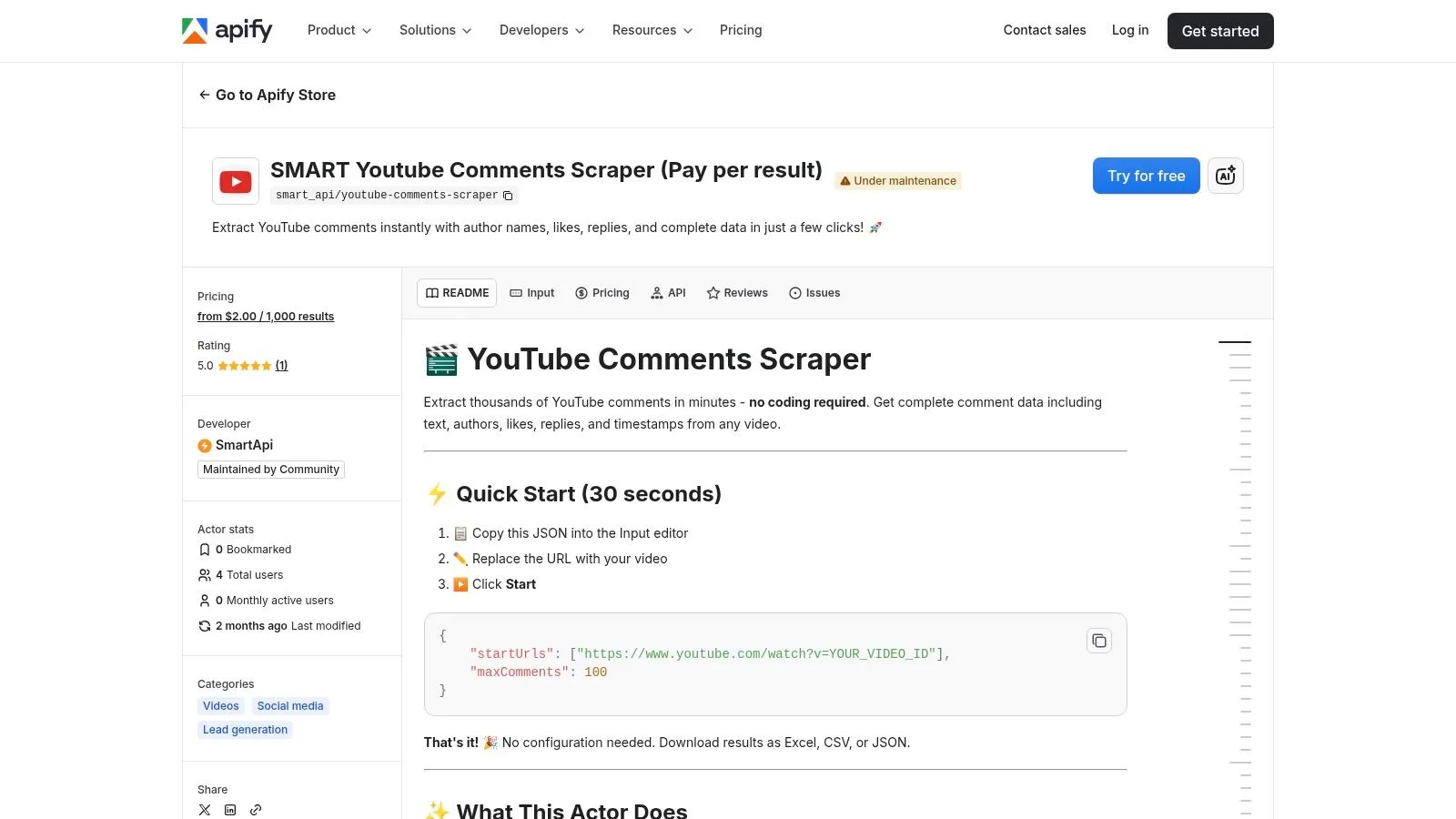
This platform’s strength is its integration within a broader automation ecosystem. You can schedule Actors to run at specific intervals or push data directly to Google Sheets. The output formats are flexible, including XLSX, CSV, and JSON, providing clean datasets for Excel. Because you can find multiple comment extracting Actors, it is an option for those who need a customizable, scheduled solution that can be integrated into existing workflows, assuming they are comfortable with the technical overhead.
Key Features and User Experience
Navigating Apify requires a different mindset. Instead of a single interface, you are choosing from a library of third-party Actors, each with its own pricing and capabilities. This can present a learning curve for those unfamiliar with the platform’s console and data storage system. The pay-per-result pricing on many popular Actors is transparent, but can become costly for large or frequent jobs.
- Automation Ecosystem: Its ability to schedule runs and integrate with other services via API is a benefit for automated reporting.
- Flexible Data Outputs: Provides native export to XLSX, CSV, and JSON, making data easy to import into Excel or other analysis software.
- Marketplace of Tools: Users can compare different Actors to find one with the features and pricing model they need, but this adds complexity to the selection process.
While Apify is a robust platform, the quality and cost of Actors can vary by publisher. New users may need to test a few options to find a reliable and cost-effective one, a stark contrast to a dedicated service with guaranteed performance.
Website: https://apify.com/smart_api/youtube-comments-scraper
6. Octoparse – YouTube Comments & Replies Scraper (Template)
Octoparse offers a powerful, no-code desktop and cloud solution for data extraction. Its strength lies in a pre-built “YouTube Comments & Replies Scraper” template, designed specifically for users who need deep, threaded data without writing code. This makes it an option for research teams who require complete comment threads, including replies, for sentiment analysis and need a more robust tool than a basic web form.
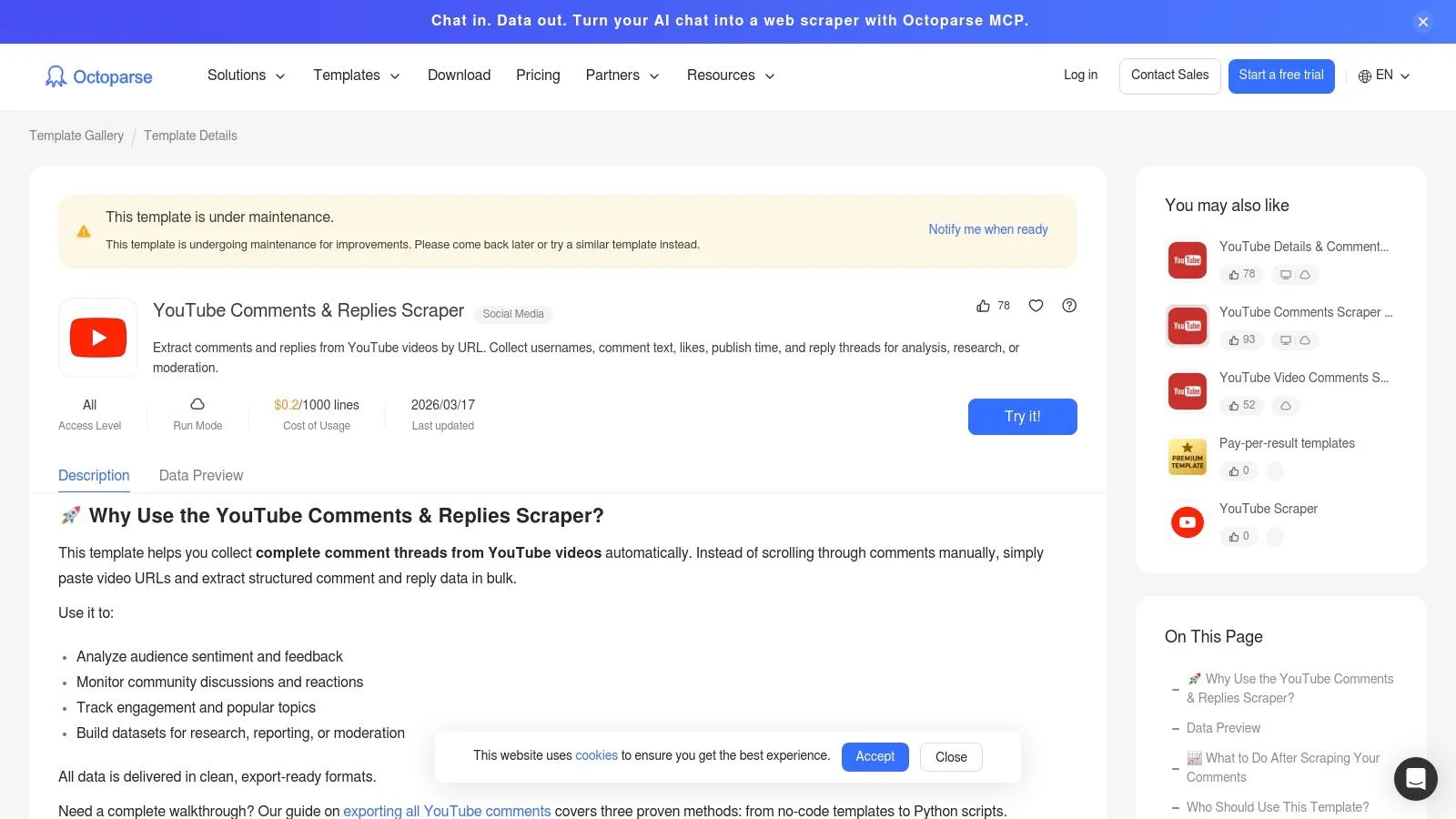
This platform proves it is a viable tool for Excel through its GUI-based browser automation. The template automatically handles infinite scrolling to load all comments and then extracts them, including replies, into a structured format. For large-scale projects, users can input up to 500 video URLs in a single run. The final output is available as a clean Excel or CSV file, containing the full comment thread hierarchy, which is critical for understanding conversation flow.
Key Features and User Experience
Getting started involves downloading the desktop application and selecting the YouTube template. The step-by-step wizard is accessible even for non-technical team members. While the free plan is sufficient for smaller tasks, accessing cloud execution and higher volume exports requires a paid subscription. The desktop automation can occasionally be interrupted by CAPTCHAs, a common challenge for any tool that simulates browser activity, making it less reliable for unattended jobs.
- Deep Thread Scraping: The pre-built template is designed to capture not just comments but also their replies, maintaining the conversational structure.
- Bulk URL Processing: The ability to process up to 500 URLs at once is an advantage for large-scale data collection efforts.
- No-Code Automation: Its visual, point-and-click interface makes data extraction accessible without programming knowledge.
Octoparse’s template-driven approach provides a middle ground between simple web tools and fully custom scripts, offering power with some accessibility, but it still requires desktop software and is not as seamless as a dedicated web service.
Website: https://www.octoparse.com/template/youtube-comments-replies-scraper
7. Bright Data – YouTube Comments Scraper
Bright Data is an enterprise-grade data collection platform offering a dedicated YouTube Comments Scraper for large-scale operations. This tool is built for organizations and professionals who need reliable, high-volume comment data backed by robust infrastructure and service-level agreements. It is less a simple export button and more a complete data delivery system, making it a choice for businesses with strict compliance needs and a demand for consistent, scheduled data flows from YouTube.
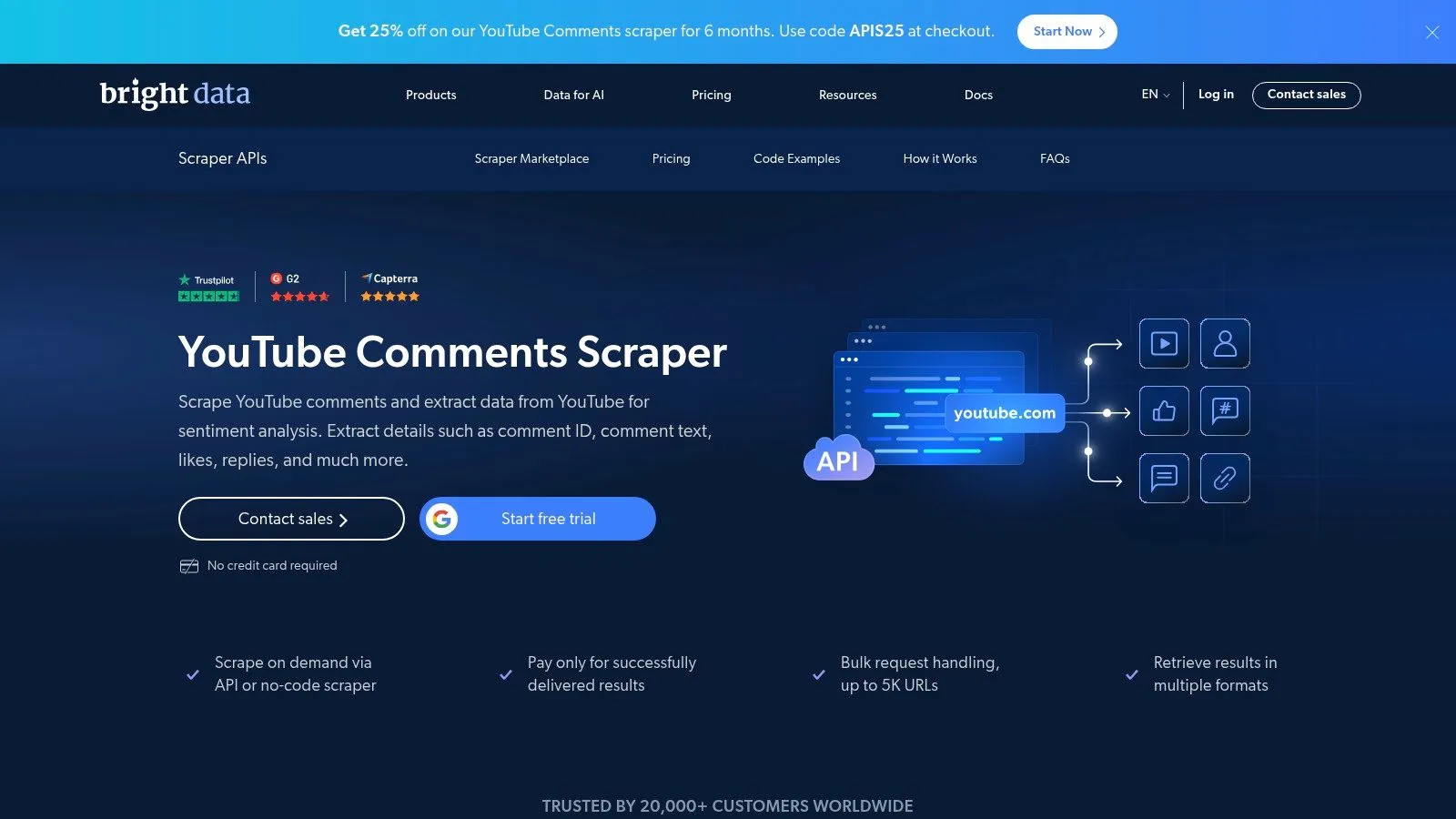
The platform can function as a high-end YouTube comment export tool for Excel because it treats data collection as a utility. Users can set up jobs through no-code templates or integrate directly via API. The service handles complex challenges like geo-targeting and unblocking, delivering clean CSV or JSON files. Results can be sent directly to cloud storage, making it useful for automated business intelligence pipelines that feed into analytics software.
Key Features and User Experience
Bright Data’s environment is geared towards developers and data teams. Its power lies in its backend infrastructure, which ensures data delivery at scale. For a research firm tracking public sentiment across multiple countries, the geo-targeting feature is useful. Pricing is enterprise-focused and typically requires contacting their sales team, which is a significant barrier for smaller users or individuals looking for a quick, one-off export.
- Robust Infrastructure: Built for high-volume, reliable data collection with SLAs, ideal for business-critical data projects.
- Flexible Delivery: Delivers data via API or direct pushes to cloud storage services, streamlining data analysis workflows.
- Compliance-Focused: The platform operates with a strong emphasis on data ethics and compliance, a key consideration for corporations.
While it is likely overkill for individual creators or small projects, its power is undeniable for large-scale analysis. For those needing a powerful, automated, and compliant data pipeline, Bright Data is a professional-grade solution, but not a practical choice for the average user needing Excel exports.
Website: https://brightdata.com/products/web-scraper/youtube/comments
8. Web Scraper (webscraper.io) – Browser extension
For users with a technical inclination who need control over their data extraction, Web Scraper offers a powerful, browser-based solution. Unlike dedicated export tools, it is a generalist point-and-click data extractor that can be configured to pull nearly any data from a YouTube page, including comments. This makes it an option for researchers or data analysts who need to collect custom datasets that go beyond standard comment exports.
This tool is a contender for exporting YouTube comments because of its flexibility. You visually build a “sitemap” that tells the extension how to navigate the page and which text elements to extract. Once configured, it pulls the data and allows you to download it as a clean CSV file for Excel. While it requires a steeper learning curve, the ability to create a reusable extractor for any public YouTube video is an advantage for ongoing projects.
Key Features and User Experience
The user experience is hands-on. You use your browser’s developer tools to access the Web Scraper panel, where you create and test your selectors. Its power comes from this direct control, but it also presents a challenge. YouTube’s dynamic loading of comments means you must carefully configure pagination and click selectors to ensure all comments are captured, which takes trial and error and is far from a one-click solution.
- Custom Data Extraction: Go beyond basic comment text and likes. Extract any visible data point on the page.
- Cost-Effective: The core browser extension is free, making it accessible for any budget. A paid cloud service is available for large-scale tasks.
- Versatility: The skills learned can be applied to extracting data from other websites, not just YouTube.
The main drawback is its complexity and potential for breakage. If YouTube updates its page structure, your extractor might need to be adjusted. It is best suited for technical users who value customization over the plug-and-play simplicity of dedicated YouTube comment export tools.
Website: https://webscraper.io/
9. Data Miner (Chrome/Edge extension)
Data Miner is a browser extension that transforms your Chrome or Edge browser into a capable, no-code data extractor. It is designed for users who prefer to extract information directly from a webpage without leaving their browser. Its strength lies in its library of community-generated “recipes,” which are pre-configured jobs. This makes it an option for marketers or analysts who need to extract data not just from YouTube, but from various websites, all within a single interface.
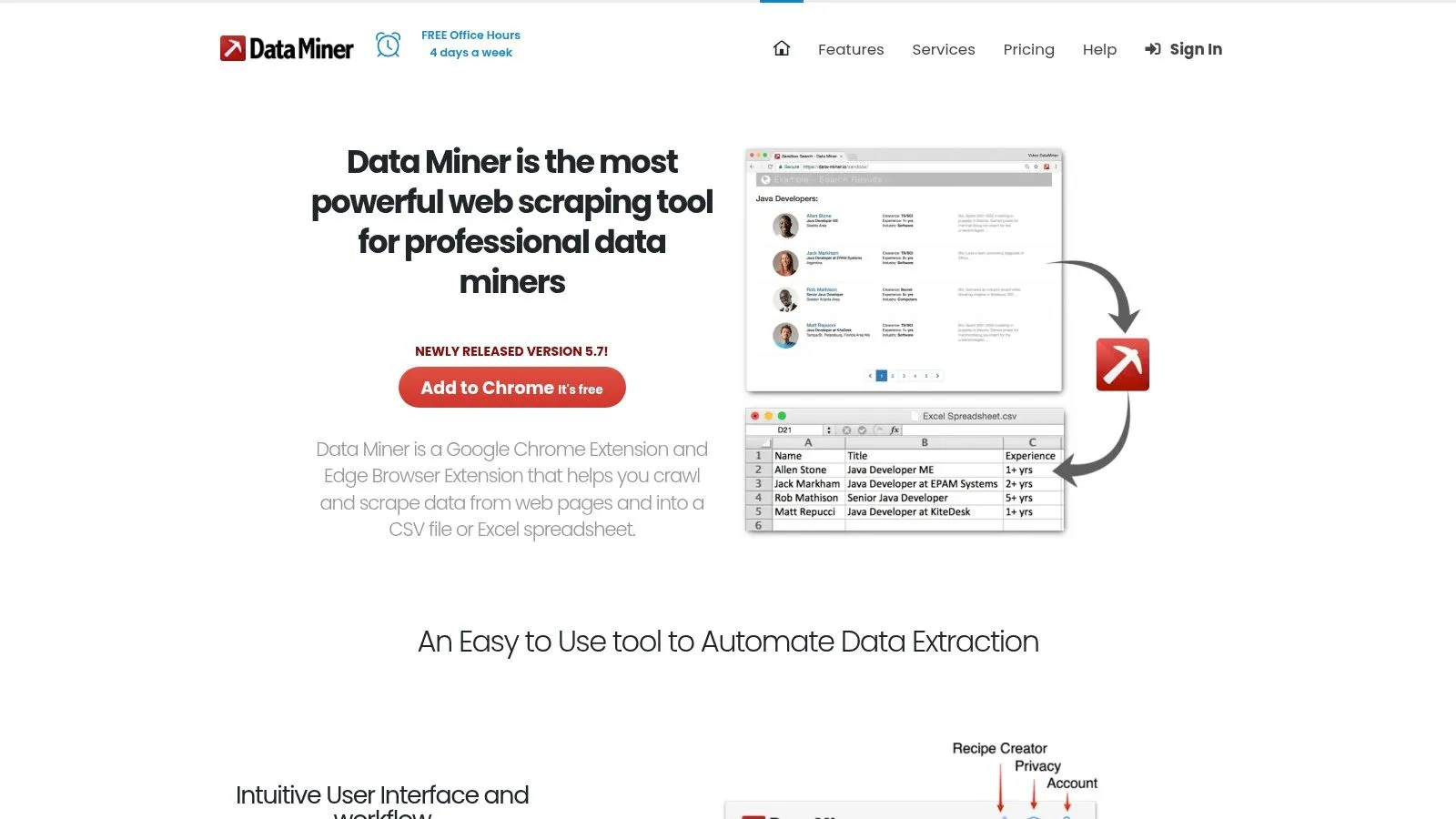
The extension shows its value through its flexibility. Users can find a pre-built YouTube comments recipe, activate it, and let it automatically handle pagination to extract comments. The output is a clean CSV or XLSX file containing usernames and comment text, ready for direct import into Excel. For those with unique needs, its ‘Easy Finder’ tool allows for the creation of custom recipes without writing code.
Key Features and User Experience
The user experience is friendly for a data extraction tool. You install the extension, navigate to a YouTube video, open Data Miner, and choose a recipe. While a free plan with a monthly page limit exists, the paid plans unlock more advanced features and higher volumes. The responsive support team and active community are assets, especially for users new to this type of tool.
- Browser-Based Convenience: All extraction happens within your browser, eliminating the need to install separate desktop applications.
- Recipe Library: The collection of public recipes means you can start extracting YouTube comments and other site data with one click.
- Customization: The ability to build or tweak recipes offers flexibility for capturing specific data points.
It is important to note that since it runs in the browser, performance can be slower than dedicated cloud-based services. Also, changes to YouTube’s layout may occasionally require a recipe to be updated, making it less reliable than a professionally maintained service.
Website: https://dataminer.io/
10. Bardeen – YouTube Comments to Sheets/CSV (automation template)
Bardeen is a browser automation platform that takes a different approach to data extraction. Instead of a dedicated export site, it provides pre-built “playbooks” that automate workflows directly in your browser. Its “Extract YouTube Comments” template is designed for users who want to not only grab comment data but also immediately integrate it into their productivity tools like Google Sheets or Notion. This makes it a choice for teams looking to build low-code, automated reporting systems.
This tool can be used to export comments for Excel because of its seamless integration with Google Sheets. Once the data, including author and comment text, is in a Google Sheet, exporting it as an Excel-ready XLSX or CSV file is a simple one-click action. The benefit is what you can do after the export. Bardeen’s workflows can be extended to include AI-powered summarization, automatically tagging comments as they are added to your sheet.
Key Features and User Experience
Setting up Bardeen involves adding a browser extension and activating the specific playbook for YouTube comments. While the initial setup has a slight learning curve, the pre-built template handles most of the heavy lifting. The process runs locally in your browser, so for videos with an extremely high comment volume, you might need to run the playbook in smaller batches to avoid performance issues, making it less practical for large-scale analysis.
- Integrated Workflows: Its ability to send data directly to Google Sheets, Notion, or Airtable is an advantage for teams already using these platforms.
- Post-Processing Automation: Go beyond simple exporting by adding steps to summarize or analyze comments with AI in the same automated run.
- Quick Setup: The pre-built template makes it fast to get started without needing to build an extractor from scratch.
Bardeen offers a powerful solution for those who see comment exporting as the first step in a larger data processing pipeline, but it is not a dedicated tool for fast, scalable comment extraction.
Website: https://www.bardeen.ai/templates/youtube-comments
11. NoteLM.ai – YouTube Comment Extractor
NoteLM.ai offers a collection of free YouTube utilities, and its Comment Extractor is a standout for users who need a quick, no-fuss solution. Designed for simplicity and speed, this web-based tool allows anyone to extract all comments from a public YouTube video without requiring an account or subscription. It is an excellent choice for students, small creators, or anyone needing to perform a one-off analysis without committing to a paid service.

This tool earns its spot as one of the best free YouTube comment export tools because of its directness and helpful guidance. After a one-click export, it provides a clean CSV file that includes comment text, replies, author information, and timestamps. Crucially, the site also features blog guides that walk users through importing and cleaning the data in Excel or Google Sheets, a thoughtful touch for non-technical users.
Key Features and User Experience
The interface is as minimal as it gets: a single field for the YouTube URL and a button to start the process. This zero-barrier-to-entry approach is its greatest strength. You can get your data in under a minute for most videos. However, because it is a free utility, it lacks the advanced features found in premium services, such as bulk processing, guaranteed uptime, or dedicated support.
- Completely Free: No sign-up, no credit card, and no feature paywalls, making it ideal for ad-hoc exports.
- Includes Replies: The export captures threaded conversations, which is essential for contextual analysis.
- Excel and Sheets Guidance: Provides clear, practical instructions for getting the raw CSV data into a usable format.
While perfect for quick tasks, its free, unsupported model means it may not be suitable for mission-critical business operations that demand reliability and enterprise features. It is a utility, not a full-fledged service.
Website: https://www.notelm.ai/
12. Comment Exporter for YouTube (Chrome extension)
For users who value convenience and want to pull data directly within their browser, Comment Exporter for YouTube offers a lightweight, integrated solution. As a Chrome extension, it removes the need to navigate to an external website. You can trigger an export right on the YouTube video page you are viewing, making it suitable for quick, single-video data pulls without disrupting your workflow. This approach is perfect for creators who need immediate access to comments for a specific video.
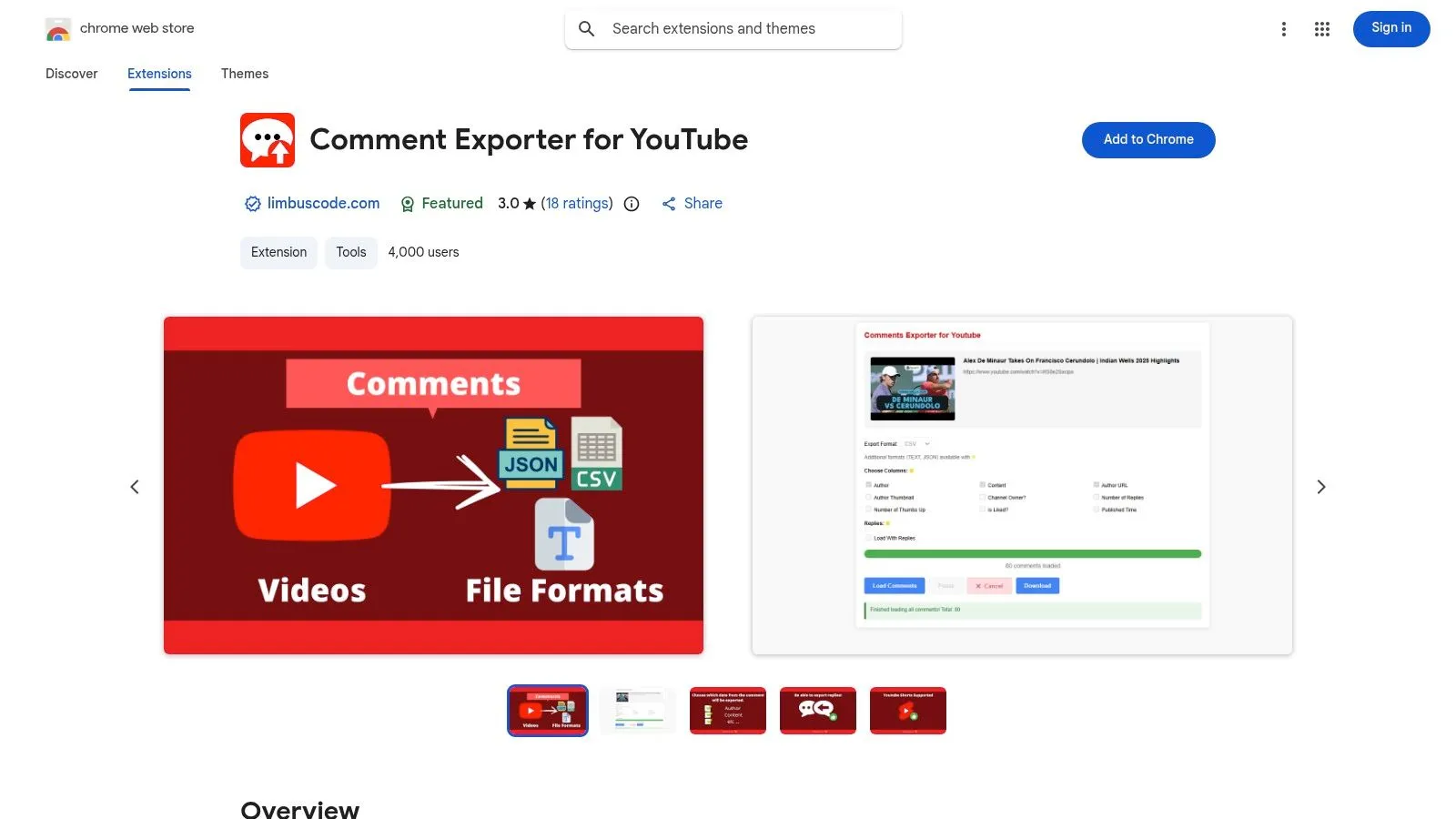
This tool is a candidate for exporting comments to Excel by producing ready-to-use CSV files. The data includes key fields like comment text, author names, and timestamps, which can be imported directly into a spreadsheet for analysis. Its main advantage is simplicity and immediacy. While more robust web platforms offer complex automation, this extension excels at on-the-spot exports, providing data without ever leaving the YouTube interface.
Key Features and User Experience
The user experience is incredibly straightforward. After installing the extension, its icon appears in your browser, and a button is added to YouTube video pages. Clicking it opens a simple menu where you can select your export format and choose whether to include replies. Performance is tied to your browser, so keeping the tab active during a large export is recommended. While the base version is free, a small premium fee unlocks advanced options.
- In-Browser Convenience: No need to copy URLs to another site; everything happens directly on YouTube.
- Simple Workflow: Ideal for users who require uncomplicated, per-video exports without a steep learning curve.
- Format Flexibility: Provides output in CSV, JSON, and TXT, covering basic data analysis needs.
It’s important to remember this is a browser tool, not a full-scale web service, so its capabilities are limited. For those who prioritize a simple, direct method for exporting comments for Excel, this extension is a functional choice for small jobs.
Website: https://chromewebstore.google.com/detail/comment-exporter-for-yout/flbjnmpmnemonehebikfcaofhikbgkim
Top 12 YouTube Comment Export Tools for Excel
| Tool | Core features | Export & data | Target audience & USP | Pricing & scale |
|---|---|---|---|---|
| YouTube Comments Downloader (Recommended) | No-code paste-any-link; supports videos, Shorts, live chat, community posts, playlists, channels; bulk queue-free processing; typo-tolerant search; API & companion GPT | XLSX, CSV, JSON, HTML (YouTube-styled), TXT (ChatGPT-optimized); preserves thread hierarchy, handles likes/replies/timestamps/permalinks | Creators, marketers, researchers, journalists; fastest bulk extraction, built-in analysis GPT, desktop lifetime license | Free starter credits; credit-based (1 credit/comment) with 100-credit minimum; pre-paid/subscription or lifetime desktop; proven scale (customers: 3,000 vids / 750k comments <30min) |
| ExportComments | Direct exports from YouTube; field selection; scheduling & webhooks; API; multi-platform support | XLSX/CSV with usernames, timestamps, likes, IDs, permalinks | Creators, agencies, teams needing repeatable scheduled exports and automated delivery | Web-based; scheduling/API on higher tiers; pricing details shown after sign-in |
| Comment Picker – YouTube Comment Exporter | Fast web tool; selectable columns; include replies; simple filters & sorting | XLSX/CSV; per-comment permalinks; basic filters by text/date/likes | Quick ad-hoc exports for small-scale use; transparent free vs premium table | Free tier capped (50 comments/export); daily/monthly limits; no bulk project management |
| Outscraper – YouTube Comments Scraper | Pay-as-you-go cloud/API; focused on automation and pipelines | CSV/XLSX via API; metered per-result delivery | Developers, data teams, automation pipelines; easy to integrate into stacks | Tiered per-1,000-comments pricing; free monthly allowance; cost scales with volume |
| Apify – YouTube Comments Scraper Actors | Multiple ready-made scraper actors; scheduling; Google Sheets & webhook integration | XLSX/CSV/JSON; datasets & webhooks inside Apify ecosystem | Automators and engineers embedding scrapers into workflows; flexible actor choices | Actor pricing varies by publisher; clear per-result pricing on popular actors; learning curve for console |
| Octoparse – YouTube Comments & Replies Scraper (Template) | No-code desktop/cloud GUI; maintained YouTube template; browser automation handles scrolling/pagination | Excel/CSV/JSON; template supports bulk URL runs (up to ~500 URLs/run) | Non-technical teams needing GUI/browser automation and templates | Free trial; paid plans for higher-volume/cloud runs; desktop automation may hit CAPTCHAs |
| Bright Data – YouTube Comments Scraper | Enterprise-grade scraper infra; API & no-code flows; unblocking & geo-targeting | CSV/NDJSON/JSON; webhooks or cloud storage delivery | Enterprises needing scale, geo-targeting, compliance and SLAs | Custom pricing (sales); built for large workloads—likely overkill for small projects |
| Web Scraper (webscraper.io) – Browser extension | Visual selector builder; pagination & click automation; optional cloud runner | CSV export from sitemaps | Generalist users who want reusable visual scrapers across sites | Free browser extension; optional paid cloud service; YouTube may need careful setup |
| Data Miner (Chrome/Edge extension) | One-click scraping with community recipes; selector tool; auto-pagination | CSV/XLS exports | Users preferring in-browser recipes and quick customization | Free tier with limits; recipe tweaking required for YouTube; browser speed limits |
| Bardeen – YouTube Comments to Sheets/CSV (template) | Prebuilt automation playbook; maps fields to Sheets/Notion/Airtable; supports post-processing | Google Sheets (CSV trivially obtainable); fields: author, link, time, text, likes | Low-code teams using Sheets/Notion/Airtable; useful for downstream automations | Freemium templates; browser-run—large videos may require chunking |
| NoteLM.ai – YouTube Comment Extractor | One-click extraction; no signup required; quick ad-hoc utility | CSV/JSON with replies, likes, timestamps, author/channel | Fast, free exports for casual users and quick analysis; Excel import guides provided | Free tool (no account); no scheduling/API; availability may change |
| Comment Exporter for YouTube (Chrome extension) | Lightweight in-browser exporter; include replies; pause/resume loading; field selection | CSV/JSON/TXT (some builds: XLSX/PDF) | Users who export per-video while browsing; simple in-tab workflow | Free/basic builds; premium builds add batch/pause options; browser-dependent performance |
Making the Right Choice for Your YouTube Data Needs
Navigating the crowded field of data tools to find the best YouTube comment export tool for Excel can feel overwhelming, but the journey ends with a clear understanding of your own specific needs. Throughout this guide, we have explored a dozen different solutions, from simple browser extensions to more complex, developer-oriented platforms. The key takeaway is that the ideal tool is not a one-size-fits-all answer but rather a tailored fit for your project’s scale, your technical comfort level, and your ultimate analytical goals.
For one-off, small-scale tasks like picking a random winner from a few hundred comments, a free browser extension or a simple web-based tool like Comment Picker might be perfectly adequate. These tools are accessible and get the job done with minimal setup. However, their limitations become apparent quickly when dealing with thousands of comments, nested replies, or the need for recurring data pulls. You often sacrifice depth, such as the full thread context, and face performance issues on popular videos.
On the other end of the spectrum, platforms like Apify or custom browser extensions offer immense flexibility. They can be configured to pull nearly any piece of data you can imagine. Yet, this power comes at the cost of complexity. These are not simple “plug and play” solutions; they require technical know-how, setup time, and a hands-on approach to building and maintaining data extractors, which is a significant barrier for marketers, researchers, and creators who need data, not another technical project.
Matching the Tool to Your Role
The decision-making process becomes much clearer when you filter the options through the lens of your professional role:
- For the Solo Creator or Small Channel Manager: Your primary concern is likely community engagement and quick content feedback. A tool that offers easy, occasional exports without a steep learning curve or high cost is ideal. You need to quickly see what your audience is saying, identify top fans, or find question-based content ideas.
- For the Marketing Analyst or Social Media Team: You require consistent, reliable data for sentiment analysis, campaign performance tracking, and competitor monitoring. Your needs go beyond simple exports; you demand features like bulk processing, data filtering before export, and outputs that are immediately ready for analysis in tools like Excel or Google Sheets. The ability to handle large volumes of comments without crashing is non-negotiable.
- For the Academic Researcher or Data Scientist: Your work demands the highest level of data integrity and completeness. Preserving the hierarchical structure of comments and replies, capturing precise timestamps, and having access to all associated metadata is crucial for studying online discourse. Your chosen tool must be robust, scalable, and meticulously accurate.
Across these diverse needs, a clear pattern emerges. While niche tools have their place, the most effective solutions balance power with usability. This is where YouTube Comments Downloader truly distinguishes itself. It was designed to specifically address the shortcomings of both overly simplistic extensions and overly complex technical platforms. It provides the speed and scalability necessary for serious analysis while maintaining a straightforward, user-friendly interface. Its direct XLSX export, which preserves the full thread hierarchy, makes it a superior choice for anyone who values their time and needs analysis-ready data straight out of the box.
As you move from data collection to analysis, being proficient with your spreadsheet software is key. Many tools export to CSV, a universal format, but knowing how to properly import and manage that data is essential. If you receive a CSV file, understanding how to convert CSV to Excel correctly will ensure that no data is misinterpreted and your columns and rows align as expected, setting a solid foundation for your research. Ultimately, the right tool empowers you to move past the hurdle of data extraction and focus on what truly matters: uncovering the valuable insights hidden within your YouTube community’s conversations.
Ready to stop wrestling with complicated tools and start analyzing your YouTube comments in minutes? YouTube Comments Downloader is the professional’s choice for fast, scalable, and analysis-ready exports. Get the clean, structured Excel data you need by trying YouTube Comments Downloader today and see how simple powerful data collection can be.